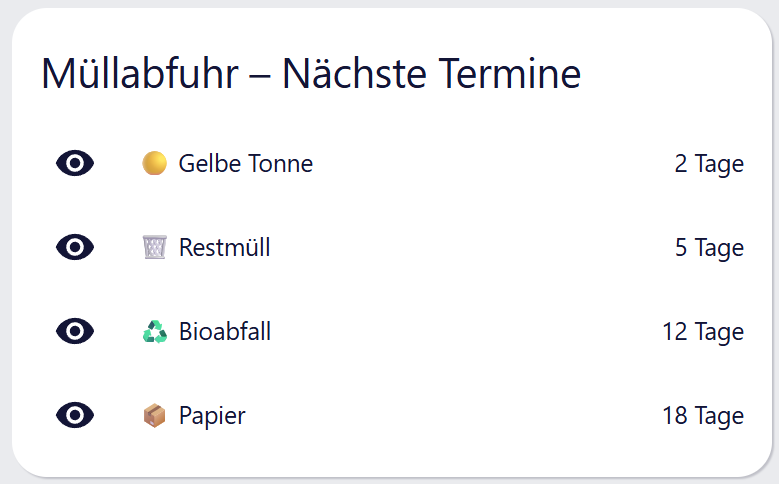
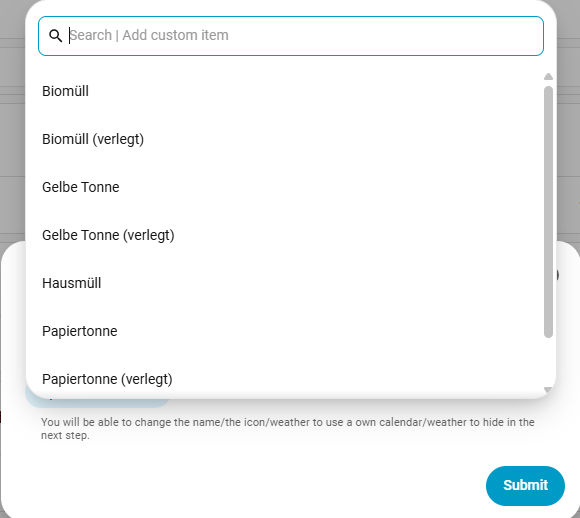
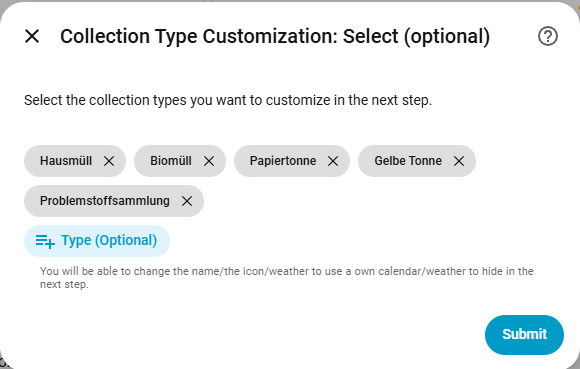
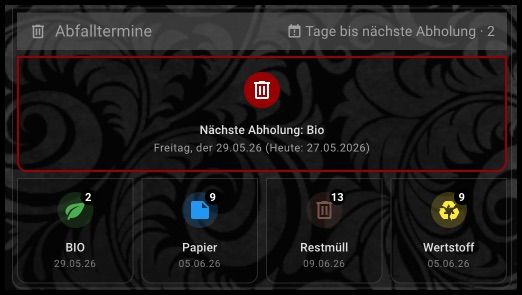
Irgendwie hat mich das heute getriggert etwas zu basteln… Ich wollte die HACS Karte Trash Card loswerden, da man hier nicht (zumindest weiß ich nicht wie mans vernünftig machen könnte) in das Styling eingreifen kann. Daher mache ich das nun so:
Ich habe einen HA Kalender. In diesen lese ich die Termine eines Google Kalender automatisch ein. In diesem Kalender stehen alle Mülltermine.
In der configuration.yaml lese ich die Termine per trigger based Sensor ein:
template:
  - triggers:
      - trigger: time_pattern
        hours: "/1"
      - trigger: homeassistant
        event: start
    actions:
      - action: calendar.get_events
        target:
          entity_id: calendar.mullkalender
        data:
          duration:
            days: 30
        response_variable: abfuhr
      - variables:
          rest: >
            {{ abfuhr['calendar.mullkalender'].events | selectattr('summary', 'eq', 'Restmüll') | list }}
          papier: >
            {{ abfuhr['calendar.mullkalender'].events | selectattr('summary', 'eq', 'Papiermüll') | list }}
          bio: >
            {{ abfuhr['calendar.mullkalender'].events | selectattr('summary', 'eq', 'Bio-Müll') | list }}
          wertstoff: >
            {{ abfuhr['calendar.mullkalender'].events | selectattr('summary', 'eq', 'Wertstoffmüll') | list }}
    sensor:
      # RESTMÜLL
      - name: "Abfuhr Restmüll"
        unique_id: abfuhr_restmuell
        icon: mdi:trash-can-outline
        state: >
          {% if rest | length > 0 %}
            {{ ((as_timestamp(rest[0].start) - as_timestamp(today_at())) / 86400) | int }}
          {% else %}
            999
          {% endif %}
        attributes:
          datum: >
            {% if rest | length > 0 %}
              {{ as_timestamp(rest[0].start) | timestamp_custom('%d.%m.%Y', true) }}
            {% else %}
              --
            {% endif %}

      # PAPIERMÜLL
      - name: "Abfuhr Papiermüll"
        unique_id: abfuhr_papiermuell
        icon: mdi:newspaper
        state: >
          {% if papier | length > 0 %}
            {{ ((as_timestamp(papier[0].start) - as_timestamp(today_at())) / 86400) | int }}
          {% else %}
            999
          {% endif %}
        attributes:
          datum: >
            {% if papier | length > 0 %}
              {{ as_timestamp(papier[0].start) | timestamp_custom('%d.%m.%Y', true) }}
            {% else %}
              --
            {% endif %}

      # BIO-MÜLL
      - name: "Abfuhr Bio-Müll"
        unique_id: abfuhr_biomuell
        icon: mdi:flower
        state: >
          {% if bio | length > 0 %}
            {{ ((as_timestamp(bio[0].start) - as_timestamp(today_at())) / 86400) | int }}
          {% else %}
            999
          {% endif %}
        attributes:
          datum: >
            {% if bio | length > 0 %}
              {{ as_timestamp(bio[0].start) | timestamp_custom('%d.%m.%Y', true) }}
            {% else %}
              --
            {% endif %}

      # WERTSTOFFMÜLL
      - name: "Abfuhr Wertstoffmüll"
        unique_id: abfuhr_wertstoffmuell
        icon: mdi:recycle-variant
        state: >
          {% if wertstoff | length > 0 %}
            {{ ((as_timestamp(wertstoff[0].start) - as_timestamp(today_at())) / 86400) | int }}
          {% else %}
            999
          {% endif %}
        attributes:
          datum: >
            {% if wertstoff | length > 0 %}
              {{ as_timestamp(wertstoff[0].start) | timestamp_custom('%d.%m.%Y', true) }}
            {% else %}
              --
            {% endif %}
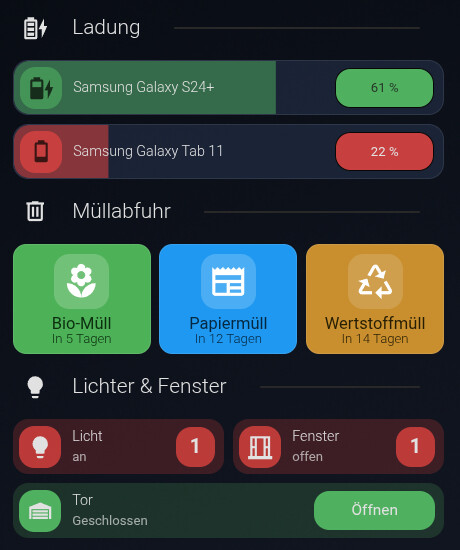
So binde ich dann die Termine ein als Beispiel Bio-Müll (die custom button card wird benötigt):
type: custom:button-card
entity: sensor.abfuhr_bio_mull
show_name: true
show_icon: true
show_label: true
show_state: false
name: Bio-Müll
label: |
  [[[
    if (entity.state == '0') return 'Heute';
    if (entity.state == '1') return 'Morgen';

    var datum = states['sensor.abfuhr_bio_mull'].attributes.datum;
    // return 'In ' + entity.state + ' Tagen<br />' + datum;
    return 'In ' + entity.state + ' Tagen';
  ]]]
styles:
  card:
    - background-color: "#4ab14f"
    - border-radius: 12px
    - padding: 8px
    - height: 100px
  grid:
    - grid-template-areas: "\"i\" \"n\" \"l\""
    - grid-template-columns: 1fr
    - grid-template-rows: 1fr auto auto
  icon:
    - width: 35px
    - color: "#fff"
  name:
    - color: "#0a2f0c"
    - font-size: 15px
    - font-weight: 400
    - margin-top: 8px
  label:
    - color: "#0a2f0c"
    - font-size: 12px
    - font-weight: 300
    - margin-top: 4px
  img_cell:
    - width: 50px
    - height: 50px
    - justify-content: center
    - border-radius: 14px
    - background-color: rgba(255, 255, 255, 0.2)
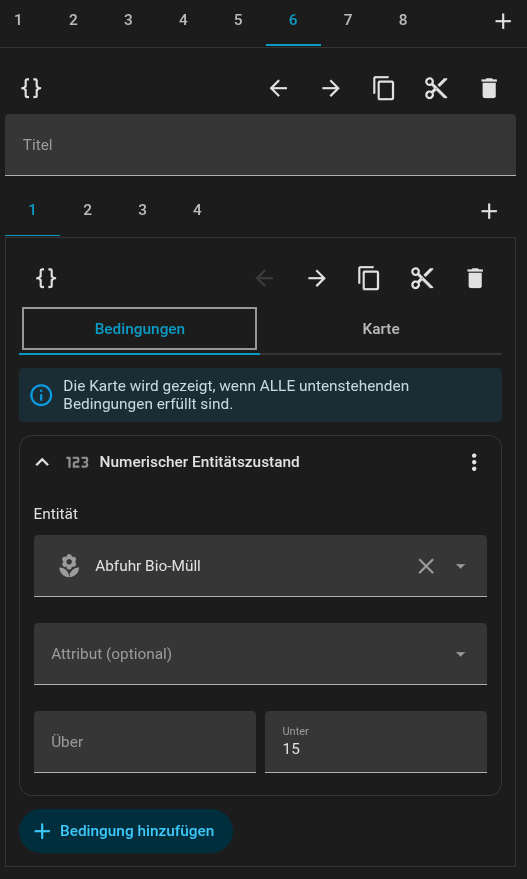
Ich lasse derzeit die Tage bis zur Leerung anzeigen… man kann aber auch das Datum der Leerung anzeigen lassen (siehe auskommentierte Zeile). Am Vortag lasse ich “Morgen” ausgeben. Am Abholtag lasse ich “Heute” ausgeben. Mit einer Condition prüfe ich ob es unter 15 Tage sind (ansonsten würden (für mich) zuviele Karten angezeigt. Ich möchte das max 3 angezeigt werden.)
Die 4 Button Cards liegen in einem horizontal Stack (Restmüll wird derzeit nicht angezeigt, da noch zu lange hin):
Mit dieser Automation schicke ich Abends um 19 Uhr eine Mail zur Erinnerung das die jeweilige Tonne raus muss und morgens um 6:30 Uhr nochmal:
alias: Mülltonne rausstellen
description: |-
  - Benachrichtigung um 19:00 Uhr am Abend vorher per Mail
  - Benachrichtigung am Morgen des Termins um 6:30 Uhr per Mail
triggers:
  - trigger: calendar
    entity_id: calendar.mullkalender
    event: start
    id: abends
    offset: "-5:0:0"
  - trigger: calendar
    entity_id: calendar.mullkalender
    event: start
    offset: "6:30:0"
    id: morgens
conditions: []
actions:
  - if:
      - condition: trigger
        id:
          - morgens
          - abends
    then:
      - action: notify.mailing
        data:
          message: >
            Bitte {% if trigger.id == 'abends' %}morgen{% else %}jetzt gleich
            noch{% endif %} die {{ trigger.calendar_event.summary }}-Tonne
            rausstellen.
          title: >
            {{ trigger.calendar_event.summary }}-Tonne: Müllabfuhr droht mit
            Leerung
mode: parallel
max: 10
Wers brauchen kann…. Take it!