Moin,
bin die Tage von einer statischen Foscam IP-Camera zur Reolink E1 outdoor gewechselt.
Die Einbindung hat sowohl bei der alten Foscam wie auch bei der neuen Reolink geklappt.
Bei der Foscam hat mir das Live-Bild genügt (mehr war nicht möglich). Die Reolink bietet
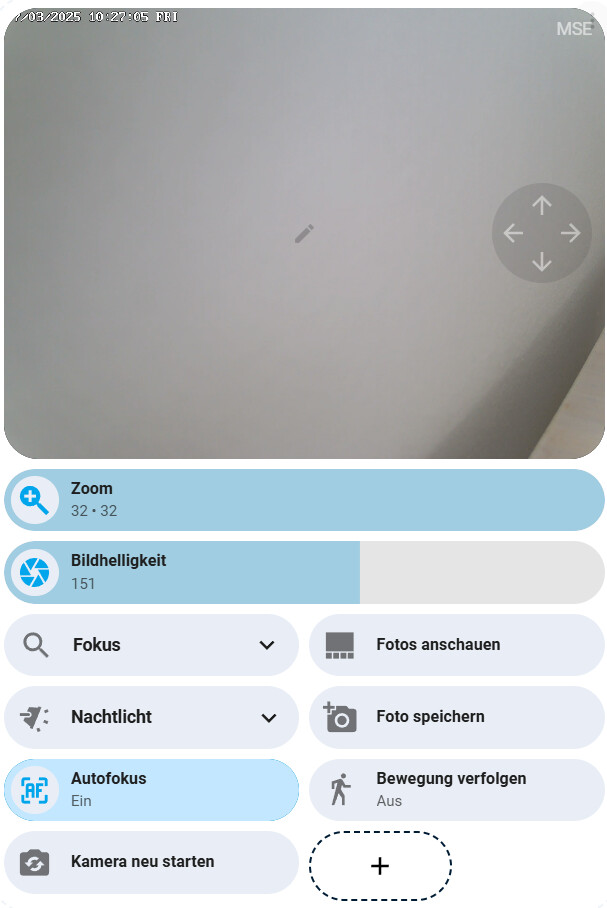
ja PTZ etc. Die Entitäten dafür manuell hinzufügen ist kein Problem. Live-Bild läuft. Ich hätte aber gerne Steuerkreuz und Presetpositionen mit in der Karte. Habe mir schon einiges hier durchgelesen, bekomme aber den Ansatz nicht hin. Welche Karte, was wie einfügen ? Vlt kann ich noch etwas Support erbitten.
Danke & Gruss
Ich verwende GitHub - AlexxIT/WebRTC: Home Assistant custom component for real-time viewing of almost any camera stream using WebRTC and other technologies., die dazugehörige Karte bietet ein onscreen PTZ-Kreuz an.
Da sich die Kamera beim Ausführen eines PTZ-Befehls mittels der Reolink-Integration immer bis zum Anschlag bewegt, oder bis ein PTZ-stop ausgelöst wird, habe ich zusätzlich die ONVIF-Integration installiert, weil man da eine Zeit mitgeben kann, wie lange sich die Kamera bewegen soll. 0,3 Sekunden ist für mich ein guter Wert.
Du kannst da stattdessen natürlich auch ein Script machen mit ptz-move und ptz-stopp nach X Sekunden, wenn du ONVIF nicht installieren möchtest.
Der Rest ist mit Bubble-Cards gemacht:
Hier der Code zu meiner WebRTC-Karte:
type: custom:webrtc-camera
entity: camera.reocam_klar
digital_ptz:
  mouse_drag_pan: true
  mouse_wheel_zoom: true
  mouse_double_click_zoom: false
  touch_drag_pan: true
  touch_pinch_zoom: true
  touch_tap_drag_zoom: false
  persist: false
ptz:
  service: onvif.ptz
  data_left:
    entity_id: camera.reonvif_profile000_mainstream
    pan: LEFT
    move_mode: ContinuousMove
    continuous_duration: 0.3
  data_right:
    entity_id: camera.reonvif_profile000_mainstream
    pan: RIGHT
    move_mode: ContinuousMove
    continuous_duration: 0.3
  data_up:
    entity_id: camera.reonvif_profile000_mainstream
    tilt: UP
    move_mode: ContinuousMove
    continuous_duration: 0.3
  data_down:
    entity_id: camera.reonvif_profile000_mainstream
    tilt: DOWN
    move_mode: ContinuousMove
    continuous_duration: 0.3
Danke.
Werd´ ich mir am WE mal zu Gemüte führen.
Gruss
Hi,
habe mir jetzt WebRTC und onvif installiert. Habe erst die Karte nicht finden können. Dann die go2rtc.yaml um den Stream-Eintrag ergänzt. Karte läuft, Bild und Steuerkreuz sind da. Allerdings löst das Steuerkreuz keine Bewegung aus. Habe ich was vergessen ?
Gruss
Moin,
ich denke, ich habe den “falschen” Stream genommen.
Bin jetzt aber auf eine andere Vorlage umgestiegen:
type: picture-glance
entities:
  - entity: camera.ipc_profile000_mainstream
    tap_action:
      action: call-service
      service: onvif.ptz
      service_data:
        entity_id: camera.ipc_profile000_mainstream
        pan: LEFT
        speed: 1
        distance: 0.3
        move_mode: ContinuousMove
    name: Pan Left
    show_state: false
    icon: mdi:arrow-left
    show_icon: true
  - entity: camera.ipc_profile000_mainstream
    tap_action:
      action: call-service
      service: onvif.ptz
      service_data:
        entity_id: camera.ipc_profile000_mainstream
        tilt: UP
        speed: 1
        distance: 0.3
        move_mode: ContinuousMove
    name: Tilt Up
    icon: mdi:arrow-up
  - entity: camera.ipc_profile000_mainstream
    tap_action:
      action: call-service
      service: onvif.ptz
      service_data:
        entity_id: camera.ipc_profile000_mainstream
        tilt: DOWN
        speed: 1
        distance: 0.3
        move_mode: ContinuousMove
    name: Tilt Down
    icon: mdi:arrow-down
  - entity: camera.ipc_profile000_mainstream
    tap_action:
      action: call-service
      service: onvif.ptz
      service_data:
        entity_id: camera.ipc_profile000_mainstream
        pan: RIGHT
        speed: 1
        distance: 0.3
        move_mode: ContinuousMove
    name: Pan Right
    icon: mdi:arrow-right
    show_icon: true
  - entity: camera.ipc_profile000_mainstream
    tap_action:
      action: call-service
      service: onvif.ptz
      service_data:
        entity_id: camera.ipc_profile000_mainstream
        preset: 1
        speed: 0.1
        distance: 0.5
        move_mode: GotoPreset
    name: Home
    show_state: false
    icon: mdi:home
    show_icon: true
  - entity: camera.ipc_profile000_mainstream
    tap_action:
      action: call-service
      service: onvif.ptz
      service_data:
        entity_id: camera.ipc_profile000_mainstream
        preset: 2
        speed: 0.5
        distance: 0.5
        move_mode: GotoPreset
    name: Preset 2
    show_state: false
    icon: mdi:numeric-2-box
    show_icon: true
  - entity: camera.ipc_profile000_mainstream
    tap_action:
      action: call-service
      service: onvif.ptz
      service_data:
        entity_id: camera.ipc_profile000_mainstream
        preset: 3
        speed: 0.5
        distance: 0.5
        move_mode: GotoPreset
    name: Eingang
    show_state: false
    icon: mdi:numeric-3-box
    show_icon: true
  - entity: camera.ipc_profile000_mainstream
    tap_action:
      action: call-service
      service: onvif.ptz
      service_data:
        entity_id: camera.ipc_profile000_mainstream
        zoom: ZOOM_IN
        speed: 1
        distance: 0.3
        move_mode: ContinuousMove
    name: zoomin
    show_state: false
    icon: mdi:magnify-plus
    show_icon: true
  - entity: camera.ipc_profile000_mainstream
    tap_action:
      action: call-service
      service: onvif.ptz
      service_data:
        entity_id: camera.ipc_profile000_mainstream
        zoom: ZOOM_OUT
        speed: 1
        distance: 0.3
        move_mode: ContinuousMove
    name: zoomout
    show_state: false
    icon: mdi:magnify-minus
    show_icon: true
camera_image: camera.ipc_profile000_mainstream
camera_view: live
Damit funktionieren Bild, Bewegung und Zoom. Die Presets leider nicht. Habe in der Reolink-App 4 Postionen angelegt. Die erscheinen bei der Reolinkintegrationen unter PTZ-Voreinstellung.
Was ist evtl. noch falsch ?
Danke & Gruss
gotopreset geht bei mir auch nicht.
mit select gehts aber:
tap_action:
  action: perform-action
  perform_action: select.select_option
  target:
    entity_id: select.reocam_ptz_voreinstellung
  data:
    option: Treppe
Hi,
vielen Dank. Läuft jetzt einwandfrei. Bekommt man die Verzögerung
noch irgendwie raus ?
Gruss
Moin nochmal,
Verzögerung ist weg, läuft flüssig.
Vlt taten ein, zwei Neustarts ihr übriges.
Gruss
 by HarryP: Zusammenführung Doppelpost (bei Änderungen oder hinzufügen von Inhalten bitte die „Bearbeitungsfunktion“ anstatt „Antworten“ zu nutzen)
Hi,
habe ja die o.g Vorlage auf meine Bedürfnisse angepassst und umgesetzt. Lief einwandfrei.
Gestern auf dem Tablet in HA noch Browser_mod für Fully Kiosk Browser konfiguriert.
Ob es jetzt daran liegt, weiß ich nicht - das Kamerabild zeigt jetzt nur noch den aktullen Schnappschuss und nicht mehr ein Live-Bild mit Bewegung an.
Auf meinem PC (ohne browser_mod-Aktivierung) läuft alles wie gewohnt. Muss ich auf dem Tablet evtl. noch irgendwas einstellen ?
Danke & Gruss