Die Aktion update/install konnte nicht ausgeführt werden. Error updating Home Assistant Supervisor: Update of Supervisor failed: toomanyrequests: retry-after: 336.945µs, allowed: 44000/minute
Diese Meldung hatte ich beim letzten Supervisor-Update auch, daraufhin habe ich einfach meine
Internetverbindung neu verbunden und dadurch eine neue IP-Adresse bekommen und dann lief das Update problemlos durch.
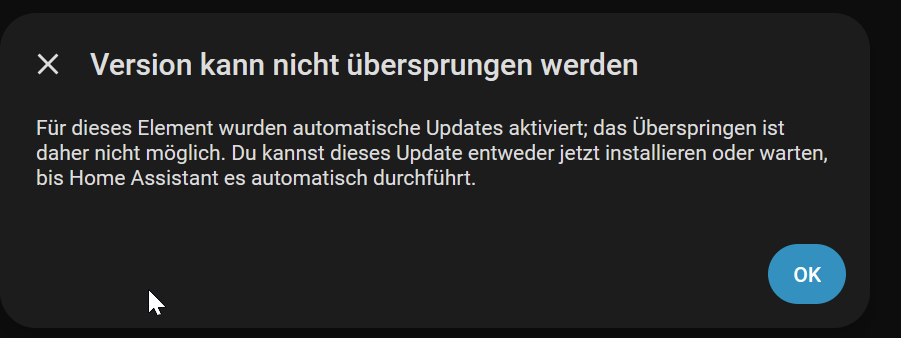
Das bekomme ich auch, warum das? Warum kann man dies nicht abwarten und wird plötzlich automatisch eingespielt, womöglich wollte ich ja vorher ein Backup machen oder so…
Sehr suspekt das ganze.
To disable automatic updates for the Home Assistant Supervisor, use the command-line interface (CLI) to set
auto-update to false. Running ha supervisor options --auto-update=false in the terminal disables automatic updates. This prevents the Supervisor from upgrading itself without user consent.
How to Disable Supervisor Auto-Update:
Method 1: Terminal/SSH Command (Recommended)
Open the terminal or SSH into your Home Assistant instance.
Execute the following command:
bash
ha supervisor options --auto-update=false
Verify the change by running ha supervisor info and checking the auto_update status, as discussed in the GitHub discussion.
Method 2: Developer Tools
Navigate to Developer Tools > States in the UI.
Find the update.home_assistant_supervisor_update entity.
Change the auto_update attribute to false.
Important Considerations:
Unsupported State: While running an outdated Supervisor is allowed, it may result in your system being marked as “unsupported,” and you may not be able to update other addons, according to the Home Assistant Community.
Re-enable: To re-enable automatic updates later, use: ha supervisor options --auto-update=true.
Manual Update: When you are ready, you can manually update by running ha supervisor update.
Also wenn Du nicht die o.g. Maßnahmen durchgeführt hast, wird ein verfügbares Spervisor-Update immer automatisch installiert.
Ja, mag sein, gut früher habe ich meist alles immer gleich upgedated, aber mittlerweile bin ich etwas zurückhaltender damit. War mir auch nicht gleich klar das es sich um den Supervisor handelt.
Hat er über Nacht installiert und läuft zum Glück auch, aber insgesamt ist das mit den update Orgien schon anstrengend, Wer das System einfach nutzen will, für den ist das def. noch nix.
Es braucht irgend wie eine LTS/PROD Version, die meinet wegen alle halbe Jahr ein update bekommt. Wer mehr will muss auf den dev Zeig gehen. So ist und bleibt das nur was für Leute, die es als Hobby sehen. Nicht böse gemeint, nur aus Sicht von Leuten, die es nur Nutzen wollen. Ich finde es ja gut das so viel weiterentwickelt wird.