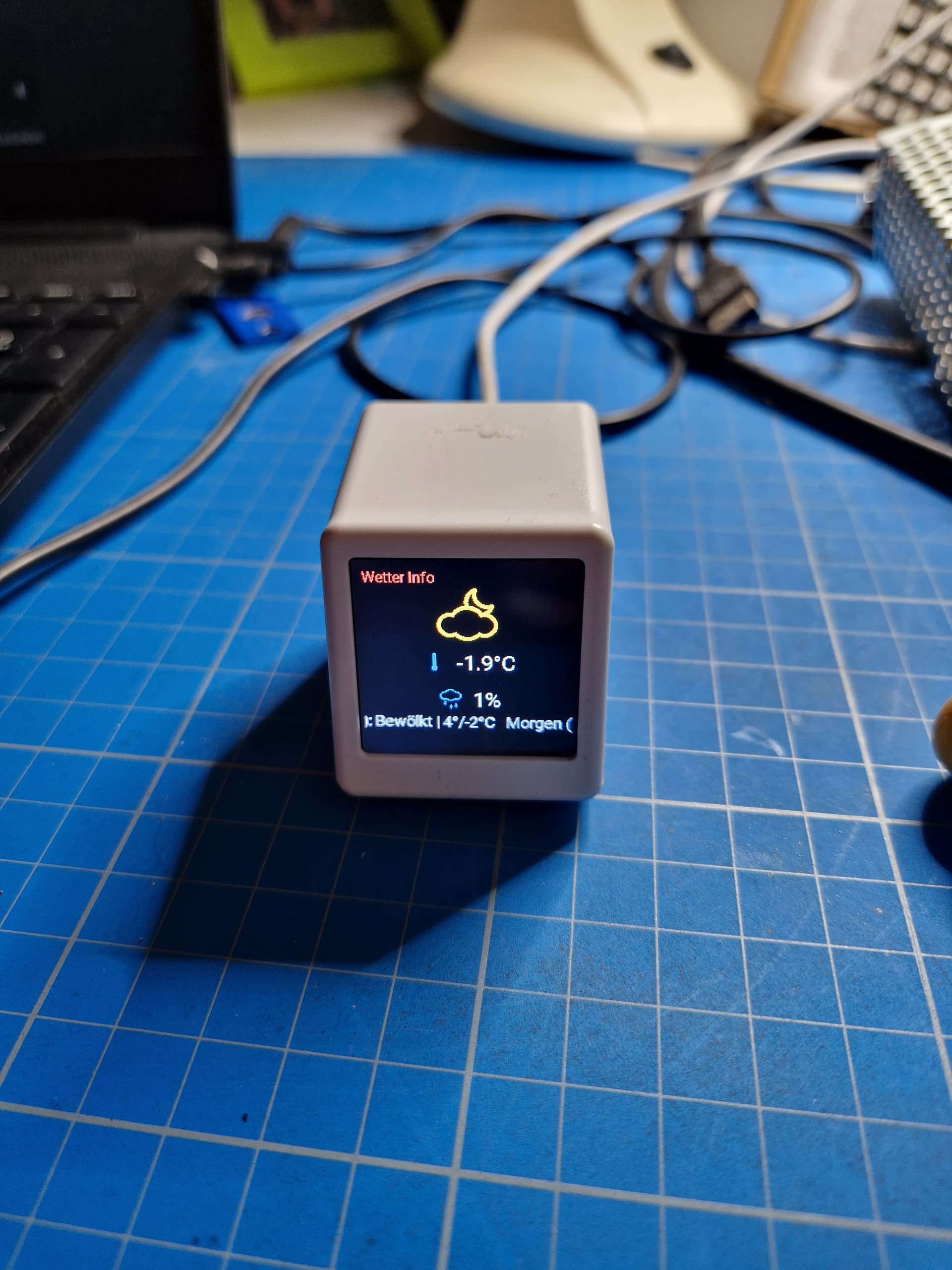
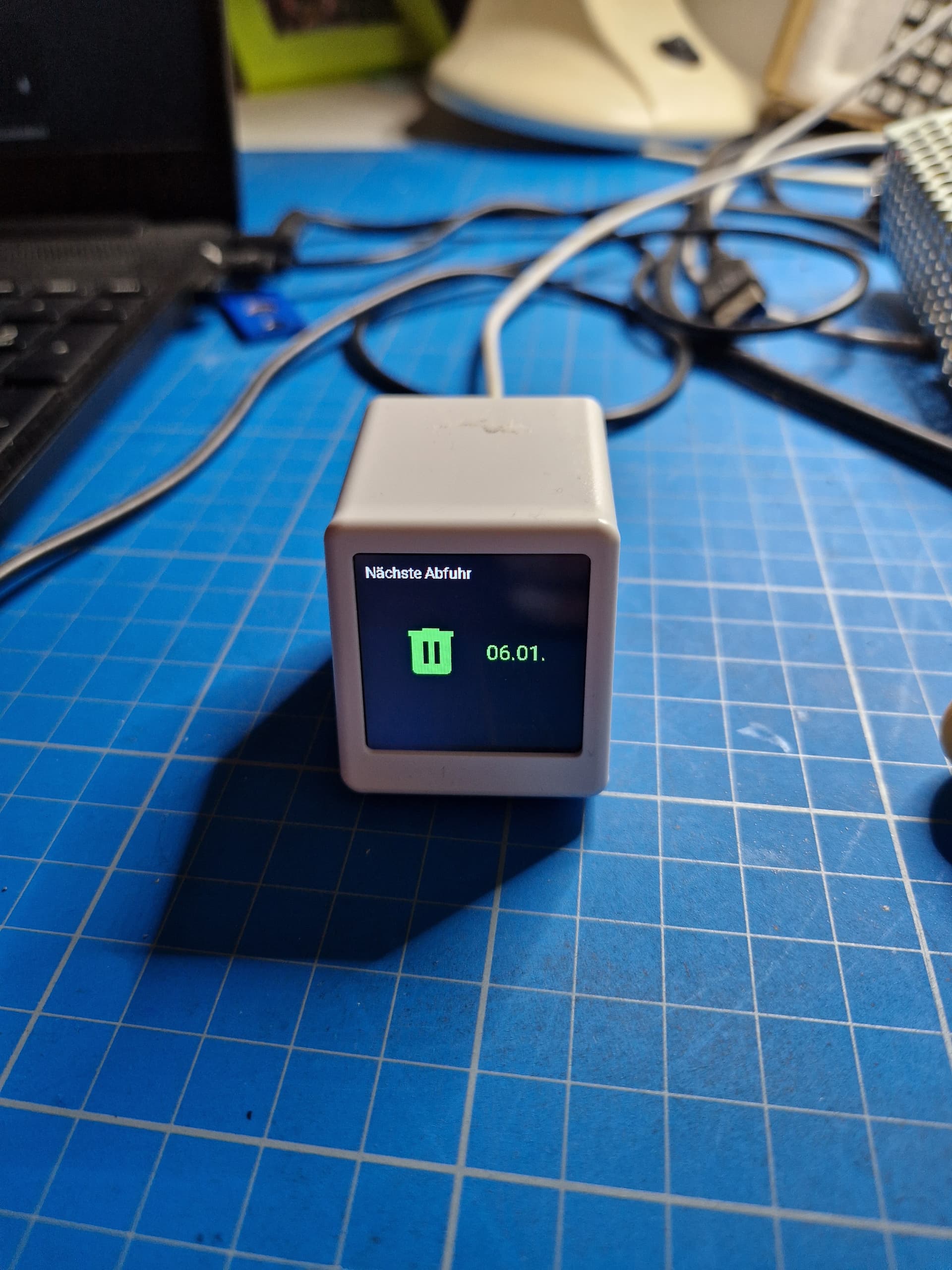
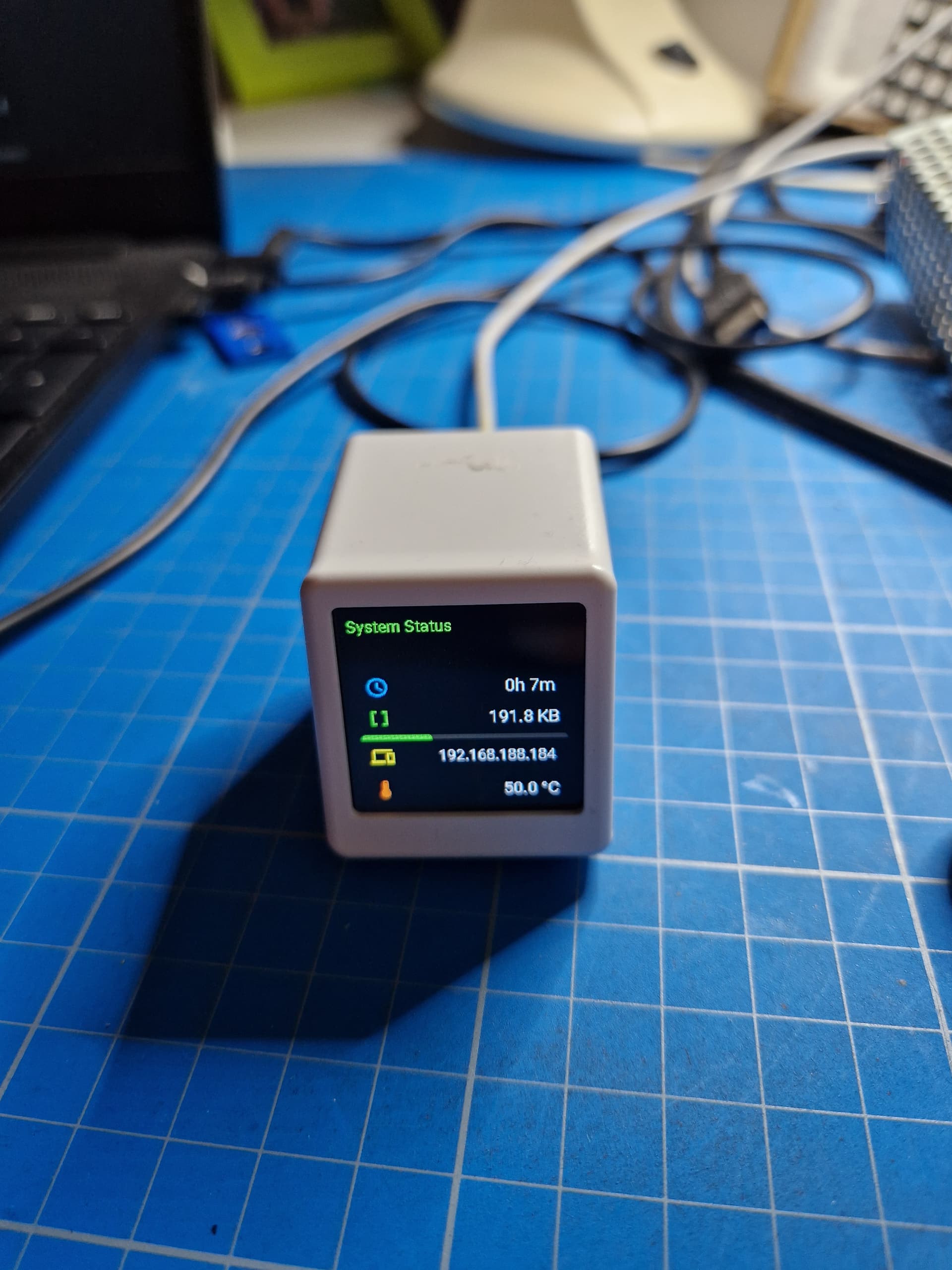
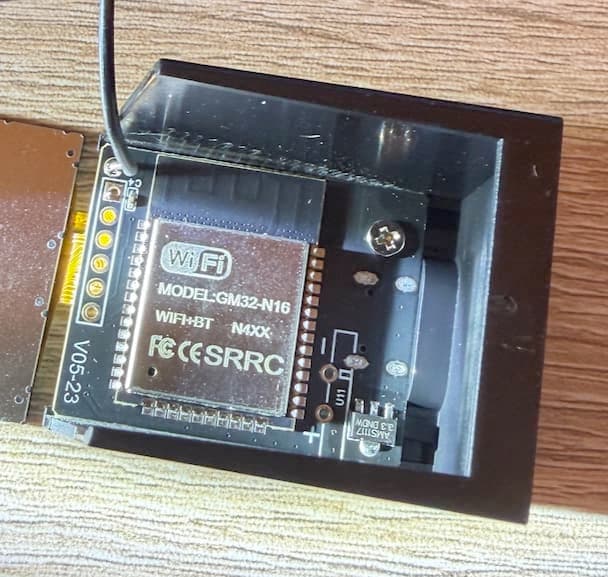
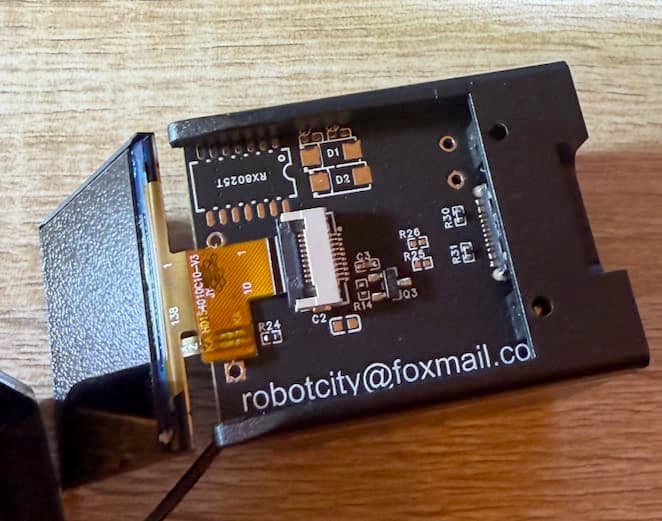
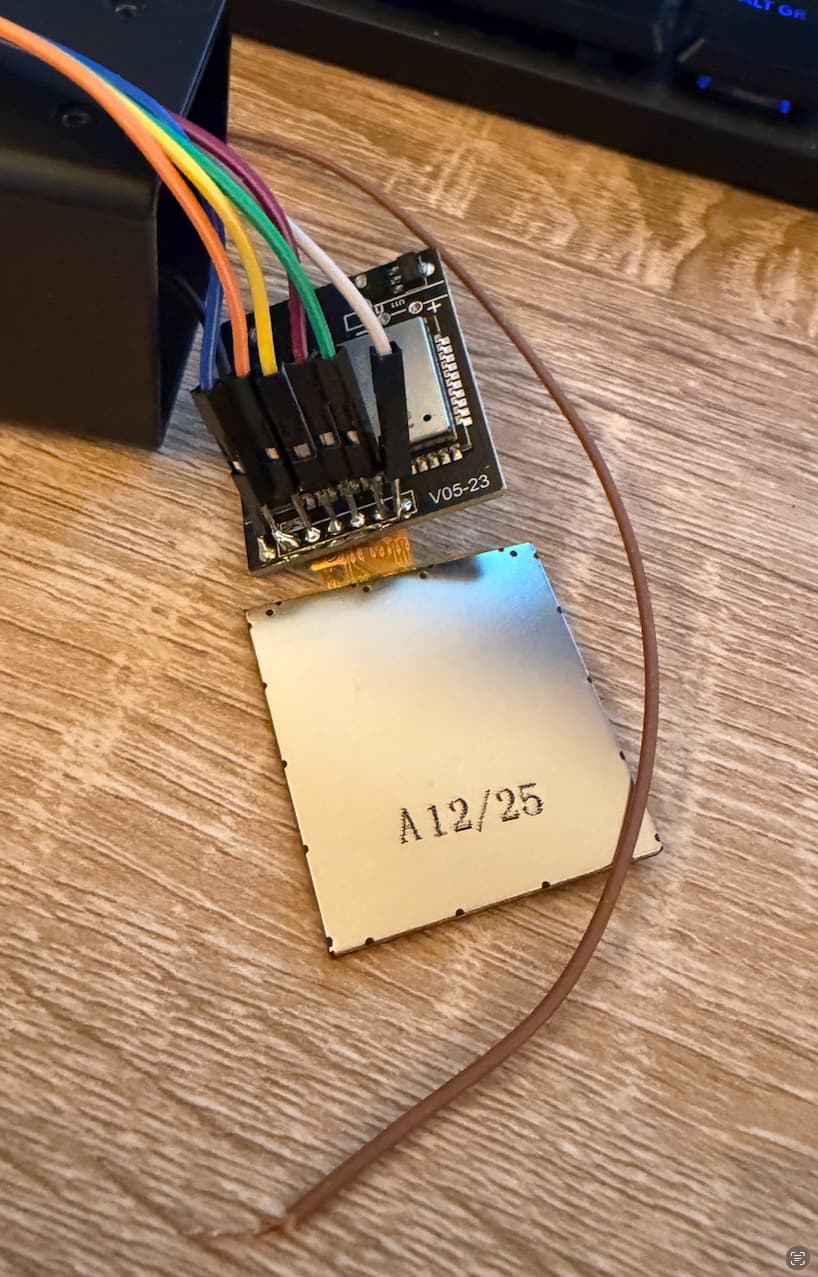
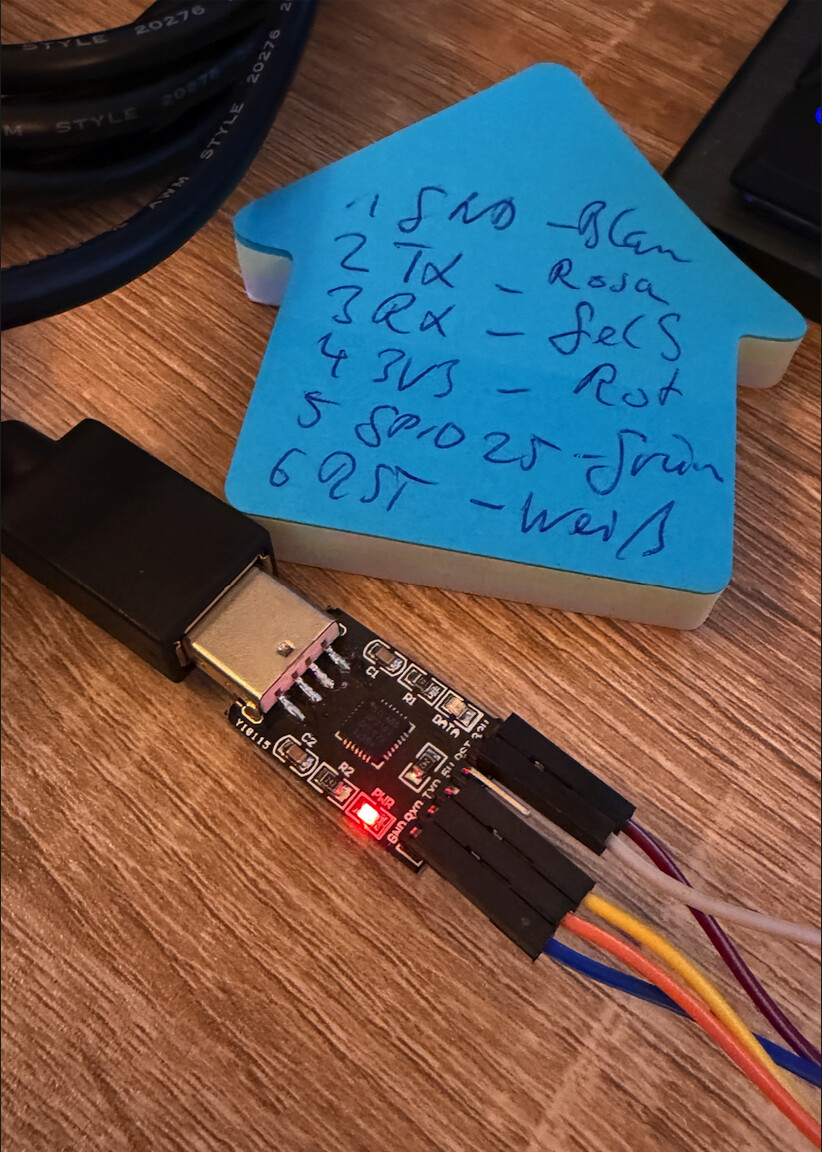
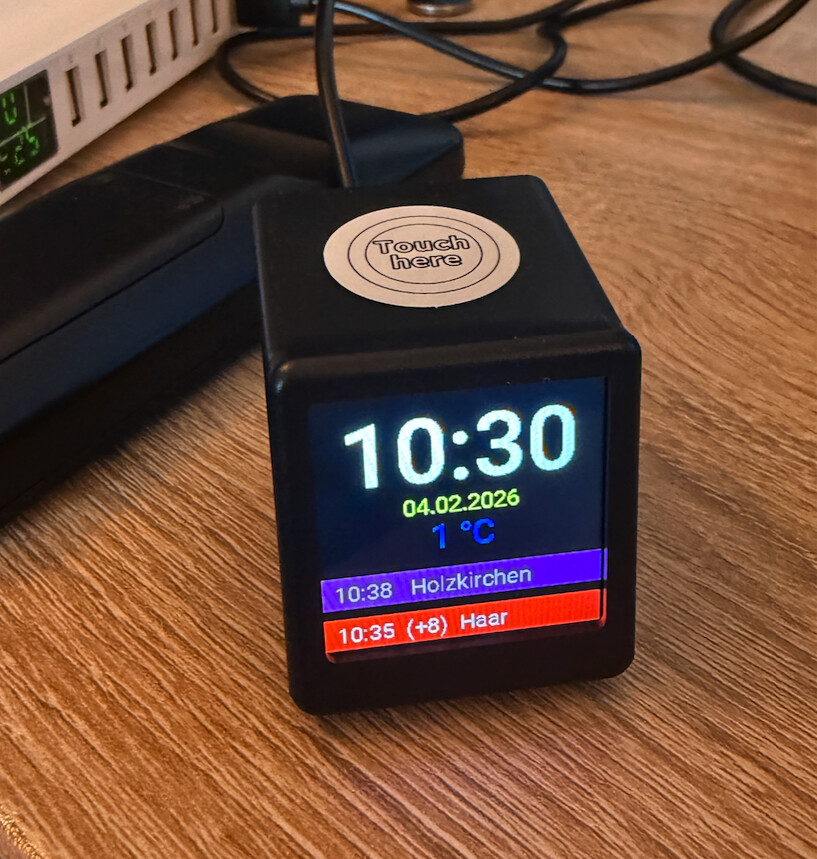
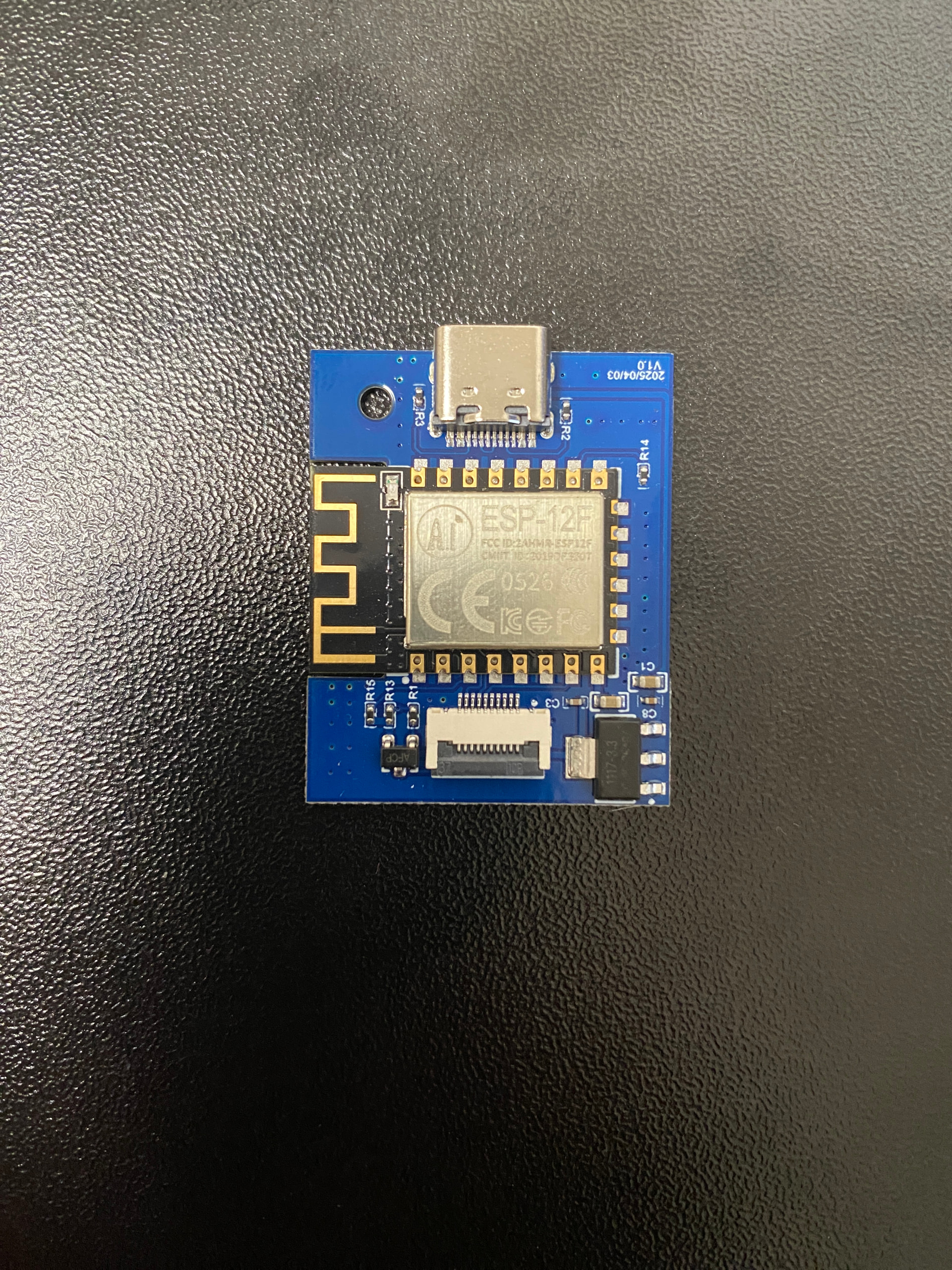
Dieser Code verwandelt das GeekMagic Pro (ESP32-S3) in eine interaktive Informationszentrale für Home Assistant. Dank der LVGL-Library bietet das Display flüssige Animationen und ein modernes User-Interface, das weit über einfache Textanzeigen hinausgeht.
Design & Assets
Ein Fokus bei diesem Projekt lag auf einer sauberen Typografie und einer intuitiven Bildsprache:
- Multilayer-Typografie: * Roboto: Wird in verschiedenen Größen (16 bis 48 Pixel) für Zeit, Datum und Systemwerte genutzt, um eine klare Informationshierarchie zu schaffen.
- Material Design Icons (MDI): Integriert als Font, um skalierbare Symbole für Sensoren (Thermometer, Wifi, RAM) und die blinkende Mülltonne zu nutzen.
- Meteocons: Ein spezieller Wetter-Font, der für die großen Wetter-Symbole genutzt wird.
- Custom Branding: * Die Startseite (Clock-Page) enthält ein zentral platziertes OM-Logo, das als
RGB565-Image direkt im Flash hinterlegt ist. Das sorgt für einen professionellen “Out-of-the-Box”-Look direkt nach dem Booten.
Kern-Funktionen
- Seiten-Management: Dynamische Liste von Pages (Clock, Weather, Trash, System), die flüssig ineinander übergehen.
- Individuelle Müll-Warnung: Das Müll-Icon auf Seite 3 wird über Home Assistant getriggert. Ist der Abholtermin morgen, startet eine Blink-Animation (
LV_OPA_0bisLV_OPA_COVER), die nur aktiv ist, wenn die Seite auch wirklich angezeigt wird. - Intelligentes Wetter-Sync: Ein dediziertes Sync-Icon pulsiert diskret oben rechts, während Home Assistant die Wetterdaten zeilenweise überträgt, und verschwindet nach Abschluss automatisch.
Touch & Interaktion
- Navigation: Einfacher Touch schaltet die Seiten mit einem Links-Schiebe-Effekt weiter. Am Ende der Liste erfolgt ein “Rückspul-Effekt” nach rechts.
- System-Monitor: Ein langer Druck (800ms+) öffnet eine technische Übersicht mit Live-Balken für die RAM-Auslastung und Geräte-Temperaturen.
- Automation-Lock: Ein extra-langer Druck (2.5s) toggelt das Auto-Blättern. Ein visueller “Bildschirm-Flash” (Overlay) bestätigt die Änderung (Grün für An, Rot für Aus).
Web-Konfiguration (No-Code Anpassung)
Alle wichtigen Parameter sind als number oder switch im ESPHome Web-Server oder direkt in Home Assistant verfügbar:
- Helligkeitswerte für Tag und Nacht (Screensaver).
- Intervalle für den Seitenwechsel und Timeouts.
- Dynamische Begrenzung der maximalen Seitenanzahl über den Web-Slider.
substitutions:
devicename: geekmagic-esp32
friendly_devicename: "GeekMagic ESP32"
device_id: geekmagic_esp32
esphome:
name: ${devicename}
friendly_name: "${friendly_devicename}"
on_boot:
priority: -100
then:
- lambda: |-
// 1. Alle verfügbaren Seiten in die Liste laden
id(app_pages).clear();
id(app_pages).push_back(id(page_clock).obj);
id(app_pages).push_back(id(page_weather).obj);
id(app_pages).push_back(id(page_3).obj);
// 2. Das Maximum des Sliders direkt setzen
float neue_anzahl = (float)id(app_pages).size();
id(cfg_max_main_pages_web).traits.set_max_value(neue_anzahl);
// Sicherheit: Nutzer-Limit korrigieren, falls es höher als vorhanden ist
if (id(cfg_max_main_pages) > (int)neue_anzahl) {
id(cfg_max_main_pages) = (int)neue_anzahl;
}
id(cfg_max_main_pages_web).publish_state(id(cfg_max_main_pages));
ESP_LOGI("main", "Slider-Maximum dynamisch auf %.0f gesetzt.", neue_anzahl);
- script.execute: update_time_display
- script.execute: start_icon_rotation
- script.execute: muell_blink_logic
libraries:
- "Wire"
- "SPI"
esp32:
board: esp32dev
flash_size: 16MB
framework:
type: arduino
logger:
level: DEBUG
logs:
# Das schaltet den gesamten LVGL-Kanal stumm, egal ob Layout, Flex oder Zeichnen
lvgl: ERROR
api:
encryption:
key: !secret esphome_encryption_key
services:
- service: set_weather_icon_by_name
variables:
condition: string
red: int
green: int
blue: int
then:
- lambda: |-
// 1. Animation starten
id(start_icon_rotation).execute();
// 2. Bestehende Logik
const char* icon_char = "B";
if (condition == "sunny") icon_char = "B";
else if (condition == "clear-night") icon_char = "I";
else if (condition == "partlycloudy") icon_char = "H";
else if (condition == "cloudy") icon_char = "N";
else if (condition == "fog") icon_char = "M";
else if (condition == "rainy") icon_char = "R";
else if (condition == "pouring") icon_char = "X";
else if (condition == "snowy") icon_char = "W";
else if (condition == "lightning-rainy") icon_char = "S";
else if (condition == "windy") icon_char = "F";
else if (condition == "snowy-rainy") icon_char = "U";
lv_obj_set_style_text_font(id(lv_weather_icon), id(weather_icons_48), LV_PART_MAIN);
lv_label_set_text(id(lv_weather_icon), icon_char);
lv_obj_set_style_text_color(id(lv_weather_icon), lv_color_make(red, green, blue), LV_PART_MAIN);
lv_obj_add_flag(id(lv_weather_waiting), LV_OBJ_FLAG_HIDDEN);
- service: set_weather_line
variables:
message: string
line: int
then:
- lambda: |-
if (line == 4) {
lv_label_set_text(id(lv_weather_line_4), message.c_str());
lv_obj_add_flag(id(lv_weather_waiting), LV_OBJ_FLAG_HIDDEN);
// HIER: Animation stoppen und Icon verstecken
id(stop_icon_rotation).execute(); // <--- HIER STOPPEN
} else if (line == 1) {
lv_label_set_text(id(lv_temp_text), message.c_str());
lv_obj_add_flag(id(lv_weather_waiting), LV_OBJ_FLAG_HIDDEN);
} else if (line == 3) {
lv_label_set_text(id(lv_regen_text), message.c_str());
}
- service: set_page3_data
variables:
line2: string
red: int
green: int
blue: int
is_tomorrow: bool
then:
- lambda: |-
id(muell_is_tomorrow) = is_tomorrow;
lv_label_set_text(id(muell_datum), line2.c_str());
lv_color_t farbe = lv_color_make(red, green, blue);
lv_obj_set_style_text_color(id(muell_icon), farbe, LV_PART_MAIN);
lv_obj_set_style_text_color(id(muell_datum), farbe, LV_PART_MAIN);
ota:
platform: esphome
password: !secret ota_password
wifi:
ssid: !secret wifi_ssid
password: !secret wifi_password
on_connect:
then:
- logger.log:
format: "WLAN IP: %s"
args: ['WiFi.localIP().toString().c_str()']
ap:
ssid: "${friendly_devicename} AP"
password: !secret fallback_password
web_server:
port: 80
time:
- platform: sntp
id: ${device_id}_time
servers:
- 0.de.pool.ntp.org
timezone: Europe/Berlin
sensor:
- platform: uptime
name: "${friendly_devicename} Uptime"
id: sensor_uptime
- platform: wifi_signal
name: "${friendly_devicename} WiFi Signal"
id: sensor_wifi_signal
update_interval: 60s
- platform: template
name: "${friendly_devicename} Free RAM"
id: sensor_free_ram
lambda: 'return heap_caps_get_free_size(MALLOC_CAP_INTERNAL);'
update_interval: 60s
unit_of_measurement: "B"
- platform: internal_temperature
id: esp_temp
name: "ESP32 Chip Temperature"
update_interval: 60s
text_sensor:
- platform: wifi_info
ip_address:
name: "${friendly_devicename} IP"
id: wifi_ip
button:
- platform: restart
name: "${friendly_devicename} Neustart"
# --- KONFIGURATION ÜBER WEBSERVER ---
number:
# 1. System-Timeout (Sekunden)
- platform: template
name: "${friendly_devicename} System-Timeout"
id: cfg_system_timeout_seconds_web
unit_of_measurement: "s" # <--- Einheit hinzugefügt
icon: "mdi:timer-outline"
min_value: 5
max_value: 300
step: 5
mode: box
optimistic: true
restore_value: true
set_action:
- lambda: |-
id(cfg_system_timeout_seconds) = (int)x;
ESP_LOGI("Config", "System-Timeout: %d Sekunden", id(cfg_system_timeout_seconds));
# 2. Seitenwechsel-Intervall (Sekunden)
- platform: template
name: "${friendly_devicename} Seitenwechsel-Intervall"
id: cfg_page_switch_seconds_web
unit_of_measurement: "s" # <--- Einheit hinzugefügt
icon: "mdi:autorenew"
min_value: 5
max_value: 120
step: 5
mode: box
optimistic: true
restore_value: true
set_action:
- lambda: |-
id(cfg_page_switch_seconds) = (int)x;
ESP_LOGI("Config", "Seitenwechsel: %d Sekunden", id(cfg_page_switch_seconds));
###### Interval für die Animation ########
- platform: template
name: "${friendly_devicename} Animations-Dauer"
id: cfg_anim_speed_web
unit_of_measurement: "ms"
icon: "mdi:speedometer"
min_value: 100
max_value: 2000
step: 50
mode: box
optimistic: true
restore_value: true
set_action:
- lambda: |-
id(cfg_anim_speed) = (int)x;
ESP_LOGI("Config", "Animations-Dauer: %d ms", id(cfg_anim_speed));
# 3. ScreenSaver-Timeout (Sekunden)
- platform: template
name: "${friendly_devicename} ScreenSaver-Timeout"
id: cfg_screen_saver_timeout_web
unit_of_measurement: "s" # <--- Einheit hinzugefügt
icon: "mdi:shield-timer"
min_value: 10
max_value: 1800
step: 10
mode: box
optimistic: true
restore_value: true
set_action:
- lambda: |-
id(cfg_screen_saver_timeout) = (int)x;
ESP_LOGI("Config", "ScreenSaver-Timeout: %d Sekunden", id(cfg_screen_saver_timeout));
# 4. Normale Helligkeit (%)
- platform: template
name: "${friendly_devicename} Helligkeit Normal"
id: cfg_default_brightness_web
unit_of_measurement: "%" # <--- Einheit hinzugefügt
icon: "mdi:brightness-6"
min_value: 10
max_value: 100
step: 5
mode: box
optimistic: true
restore_value: true
set_action:
- lambda: |-
id(default_brightness) = (int)x;
ESP_LOGI("Config", "Helligkeit Normal: %d%%", id(default_brightness));
# 5. ScreenSaver-Helligkeit (%)
- platform: template
name: "${friendly_devicename} Helligkeit ScreenSaver"
id: cfg_screen_saver_brightness_web
unit_of_measurement: "%" # <--- Einheit hinzugefügt
icon: "mdi:brightness-4"
min_value: 0
max_value: 50
step: 5
mode: box
optimistic: true
restore_value: true
set_action:
- lambda: |-
id(screen_saver_brightness) = (int)x;
ESP_LOGI("Config", "Helligkeit ScreenSaver: %d%%", id(screen_saver_brightness));
# 6. Maximale Seitenanzahl
- platform: template
name: "${friendly_devicename} Max. Seiten"
id: cfg_max_main_pages_web
unit_of_measurement: "Seiten" # <--- Einheit hinzugefügt
icon: "mdi:layers-outline"
min_value: 1
max_value: 10
step: 1
mode: box
optimistic: true
restore_value: true
set_action:
- lambda: |-
id(cfg_max_main_pages) = (int)x;
if (id(page_rotator) >= id(cfg_max_main_pages)) {
id(page_rotator) = 0;
}
- script.execute: load_page_by_index
switch:
# 1. ScreenSaver aktivieren/deaktivieren
- platform: template
name: "${friendly_devicename} ScreenSaver aktiv"
id: cfg_enable_screen_saver_web
optimistic: true
restore_mode: RESTORE_DEFAULT_ON
turn_on_action:
- globals.set:
id: cfg_enable_screen_saver
value: 'true'
- logger.log: "ScreenSaver: aktiviert"
turn_off_action:
- globals.set:
id: cfg_enable_screen_saver
value: 'false'
- logger.log: "ScreenSaver: deaktiviert"
# 2. Automatisches Blättern
- platform: template
name: "${friendly_devicename} Auto-Blättern"
id: cfg_enable_auto_page_switch_web
icon: "mdi:autorenew"
# Diese Zeile liest den Status für HA aus der Variable:
lambda: 'return id(cfg_enable_auto_page_switch);'
optimistic: true
restore_mode: RESTORE_DEFAULT_ON
turn_on_action:
- globals.set:
id: cfg_enable_auto_page_switch
value: 'true'
turn_off_action:
- globals.set:
id: cfg_enable_auto_page_switch
value: 'false'
- logger.log: "Auto-Blättern: deaktiviert"
# 3. System-Timeout
- platform: template
name: "${friendly_devicename} System-Timeout"
id: cfg_enable_system_timeout_web
optimistic: true
restore_mode: RESTORE_DEFAULT_ON
turn_on_action:
- globals.set:
id: cfg_enable_system_timeout
value: 'true'
- logger.log: "System-Timeout: aktiviert"
turn_off_action:
- globals.set:
id: cfg_enable_system_timeout
value: 'false'
- logger.log: "System-Timeout: deaktiviert"
globals:
# --- STATUS VARIABLEN ---
- id: page_rotator
type: int
initial_value: '0'
- id: system_page_timeout_counter
type: int
initial_value: '0'
- id: page_switch_counter
type: int
initial_value: '0'
- id: touch_inactivity_seconds
type: int
initial_value: '0'
- id: screen_saver_active
type: bool
restore_value: true
initial_value: 'false'
- id: on_system_info
type: bool
initial_value: 'false'
- id: last_page_index
type: int
initial_value: '0'
- id: app_pages
type: std::vector<lv_obj_t*>
restore_value: false
- id: muell_is_tomorrow
type: bool
initial_value: 'false'
# --- KONFIGURATIONS-WERTE (JETZT übers Web einstellbar) ---
- id: cfg_system_timeout_seconds
type: int
restore_value: true # ÄNDERN: restore_value statt Substitution
initial_value: '30' # Standardwert setzen
- id: cfg_page_switch_seconds
type: int
restore_value: true # ÄNDERN
initial_value: '20' # Standardwert
- id: cfg_screen_saver_timeout
type: int
restore_value: true # ÄNDERN
initial_value: '300' # Standardwert
- id: cfg_enable_system_timeout
type: bool
restore_value: false # ÄNDERN
initial_value: 'true' # Standardwert
- id: cfg_enable_auto_page_switch
type: bool
restore_value: true # ÄNDERN
initial_value: 'true' # Standardwert
- id: cfg_enable_screen_saver
type: bool
restore_value: false # ÄNDERN
initial_value: 'true' # Standardwert
- id: cfg_max_main_pages
type: int
restore_value: true # ÄNDERN
initial_value: '3' # Standardwert
- id: cfg_anim_speed
type: int
restore_value: true
initial_value: '400'
# --- NEUE GLOBALS FÜR HELLIGKEIT ---
- id: default_brightness
type: int
restore_value: true
initial_value: '70' # Standardwert 70%
- id: screen_saver_brightness
type: int
restore_value: true
initial_value: '20' # Standardwert 20%
# Interner Berechnungswert (für deinen Code)
- id: max_page_index
type: int
initial_value: '1' # Wird automatisch berechnet
esp32_touch:
setup_mode: False # WICHTIG: Zeigt die Rohwerte im Log
binary_sensor:
- platform: esp32_touch
pin: GPIO32
threshold: 1350
id: gp32
on_press:
then:
- lambda: |-
id(touch_inactivity_seconds) = 0;
if (id(screen_saver_active)) {
id(screen_saver_active) = false;
auto call = id(${device_id}_backlight).make_call();
call.set_brightness(id(default_brightness) / 100.0);
call.perform();
id(touch_inactivity_seconds) = -1;
}
on_multi_click:
# --- EINFACHER KLICK (mit Aufweck-Schutz) ---
- timing:
- ON for 50ms to 600ms
- OFF for 400ms to 1000s
then:
- lambda: |-
// Wenn der Wert -1 ist, war es ein Aufweck-Klick -> Nichts tun außer Timer reset
if (id(touch_inactivity_seconds) < 0) {
id(touch_inactivity_seconds) = 0;
return;
}
// Normales Blättern
id(on_system_info) = false;
int max_page_index = id(cfg_max_main_pages) - 1;
if (max_page_index < 0) max_page_index = 0;
id(page_rotator) = (id(page_rotator) + 1) % (max_page_index + 1);
- script.execute: load_page_by_index
# # --- DOPPELKLICK ---
# - timing:
# - ON for 50ms to 350ms
# - OFF for 50ms to 400ms
# - ON for 50ms to 350ms
# then:
# - light.toggle: ${device_id}_backlight
# - logger.log: "Doppelklick erkannt"
# --- 2. LANGER KLICK (800ms - 2s): System Info ---
- timing:
- ON for 800ms to 2000ms
then:
- lambda: |-
id(on_system_info) = !id(on_system_info);
if (id(on_system_info)) {
id(refresh_system_info).execute();
lv_scr_load_anim(id(page_system_info).obj, LV_SCR_LOAD_ANIM_OVER_TOP, 300, 0, false);
} else {
id(load_page_by_index).execute();
}
# --- EXTRA LANGER KLICK (Pause ein/aus) ---
- timing:
- ON for 2500ms to 10000ms
then:
- lambda: |-
// Variable toggeln
id(cfg_enable_auto_page_switch) = !id(cfg_enable_auto_page_switch);
id(cfg_enable_auto_page_switch_web).publish_state(id(cfg_enable_auto_page_switch));
if (!id(cfg_enable_auto_page_switch)) {
// AUTO-BLÄTTERN AUS -> ROT
lv_obj_set_style_bg_color(id(lv_flash_overlay), lv_color_make(255, 0, 0), LV_PART_MAIN);
} else {
// AUTO-BLÄTTERN AN -> GRÜN
lv_obj_set_style_bg_color(id(lv_flash_overlay), lv_color_make(0, 255, 0), LV_PART_MAIN);
}
- script.execute: screen_explosion
text:
- platform: template
name: "Weather Text 1"
id: ${device_id}_weather_text_1
mode: text
optimistic: true
on_value:
then:
- lambda: lv_label_set_text(id(lv_temp_text), x.c_str());
- platform: template
name: "Weather Text 2"
id: ${device_id}_weather_text_2
mode: text
optimistic: true
on_value:
then:
- logger.log:
format: "Zeile 2: %s"
args: ['x.c_str()']
- platform: template
name: "Weather Text 3"
id: ${device_id}_weather_text_3
mode: text
optimistic: true
on_value:
then:
- lambda: lv_label_set_text(id(lv_regen_text), x.c_str());
- platform: template
name: "Weather Text 4"
id: ${device_id}_weather_text_4
mode: text
optimistic: true
on_value:
then:
- lambda: lv_label_set_text(id(lv_weather_line_4), x.c_str());
script:
- id: ${device_id}_update_weather_text
mode: queued
parameters:
message: string
line: int
then:
- lambda: |-
if (line == 1) {
lv_obj_add_flag(id(lv_weather_waiting), LV_OBJ_FLAG_HIDDEN);
lv_label_set_text(id(lv_temp_text), message.c_str());
} else if (line == 3) {
lv_label_set_text(id(lv_regen_text), message.c_str());
} else if (line == 4) {
lv_label_set_text(id(lv_weather_line_4), message.c_str());
}
- id: update_time_display
then:
- lambda: |-
auto now = id(${device_id}_time).now();
if (now.is_valid()) {
char time_str[6];
snprintf(time_str, sizeof(time_str), "%02d:%02d", now.hour, now.minute);
lv_label_set_text(id(lv_time), time_str);
const char* weekdays[] = {"Sonntag", "Montag", "Dienstag", "Mittwoch", "Donnerstag", "Freitag", "Samstag"};
lv_label_set_text(id(lv_weekday), weekdays[now.day_of_week - 1]);
char date_str[12];
snprintf(date_str, sizeof(date_str), "%02d.%02d.%04d", now.day_of_month, now.month, now.year);
lv_label_set_text(id(lv_date), date_str);
}
# Dieses Skript lädt die Seite basierend auf dem aktuellen Index
- id: load_page_by_index
then:
- lambda: |-
int n = id(page_rotator);
int o = id(last_page_index);
int total_vorhanden = (int)id(app_pages).size();
int nutzer_limit = (int)id(cfg_max_main_pages);
if (total_vorhanden == 0 || n == o) return;
// 1. Limit-Prüfung
if (n >= nutzer_limit || n >= total_vorhanden) {
n = 0;
id(page_rotator) = 0;
}
if (n == o) return;
// 2. Richtungs-Logik für den "Rückspul-Effekt"
lv_scr_load_anim_t anim;
if (n > o) {
// Normales Vorwärtsblättern (0 -> 1, 1 -> 2)
anim = LV_SCR_LOAD_ANIM_MOVE_LEFT;
} else {
// Rückwärtsblättern ODER Sprung von Ende auf Anfang (2 -> 0)
// Dies erzeugt den optischen Effekt, dass die Seiten nach rechts weggeschoben werden
anim = LV_SCR_LOAD_ANIM_MOVE_RIGHT;
}
// 3. Animation ausführen
lv_scr_load_anim(id(app_pages)[n], anim, id(cfg_anim_speed), 0, false);
id(last_page_index) = n;
ESP_LOGD("display", "Wechsel %d -> %d | Animation: %s", o, n,
(anim == LV_SCR_LOAD_ANIM_MOVE_LEFT ? "VOR (Links)" : "ZURÜCK/RESET (Rechts)"));
- id: refresh_system_info
mode: restart
then:
- lambda: |-
char buf[32];
// 1. UPTIME
int s = (int)id(sensor_uptime).state;
sprintf(buf, "%dh %dm", s / 3600, (s % 3600) / 60);
lv_label_set_text(id(lv_system_uptime), buf);
// 2. RAM & BAR
float free_heap = id(sensor_free_ram).state;
float used_percent = 100.0 - (free_heap / 300000.0 * 100.0);
if (used_percent < 0) used_percent = 0;
if (used_percent > 100) used_percent = 100;
lv_bar_set_value(id(lv_ram_bar), (int)used_percent, LV_ANIM_ON);
// Farbe der Bar setzen (Grün -> Gelb -> Rot)
if (used_percent > 90) {
lv_obj_set_style_bg_color(id(lv_ram_bar), lv_color_make(255, 0, 0), LV_PART_INDICATOR);
} else if (used_percent > 70) {
lv_obj_set_style_bg_color(id(lv_ram_bar), lv_color_make(255, 255, 0), LV_PART_INDICATOR);
} else {
lv_obj_set_style_bg_color(id(lv_ram_bar), lv_color_make(0, 255, 0), LV_PART_INDICATOR);
}
sprintf(buf, "%.1f KB", free_heap / 1024.0);
lv_label_set_text(id(lv_system_ram), buf);
// 3. IP ADRESSE & TEMP
if (id(wifi_ip).has_state()) {
lv_label_set_text(id(lv_system_ip), id(wifi_ip).state.c_str());
} else {
lv_label_set_text(id(lv_system_ip), "keine IP");
}
if (!isnan(id(esp_temp).state)) {
sprintf(buf, "%.1f °C", id(esp_temp).state);
lv_label_set_text(id(lv_system_temp), buf);
}
- id: start_icon_rotation
then:
- lambda: |-
lv_obj_clear_flag(id(lv_weather_update_icon), LV_OBJ_FLAG_HIDDEN);
// Wir nutzen Pulsieren (Opacity) statt Rotation, um den Fehler zu vermeiden
lv_anim_t a;
lv_anim_init(&a);
lv_anim_set_var(&a, id(lv_weather_update_icon));
lv_anim_set_exec_cb(&a, [](void * var, int32_t v) {
lv_obj_set_style_opa((lv_obj_t *)var, v, LV_PART_MAIN);
});
lv_anim_set_values(&a, 50, 255); // Von halb-transparent zu voll sichtbar
lv_anim_set_time(&a, 600);
lv_anim_set_playback_time(&a, 600); // Zurück-Animation
lv_anim_set_repeat_count(&a, LV_ANIM_REPEAT_INFINITE);
lv_anim_start(&a);
- id: stop_icon_rotation
then:
- lambda: |-
lv_obj_add_flag(id(lv_weather_update_icon), LV_OBJ_FLAG_HIDDEN);
lv_anim_del(id(lv_weather_update_icon), NULL);
lv_obj_set_style_opa(id(lv_weather_update_icon), 255, LV_PART_MAIN);
- id: screen_explosion
then:
- lambda: |-
// Start-Deckkraft (180 ist ein guter Wert, man sieht den Inhalt noch leicht)
lv_obj_set_style_bg_opa(id(lv_flash_overlay), 180, LV_PART_MAIN);
lv_anim_t a;
lv_anim_init(&a);
lv_anim_set_var(&a, id(lv_flash_overlay));
lv_anim_set_exec_cb(&a, [](void * var, int32_t v) {
lv_obj_set_style_bg_opa((lv_obj_t *)var, v, LV_PART_MAIN);
});
lv_anim_set_values(&a, 180, 0); // Von 180 auf 0 (unsichtbar)
lv_anim_set_time(&a, 500); // Eine halbe Sekunde Effekt
lv_anim_start(&a);
- id: muell_blink_logic
mode: single
then:
- while:
condition:
lambda: |-
return true;
then:
- lambda: |-
static bool umschalter = true;
if (id(muell_is_tomorrow) && lv_scr_act() == id(page_3).obj) {
umschalter = !umschalter;
if (umschalter) {
lv_obj_set_style_text_opa(id(muell_icon), LV_OPA_COVER, LV_PART_MAIN);
} else {
lv_obj_set_style_text_opa(id(muell_icon), LV_OPA_0, LV_PART_MAIN);
}
} else {
lv_obj_set_style_text_opa(id(muell_icon), LV_OPA_COVER, LV_PART_MAIN);
umschalter = true;
}
- delay: 500ms
output:
- platform: ledc
pin: GPIO25
inverted: true
id: backlight_pwm
light:
- platform: monochromatic
output: backlight_pwm
name: "${friendly_devicename} Backlight"
id: ${device_id}_backlight
restore_mode: ALWAYS_ON
spi:
clk_pin: GPIO18
mosi_pin: GPIO23
interface: hardware
id: spihwd
image:
- file: "images/om.png"
id: om_logo
resize: 50x50
type: RGB565
- file: "images/wetter_bg.jpg"
id: weather_bg_img
type: RGB565 # Schnellste Performance für ESP32
dither: FLOYDSTEINBERG # Macht Farbverläufe schöner
font:
- file: "gfonts://Roboto"
id: ROBOTO_48
size: 48
glyphs: "0123456789:./"
- file: "gfonts://Roboto"
id: ROBOTO_24
size: 24
glyphs: "abcdefghijklmnopqrstuvwxyzABCDEFGHIJKLMNOPQRSTUVWXYZ0123456789:./-°%, äöüÄÖÜß()!?+*=[]|_>"
- file: "gfonts://Roboto"
id: ROBOTO_18
size: 18
glyphs: "abcdefghijklmnopqrstuvwxyzABCDEFGHIJKLMNOPQRSTUVWXYZ0123456789:./-°%, äöüÄÖÜß()!?+*=[]|_>"
- file: "gfonts://Roboto"
id: ROBOTO_16
size: 16
glyphs: "abcdefghijklmnopqrstuvwxyzABCDEFGHIJKLMNOPQRSTUVWXYZ0123456789:./-°%, äöüÄÖÜß()!?+*=[]|_>"
- file: "fonts/meteocons.ttf"
id: weather_icons_48
size: 65
glyphs: "BIHFMRWSEUNX"
- file: "fonts/meteocons.ttf"
id: weather_icons_small
size: 24
glyphs: "BRS0123456789%E'"
- file: "fonts/materialdesignicons-webfont.ttf" # MDI Font herunterladen
id: MDI_24
size: 24
glyphs:
# --- Bekannte Funktions-Icons (als Referenz) ---
- "\U000F0150" # clock
- "\U000F0121" # wifi
- "\U000F016A" # memory/chip
# --- Verschiedene Thermometer-Varianten (MDI Codes) ---
- "\U000F0531" # thermometer
- "\U000F0530" # thermometer (alt)
- "\U000F0535" # thermometer-high
- "\U000F0E3E" # thermometer-lines
- "\U000F03BF" # oil-temp
- "\U000F0CF2" # thermometer-water
- "\U000F10E2" # thermometer-alert
- "\U000F10C2"
- "\U000F0445" # mdi-sync (Das drehende Update-Icon)
- "\U000F0A79" # MDI-delete (Mülltonne)
- file: "fonts/materialdesignicons-webfont.ttf" # MDI Font herunterladen
id: MDI_72
size: 72
glyphs:
- "\U000F0A79" # MDI-delete (Mülltonne)
display:
- platform: ili9xxx
id: lcd_display
model: st7789v
spi_id: spihwd
data_rate: 40MHz
dc_pin: GPIO2
reset_pin: GPIO4
spi_mode: MODE3
dimensions:
width: 240
height: 240
invert_colors: true
auto_clear_enabled: false
update_interval: never
interval:
- interval: 10s
then:
- lambda: |-
// ==========================================
// 1. WETTER-ICON LOGIK & FARBE
// ==========================================
std::string check_text = lv_label_get_text(id(lv_temp_text));
if (check_text.find("°") != std::string::npos) {
// Icon einblenden
lv_obj_clear_flag(id(lv_temp_icon), LV_OBJ_FLAG_HIDDEN);
// Temperatur als Zahl extrahieren für die Farblogik
float t = atof(check_text.c_str());
if (t <= 0.0) {
// Blau bei Frost
lv_obj_set_style_text_color(id(lv_temp_icon), lv_color_make(0, 150, 255), LV_PART_MAIN);
} else if (t > 0.0 && t <= 15.0) {
// Hellblau/Türkis bei Kälte
lv_obj_set_style_text_color(id(lv_temp_icon), lv_color_make(0, 255, 255), LV_PART_MAIN);
} else if (t > 15.0 && t <= 25.0) {
// Orange bei Wohlfühltemperatur
lv_obj_set_style_text_color(id(lv_temp_icon), lv_color_make(255, 165, 0), LV_PART_MAIN);
} else {
// Rot bei Hitze
lv_obj_set_style_text_color(id(lv_temp_icon), lv_color_make(255, 0, 0), LV_PART_MAIN);
}
} else {
lv_obj_add_flag(id(lv_temp_icon), LV_OBJ_FLAG_HIDDEN);
}
// ==========================================
// 2. SYSTEM-INFO AKTUALISIEREN (wenn aktiv)
// ==========================================
if (id(on_system_info)) {
id(system_page_timeout_counter) += 10;
// Das zentrale Skript erledigt die ganze Arbeit (RAM, IP, Uptime, Farben):
id(refresh_system_info).execute();
} else {
id(system_page_timeout_counter) = 0;
}
# --- TIMEOUT & AUTOMATIONEN (YAML-Stil) ---
- if:
condition:
lambda: |-
return id(cfg_enable_system_timeout) &&
id(on_system_info) &&
id(system_page_timeout_counter) >= id(cfg_system_timeout_seconds);
then:
- globals.set: { id: system_page_timeout_counter, value: '0' }
- globals.set: { id: on_system_info, value: 'false' }
- lvgl.page.show: page_clock
- if:
condition:
lambda: 'return id(cfg_enable_auto_page_switch) && !id(on_system_info);'
then:
- lambda: 'id(page_switch_counter) += 10;'
- if:
condition:
lambda: 'return id(page_switch_counter) >= id(cfg_page_switch_seconds);'
then:
- globals.set: { id: page_switch_counter, value: '0' }
- lambda: |-
id(page_rotator)++;
if (id(page_rotator) >= id(cfg_max_main_pages)) {
id(page_rotator) = 0;
}
- script.execute: load_page_by_index
- if:
condition:
lambda: 'return id(cfg_enable_screen_saver);'
then:
- lambda: 'id(touch_inactivity_seconds) += 10;'
- if:
condition:
lambda: |-
return (id(touch_inactivity_seconds) >= id(cfg_screen_saver_timeout))
&& !id(screen_saver_active);
then:
- globals.set: { id: screen_saver_active, value: 'true' }
- light.turn_on:
id: ${device_id}_backlight
brightness: !lambda "return id(screen_saver_brightness) / 100.0;"
- logger.log: "Bildschirmschoner aktiviert"
- interval: 1s
then:
- script.execute: update_time_display
lvgl:
log_level: INFO
color_depth: 16
bg_color: 0x000000
displays:
top_layer:
widgets:
- obj:
id: lv_flash_overlay
width: 100%
height: 100%
bg_color: 0xFF0000
bg_opa: 0
border_width: 0
radius: 0
pages:
- id: page_clock
widgets:
- label:
id: lv_time
align: CENTER
y: -80
text_font: ROBOTO_48
text_color: 0xFFFF00
- label:
id: lv_weekday
y: -40
align: CENTER
text_font: ROBOTO_24
text_color: 0x0099FF
- label:
id: lv_date
y: -10
align: CENTER
text_font: ROBOTO_18
text_color: 0xFFFFFF
- image:
src: om_logo
align: CENTER
y: 60
################ Wetter Seite ################
- id: page_weather
widgets:
# - image:
# id: lv_weather_bg
# src: weather_bg_img
# align: CENTER
# width: 240
# height: 240
- label:
id: lv_weather_update_icon
text: "\U000F0445" # mdi-sync
text_font: MDI_24
text_color: 0x00FF00
align: TOP_RIGHT
x: -10
y: 10
hidden: true # Startet unsichtbar
bg_opa: 0
- label:
x: 10
y: 10
text: "Wetter Info"
text_font: ROBOTO_16
text_color: 0xFF3333
bg_opa: 0
############### Temperatur Anzeige ##################
- obj:
y: -10
width: 240
height: 40
align: CENTER
bg_opa: 0
border_width: 0
scrollbar_mode: "OFF"
layout:
type: flex
flex_flow: ROW
flex_align_main: CENTER
flex_align_cross: CENTER
widgets:
- label:
id: lv_temp_icon
text: "'"
text_font: weather_icons_small
text_color: 0xFF9900
text_align: RIGHT
hidden: true
# --- DER TRICK ---
width: 35 # Feste Breite für das Icon-Feld
pad_right: 5 # Abstand zum Text innerhalb dieser Breite
- label:
id: lv_temp_text
text: "Warte auf Daten..."
text_font: ROBOTO_24
text_color: 0xFFFFFF
width: SIZE_CONTENT
############### WETTER ICON #########
- label:
id: lv_weather_icon
y: -60
text: "B"
align: CENTER
text_font: weather_icons_48
text_color: 0xFFFF00
############### Regen Anzeige ##################
- obj:
y: 35
width: 240
height: 40
align: CENTER
bg_opa: 0
border_width: 0
scrollbar_mode: "OFF"
layout:
type: flex
flex_flow: ROW
flex_align_main: CENTER
flex_align_cross: CENTER
widgets:
- label:
id: lv_regen_icon
text: "R"
text_font: weather_icons_small
text_align: RIGHT
text_color: 0x0099FF
# --- DER GLEICHE TRICK ---
width: 35 # Exakt gleiche Breite wie oben
pad_right: 5 # Exakt gleicher Abstand
- label:
id: lv_regen_text
text: "0%"
text_font: ROBOTO_24
text_color: 0xFFFFFF
width: SIZE_CONTENT
############# Wetter Linie 4 (mit Scroll) ##########
- label:
id: lv_weather_line_4
y: 80 # Etwas mehr Abstand nach unten
width: 240
height: 40
align: CENTER
bg_opa: 0
border_width: 0 # Volle Displaybreite
text: " "
text_font: ROBOTO_18
text_color: 0xFFFFFF
# --- SCROLL SETTINGS ---
long_mode: SCROLL_CIRCULAR
text_align: CENTER # Zentriert, solange der Text kurz ist
pad_left: 5
pad_right: 5
bg_color: 0x000000
- label:
id: lv_weather_waiting
y: 80
width: 240
height: 40
align: CENTER
bg_opa: 0
border_width: 0
text: "Warte auf Daten..."
text_align: CENTER
text_font: ROBOTO_16
text_color: 0xFFFF00
## System Info Seite
- id: page_system_info
widgets:
- label:
x: 10
y: 10
text: "System Status"
text_font: ROBOTO_16
text_color: 0x00FF00
# --- UPTIME ZEILE ---
- obj:
y: -40
width: 220
height: 40
align: CENTER
bg_opa: 0
border_width: 0
scrollbar_mode: "OFF"
layout:
type: flex
flex_flow: ROW
flex_align_main: START
flex_align_cross: CENTER
widgets:
- label:
text: "\U000F0150" # mdi-clock (U+F0150)
text_font: MDI_24
text_color: 0x0099FF
- label:
text: " "
width: 10
- label:
id: lv_system_uptime
text: "Lade..."
text_font: ROBOTO_18
text_color: 0xFFFFFF
text_align: RIGHT
width: 140
# --- RAM ZEILE NEU (Icon + Text oben, Balken unten) ---
- obj:
y: 0
width: 220
height: 50
align: CENTER
bg_opa: 0
border_width: 0
scrollbar_mode: "OFF"
layout:
type: flex
flex_flow: ROW_WRAP # Erlaubt den Umbruch für den Balken
flex_align_main: SPACE_BETWEEN # Icon links, Text rechts
flex_align_cross: CENTER
widgets:
- label:
text: "\U000F016A" # mdi-chip
text_font: MDI_24
text_color: 0x00FF00
- label:
id: lv_system_ram
text: "Lade..."
text_font: ROBOTO_18
text_color: 0xFFFFFF
text_align: RIGHT
width: 140 # Platzhalter für den Text
- bar:
id: lv_ram_bar
width: 210 # Fast volle Breite
height: 8 # Etwas dünner für elegante Optik
min_value: 0
max_value: 100
bg_color: 0x333333 # Dunkelgrauer Hintergrund
# --- IP ZEILE ---
- obj:
y: 40
width: 220
height: 40
align: CENTER
bg_opa: 0
border_width: 0
scrollbar_mode: "OFF"
layout:
type: flex
flex_flow: ROW
flex_align_main: START
flex_align_cross: CENTER
widgets:
- label:
text: "\U000F0121" # mdi-wifi (U+F0121)
text_font: MDI_24
text_color: 0xFFFF00
- label:
text: " "
width: 10
- label:
id: lv_system_ip
text: "Lade..."
text_font: ROBOTO_16
text_color: 0xFFFFFF
text_align: RIGHT
width: 140
# --- TEMPERATUR ZEILE ---
- obj:
y: 80 # Position unter der IP-Zeile
width: 220
height: 40
align: CENTER
bg_opa: 0
border_width: 0
scrollbar_mode: "OFF"
layout:
type: flex
flex_flow: ROW
flex_align_main: SPACE_BETWEEN # Icon links, Text rechts
flex_align_cross: CENTER
widgets:
- label:
text: "\U000F10C2" # mdi-thermometer
text_font: MDI_24
text_color: 0xFF5500 # Schönes Orange-Rot
- label:
id: lv_system_temp
text: "-- °C"
text_font: ROBOTO_18
text_color: 0xFFFFFF
text_align: RIGHT
width: 140
# -------------------------------------------------------
# SEITE 3: Müllabfuhr (Minimalistisches Icon Design)
# -------------------------------------------------------
- id: page_3
widgets:
- label:
x: 10
y: 10
text: "Nächste Abfuhr"
text_font: ROBOTO_16
text_color: 0xAAAAAA
bg_opa: 0
- obj:
width: 240
height: 120
align: CENTER
bg_opa: 0
border_width: 0
layout:
type: flex
flex_flow: ROW
flex_align_main: CENTER
flex_align_cross: CENTER
widgets:
- label:
id: muell_icon
text: "\U000F0A79"
text_font: MDI_72
text_color: 0x555555 # Standardgrau
- label:
id: muell_datum
text: "Warten..."
text_font: ROBOTO_24
text_color: 0xFFFFFF
pad_left: 15 # Abstand zwischen Icon und Datum
Fragen dazu werden auch beantwortet.