Hallo liebe Freunde,
von der Idee getrieben, an Stellen im Haus mangels Zugang zu Steckdosen auf batteriegetriebene Sensoren bzw. Aktuatoren zu setzen, habe ich mich -ohne Erfahrung mit Programmierung- umgehört. Die Erkenntnis, dass WLAN die Batterien leersaugt ist nicht neu, habe ich aber erstmal an einem umgesetzten Projekt (Motor für Verdunklungsrollo, ESP-home, Demos D1 Mini) selbst erfahren dürfen.
Alternativ bin ich auf den ESP32H2 gestoßen, mit unglaublich niedrigem Permanentverbrauch durch Einsatz von verschiedenen Sleep-Modi innerhalb des bestehenden Zigbee Netzwerkes (Z2M usw.)
Aber immer der Reihe nach und Schritt für Schritt…
Mittels Arduino-IDF konnte ich einen Beispiel-Code von Espressive (Lichtschalter on/off) compilieren und flashen. Leider ist es so, dass das Gerät in Zigbee2mqtt zwar prompt auftaucht, aber als “Schalter” nicht erkannt wird… die Entitäten fehlen!
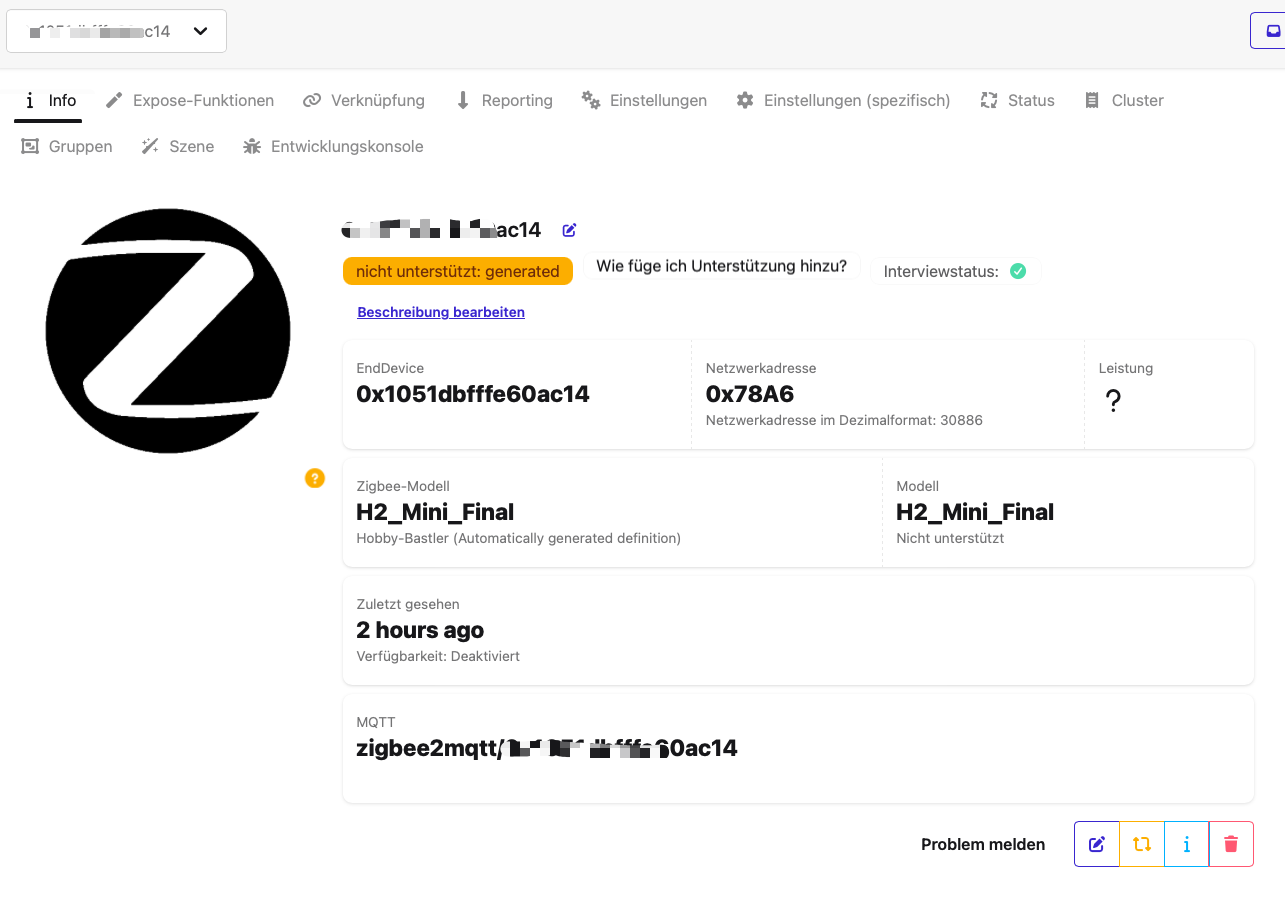
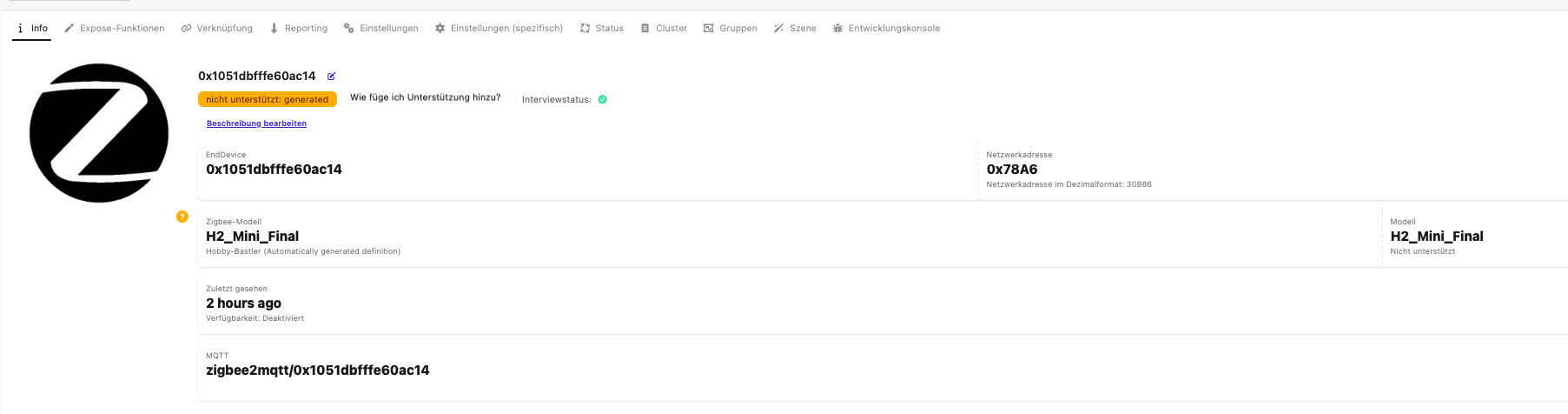
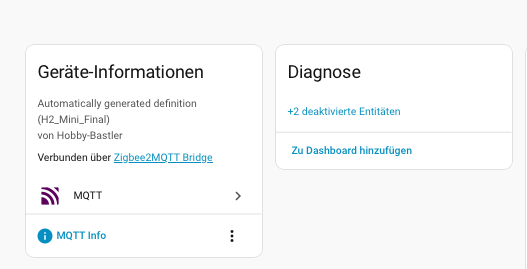
KI gefragt kam heraus, ich müsse einen “Konverter” erstellen der die Klassifizierung nach Import übernähme… eine entsprechende .js-Datei unterhalb des /config/zigee2mqtt wurde geboren.
esp32_h2.js
const {onOff} = require('zigbee2mqtt/lib/modernExtend');

const definition = {
    zigbeeModel: ['H2_Mini_Final'],
    model: 'H2_Mini_Final',
    vendor: 'Hobby-Bastler',
    description: 'Mein DIY ESP32-H2 Schalter',
    extend: [onOff()],
};

module.exports = definition;
Diese zu finden wird - so habe ich gelernt- ist Aufgabe der configuration.yaml (also der innerhalb des zigbee2mqtt-Verzeichnisses! )
external_converters:
  - /config/zigbee2mqtt/esp32_h2.js
homeassistant:
  enabled: true
advanced:
  network_key:
    - 27
usw...
Gerät gelöscht, Zigbee2mqtt neu gestartet, Gerät neu angelernt … leider ohne Ergebnis: Ich kann diesem Gerät keine nutzbare Entität entlocken.
Hier nochmal der Beispiel-Code des Testkanditaten:
// Copyright 2024 Espressif Systems (Shanghai) PTE LTD
//
// Licensed under the Apache License, Version 2.0 (the "License");
// you may not use this file except in compliance with the License.
// You may obtain a copy of the License at

//     http://www.apache.org/licenses/LICENSE-2.0
//
// Unless required by applicable law or agreed to in writing, software
// distributed under the License is distributed on an "AS IS" BASIS,
// WITHOUT WARRANTIES OR CONDITIONS OF ANY KIND, either express or implied.
// See the License for the specific language governing permissions and
// limitations under the License.

/**
 * @brief This example demonstrates simple Zigbee light bulb.
 *
 * The example demonstrates how to use Zigbee library to create a end device light bulb.
 * The light bulb is a Zigbee end device, which is controlled by a Zigbee coordinator.
 *
 * Proper Zigbee mode must be selected in Tools->Zigbee mode
 * and also the correct partition scheme must be selected in Tools->Partition Scheme.
 *
 * Please check the README.md for instructions and more detailed description.
 *
 * Created by Jan Procházka (https://github.com/P-R-O-C-H-Y/)
 */

#ifndef ZIGBEE_MODE_ED
#error "Zigbee end device mode is not selected in Tools->Zigbee mode"
#endif

#include "Zigbee.h"

/* Zigbee light bulb configuration */
#define ZIGBEE_LIGHT_ENDPOINT 10
uint8_t led = RGB_BUILTIN;
uint8_t button = BOOT_PIN;

ZigbeeLight zbLight = ZigbeeLight(ZIGBEE_LIGHT_ENDPOINT);

/********************* RGB LED functions **************************/
void setLED(bool value) {
  digitalWrite(led, value);
}

/********************* Arduino functions **************************/
void setup() {
  Serial.begin(115200);

  // Init LED and turn it OFF (if LED_PIN == RGB_BUILTIN, the rgbLedWrite() will be used under the hood)
  pinMode(led, OUTPUT);
  digitalWrite(led, LOW);

  // Init button for factory reset
  pinMode(button, INPUT_PULLUP);

  //Optional: set Zigbee device name and model
  zbLight.setManufacturerAndModel("Espressif", "ZBLightBulb");

  // Set callback function for light change
  zbLight.onLightChange(setLED);

  //Add endpoint to Zigbee Core
  Serial.println("Adding ZigbeeLight endpoint to Zigbee Core");
  Zigbee.addEndpoint(&zbLight);

  // When all EPs are registered, start Zigbee. By default acts as ZIGBEE_END_DEVICE
  if (!Zigbee.begin()) {
    Serial.println("Zigbee failed to start!");
    Serial.println("Rebooting...");
    ESP.restart();
  }
  Serial.println("Connecting to network");
  while (!Zigbee.connected()) {
    Serial.print(".");
    delay(100);
  }
  Serial.println();
}

void loop() {
  // Checking button for factory reset
  if (digitalRead(button) == LOW) {  // Push button pressed
    // Key debounce handling
    delay(100);
    int startTime = millis();
    while (digitalRead(button) == LOW) {
      delay(50);
      if ((millis() - startTime) > 3000) {
        // If key pressed for more than 3secs, factory reset Zigbee and reboot
        Serial.println("Resetting Zigbee to factory and rebooting in 1s.");
        delay(1000);
        Zigbee.factoryReset();
      }
    }
    // Toggle light by pressing the button
    zbLight.setLight(!zbLight.getLightState());
  }
  delay(100);
}
Nun bin ich ratlos … endlose Schleifen von Topologie, Schreibfehler und Einrückungen bei der YAML später ist das Ergebnis niederschmettern: Keine Entitäten!
Helft mir  …
…
Vielen Dank und für jeden Tipp dankbar, Peter.