Moin moin
Ich arbeite grade daran mir mit Fully Kiosk nen Tablet einzurichten.
Klappt soweit auch alles.
Ich hab aber das Problem das mir im Fully kiosk ein weißer Balken unten angezeigt wird den ich auch zum verrecken nicht wegbekomme.
Das Tablet ist ein Galaxy Tab A was hier noch rum lag mit einer Auflösung von 1024x768 px.
Kann ich das irgendwie beheben?
Mal ein ausschnitt von meinem Code
wallpanel:
  enabled: false
  hide_toolbar: true
  hide_sidebar: true
  fullscreen: true
  idle_time: 600
  screensaver_stop_navigation_path: /tablet-zucht/Info?wp_enabled=true
  image_url: http://picsum.photos/${width}/${height}?random=${timestamp}
  image_fit: cover
  image_list_update_interval: 3600
  image_order: sorted
  image_excludes: []
  show_exif_info: false
  fetch_address_data: true
  exif_info_template: >-
    ${address.town|address.city!prefix=!suffix= //
    }${DateTimeOriginal!options=year:numeric,month:long}
  cards:
    - show_current: true
      show_forecast: true
      type: weather-forecast
      entity: weather.forecast_home
      forecast_type: hourly
      secondary_info_attribute: temperature
views:
  - title: Info
    path: Info
    type: panel
    icon: null
    badges: []
    cards:
      - type: custom:config-template-card
        entities:
          - sensor.esp_temperaturen_zucht_sensor_1_2
usw.

        card:
          type: picture-elements
          image: /local/floorplan/ZuchtregalBild1.png
          elements:
            - type: image
              entity: switch.pumpe_on_off
              state_image:
                'on': /local/floorplan/ZuchregalAnimiert.gif
                'off': /local/floorplan/ZuchtregalBild1.png
              style:
                top: 50%
                left: 50%
                width: 100%
                height: 100%
                transform: translate(-50%, -50%)
                pointer-events: none
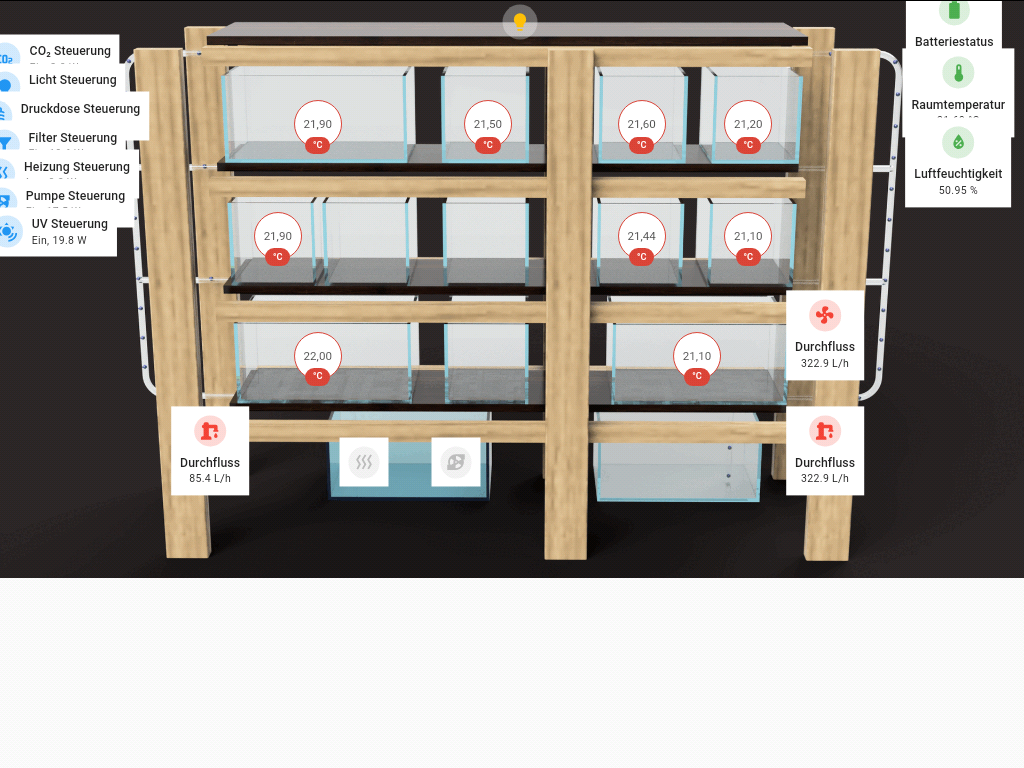
Der screensaver wird korrekt angezeigt. Das Dashboard leider nicht.
Weiß da grade nimmer weiter. Jemand ne Idee?
Mfg

