Ich siche nach einer Möglichkeit Soll und Isttemperatur des Thermostats möglichst klein anzuzeigen und mit +/- dann die Temperatur zu verstellen.
So etwas?
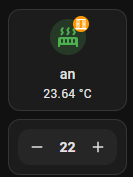
type: vertical-stack
cards:
  - type: custom:mushroom-template-card
    primary: |-
      {% if states('input_boolean.heizen_aktiv_bad_kinder') == 'on' %}
        an
      {% else %}
        aus
      {% endif %}
    secondary: "{{states('sensor.tmp_bad_kinder_temperature')}} °C"
    icon: |-
      {% if states('input_boolean.heizen_aktiv_bad_kinder') == 'on' %}
        mdi:radiator
      {% else %}
        mdi:radiator-disabled
      {% endif %}
    tap_action:
      action: toggle
    entity: input_boolean.heizen_aktiv_bad_kinder
    icon_color: |-
      {% if states('input_boolean.heizen_aktiv_bad_kinder') == 'on' %}
        green
      {% else %}
        gray
      {% endif %}
    fill_container: true
    layout: vertical
    badge_icon: |-
      {% if states('binary_sensor.wnd_bad_kinder_contact') == 'on' %}
        mdi:window-open-variant
      {% else %}
        mdi:window-closed-variant
      {% endif %}
    badge_color: |-
      {% if states('binary_sensor.wnd_bad_kinder_contact') == 'on' %}
        orange
      {% else %}
        gray
      {% endif %}
  - type: custom:mushroom-number-card
    entity: input_number.heizen_bad_kinder_comfort_temp
    fill_container: false
    primary_info: none
    secondary_info: none
    display_mode: buttons
    layout_options:
      grid_columns: 1
      grid_rows: 1
    name: Bad Eltern
    layout: horizontal
    icon_type: none
layout_options:
  grid_columns: 1
  grid_rows: auto
Ginge bestimmt auch noch kleiner.
Gruß, Lars

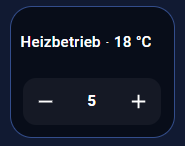
Die custom:bubble-card hat auch noch etwas im Petto
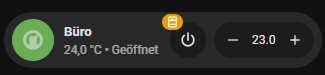
type: custom:bubble-card
card_type: climate
entity: climate.trv_buero
sub_button:
  - name: HVAC modes menu
    select_attribute: hvac_modes
    state_background: false
    show_arrow: false
name: Büro
show_last_changed: false
show_attribute: true
attribute: current_temperature
state_color: false
grid_options:
  columns: 9
  rows: auto
modules:
  - get_state_attribute
  - badgy-condition-helper
get_state_attribute:
  - entity: sensor.trv_buero_current_temperatur
  - entity: binary_sensor.wnd_bad_eltern_contact
badgy-condition-helper:
  entity_badges:
    "0":
      show_background: true
      show_unit: false
      show_if_off: true
      scale: 1
  icon_badges:
    "0":
      color: orange
      icon: mdi:window-open
      condition:
        - condition: state
          entity_id: binary_sensor.wnd_bad_eltern_contact
          state: "on"
  main_icon_background:
    color: green
Gruß, Lars
Hi Lars,
ich habs mit deiner Vorlage versucht aber da kommt der Zustand vom Fenster Bad nicht in die bubble-card

hier mein code:
type: custom:bubble-card
card_type: climate
entity: climate.thermostat_bad
sub_button:
  - name: HVAC modes menu
    select_attribute: hvac_modes
    state_background: false
    show_arrow: false
name: Bad
show_last_changed: false
show_attribute: true
attribute: current_temperature
state_color: false
grid_options:
  columns: 9
  rows: auto
modules:
  - get_state_attribute
  - badgy-condition-helper
get_state_attribute:
  - entity: sensor.thermostat_bad_air_temperature
  - entity: binary_sensor.fenster_bad_sensor_state_door_window
badgy-condition-helper:
  entity_badges:
    "0":
      show_background: true
      show_unit: false
      show_if_off: true
      scale: 1
  icon_badges:
    "0":
      color: orange
      icon: mdi:window-open
      condition:
        - condition: state
          entity_id: binary_sensor.fenster_bad_sensor_state_door_window
          state: Geöffnet
  main_icon_background:
    color: greentype
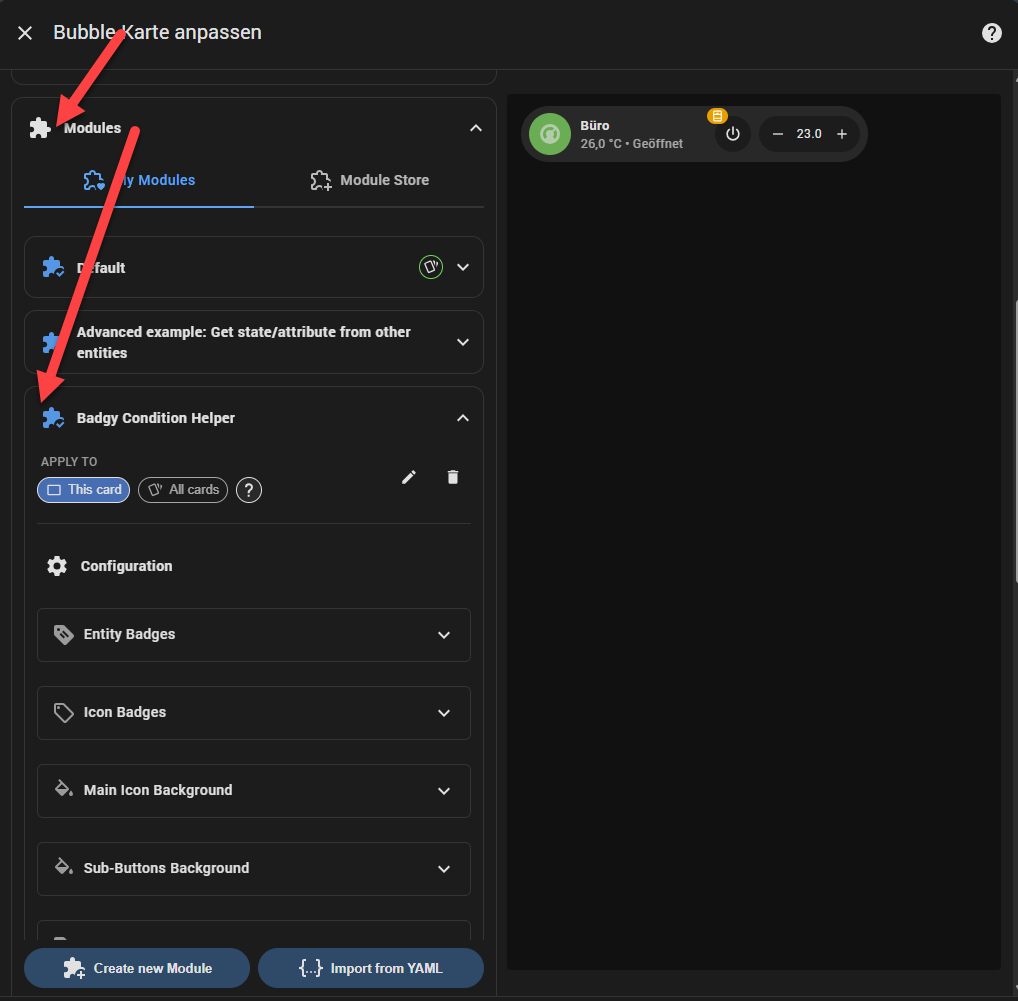
Danke, das war es. Kann ich da noch weiteres wie einen Switch so wie das Fenster hinzufügen?
Ja, da geht eine ganze Menge - durch die Konfiguration in der GUI kannst du recht einfach die verschiedenen Konfigurationsmöglichkeiten durchspielen.
Andere Module liefern z.B. auch noch Funktionen, die Elemente der Bubble-Card mit anderen Farben zu bestücken oder auch das Icon zu animieren.
Gruß, Lars
Ich nutze dafür die Mushroom Climate Card. Die Mushroom Cards sind im HACS zu finden.
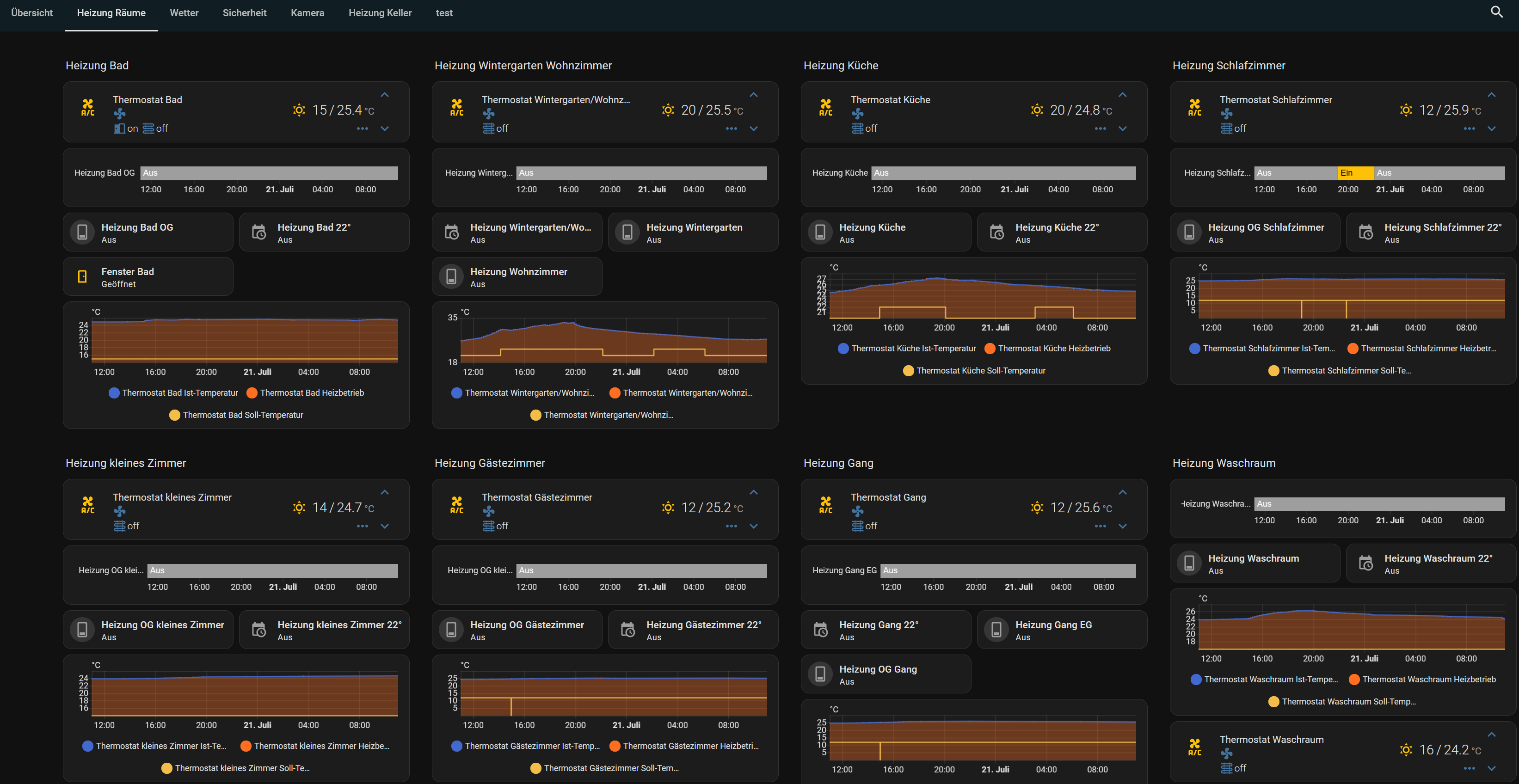
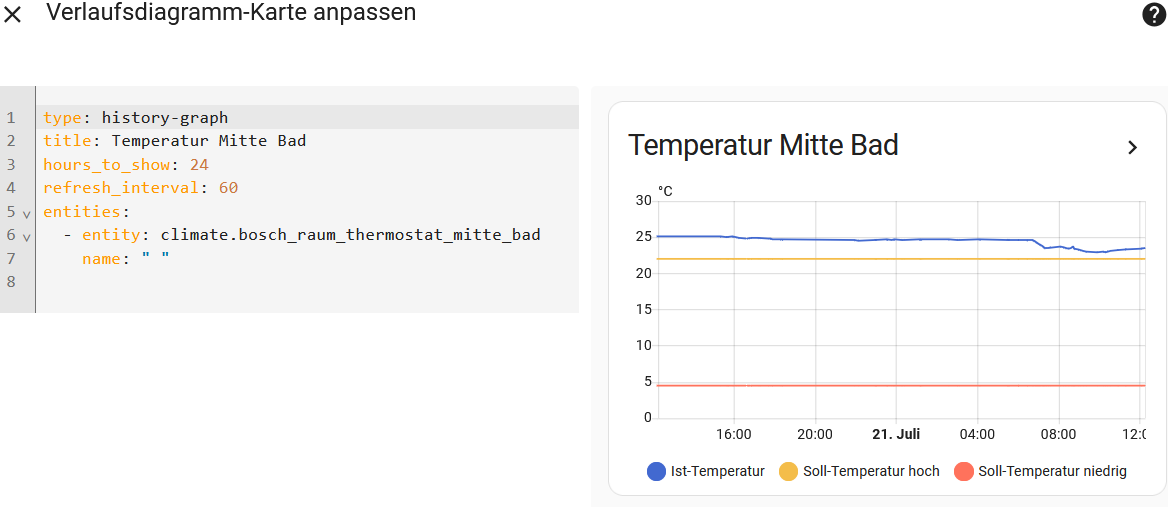
Danke für den Tipp. Hat wer ne Idee wie ich den Symbolen noch Namen gebe weil On ist beim Fenster Bad normal offen
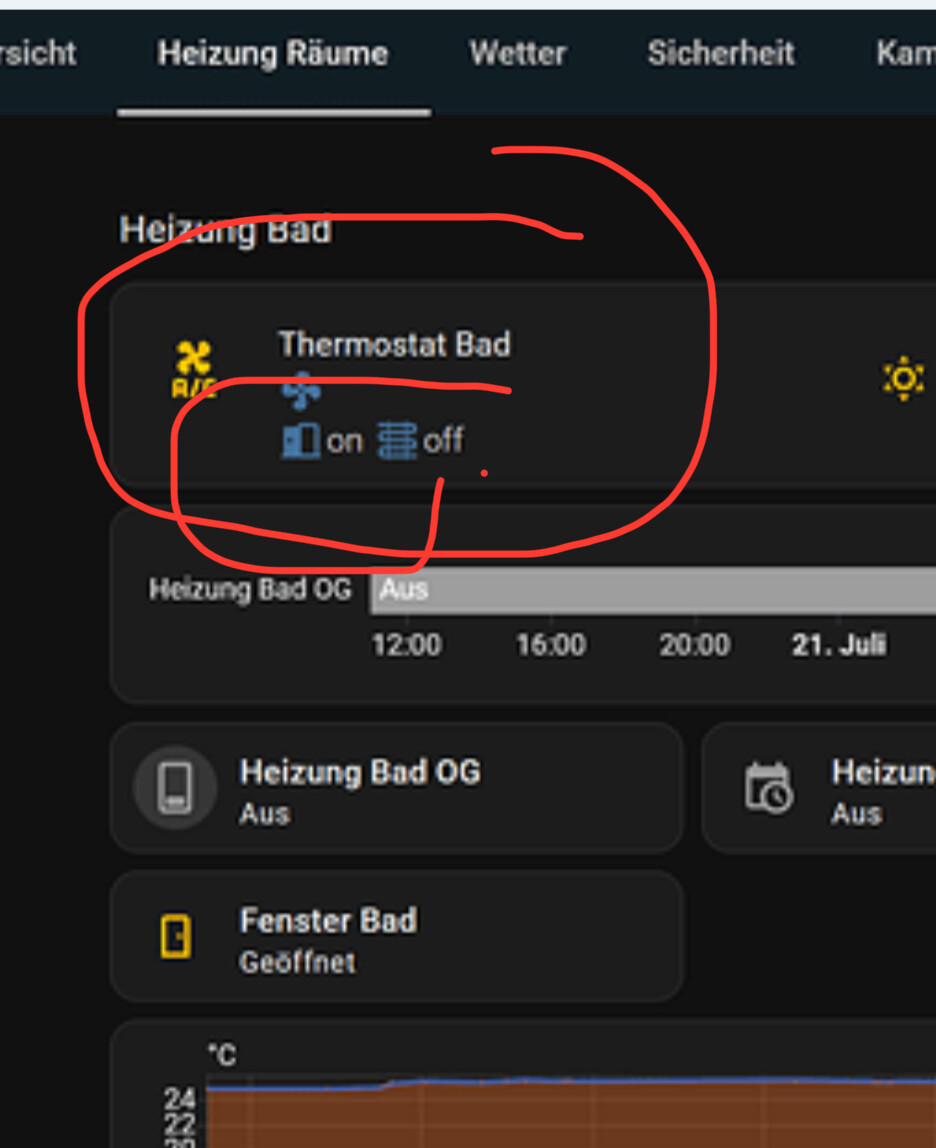
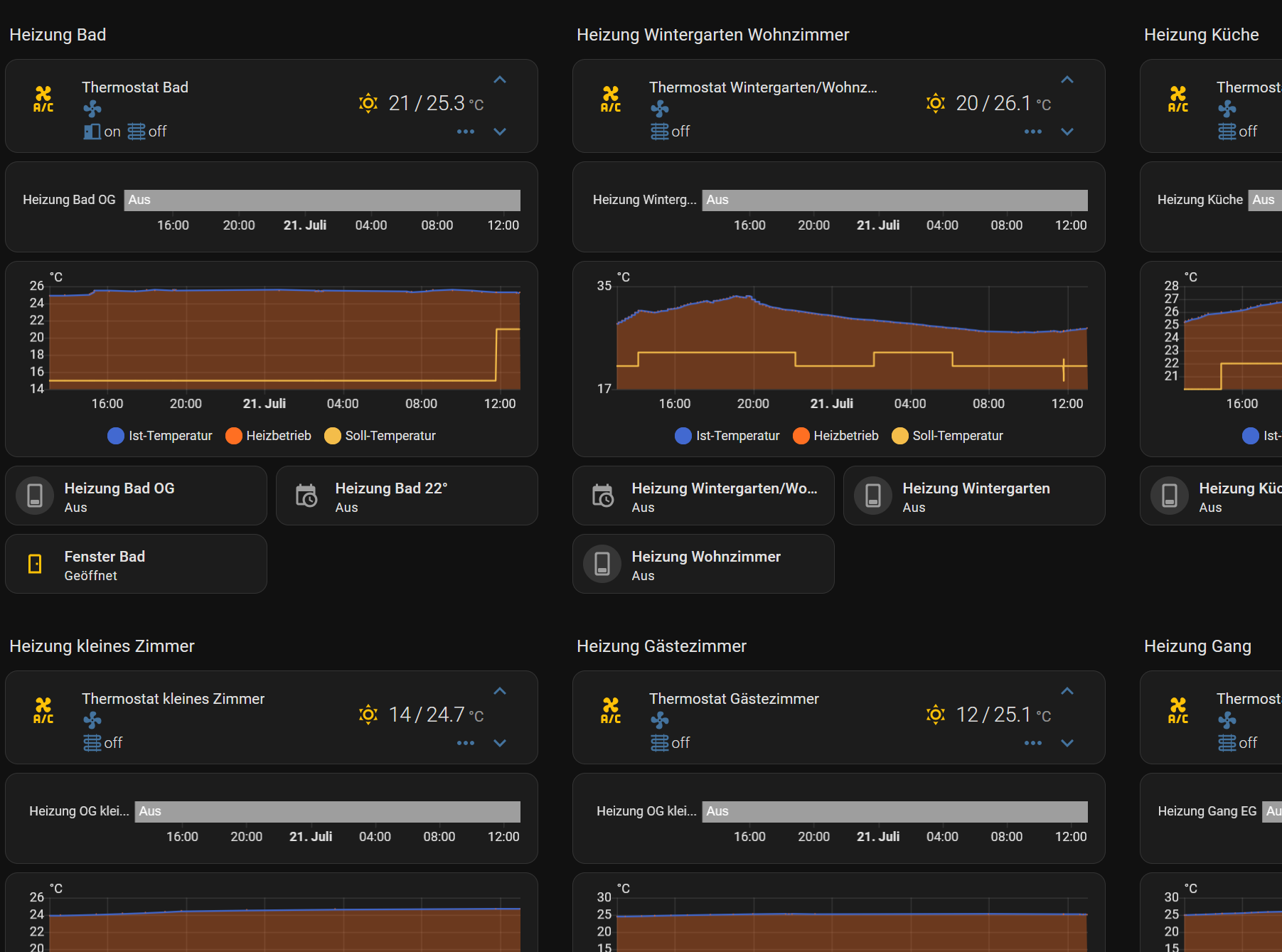
Sieht gleich noch übersichtlicher aus, die drei unteren Elemente wie Fenster z.B. sind nur zur Kontrolle und wandern in das Thermostatfenster und werden dann gelöscht
 by HarryP: Zusammenführung Doppelpost (bei Änderungen oder hinzufügen von Inhalten bitte die „Bearbeitungsfunktion“ anstatt „Antworten“ zu nutzen)