waffii
22. Februar 2026 um 17:05
1
Ich bin noch sehr neu im Bereich Home Assistant und brauche Hilfe bei folgendem Punkt:
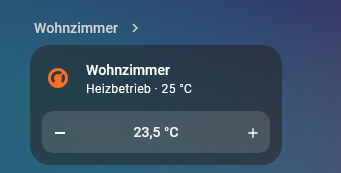
Wie ich die Heizung im Interface anzeigen lasse, weiß ich bereits. Allerdings bekomme ich die Plus- und Minus-Tasten sowie die Temperaturanzeige nicht richtig hin.Fritz!Smart Thermo 302 .
Kann mir bitte jemand weiterhelfen?
Pompom
22. Februar 2026 um 17:51
2
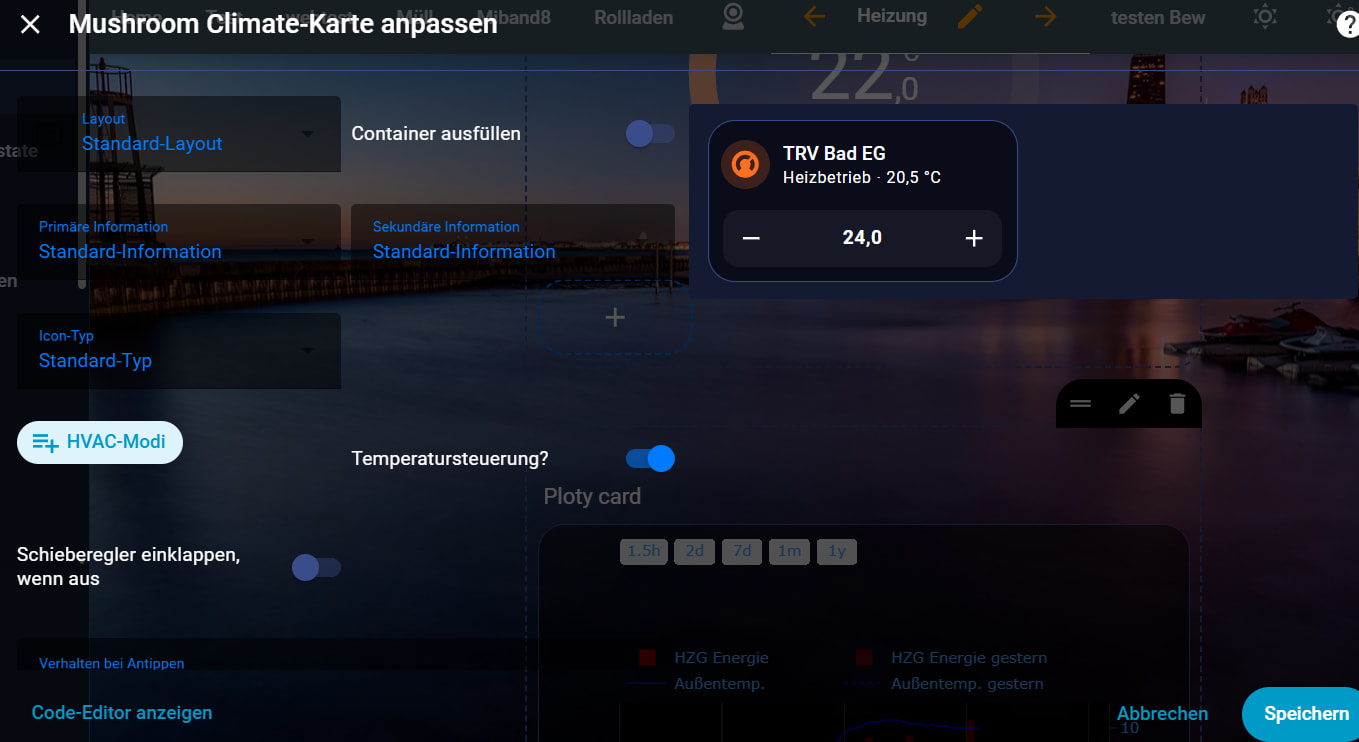
Das ist doch die Mushroom Climate Card da gibt es doch den Schalter Temperatursteuerung!
waffii
22. Februar 2026 um 18:05
3
Die Mushroom Climate Card finde ich best in HACS??
Pompom
22. Februar 2026 um 19:20
4
Ja, unter Mushroom dort sind noch andere Karten dabei.
waffii
22. Februar 2026 um 19:46
5
Danke für denn tip.
Dschido
22. Februar 2026 um 20:12
6
Hallo,
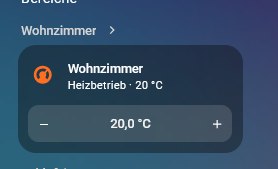
das bekommst du mit einer Standard Kachel Karte hin
Gruß
waffii
22. Februar 2026 um 20:22
7
Super danke das habe ich gesucht
waffii
22. Februar 2026 um 22:04
8
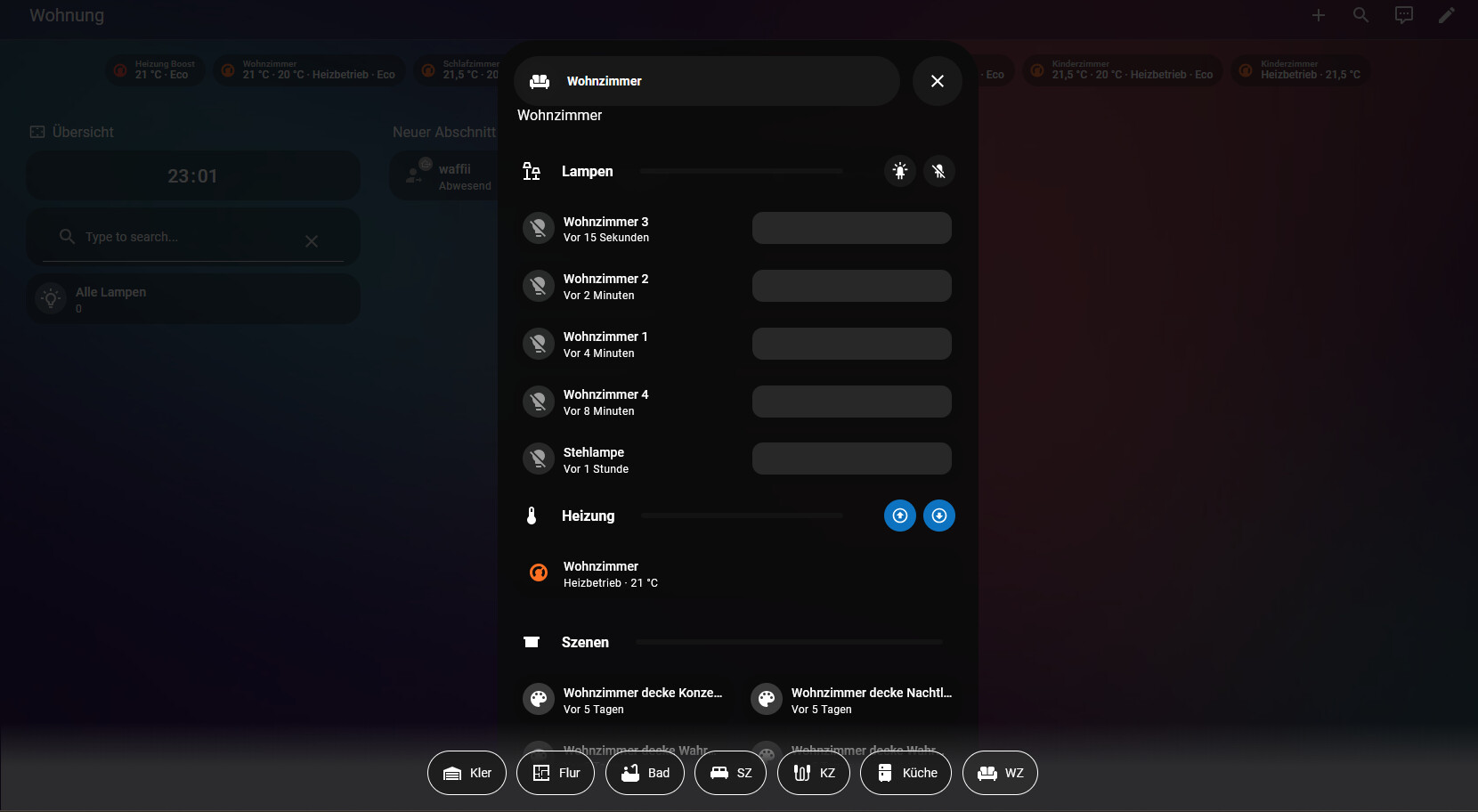
Hab mir das voon simone42 das Dynamisches Dashboard zum nachbauen bis nach gebaut wuder geren jetzt noch in denn breich wo jetzt Heizung stehen
grenen auch die anzicht habe wie bei denn bild
ist moglich
das ist min cod
type: vertical-stack
  - type: heading
    heading: Wohnzimmer
    heading_style: title
  - type: custom:bubble-card
    card_type: pop-up
    hash: "#wz-popup"
    button_type: name
    name: Wohnzimmer
    icon: mdi:sofa
    sub_button:
      main: []
      bottom: []
    slider_fill_orientation: left
    slider_value_position: right
  - type: custom:bubble-card
    card_type: separator
    name: Lampen
    icon: mdi:lamps-outline
    sub_button:
      main:
        - icon: mdi:led-on
          tap_action:
            action: perform-action
            perform_action: light.turn_on
            target:
              area_id: wohnzimmer
            data: {}
        - icon: mdi:led-variant-off
          tap_action:
            action: perform-action
            perform_action: light.turn_off
            target:
              area_id: wohnzimmer
            data: {}
      bottom: []
  - type: custom:auto-entities
    card:
      square: false
      type: grid
      columns: 1
    card_param: cards
    filter:
      include:
        - options:
            type: tile
            features_position: inline
            vertical: false
            state_content: last_changed
            features:
              - type: light-brightness
          domain: light
          area: Wohnzimmer
          sort:
            method: last_changed
            reverse: true
            attribute: {}
      exclude:
        - options: {}
          label: no_dboard
  - type: custom:bubble-card
    card_type: separator
    name: Heizung
    icon: mdi:thermometer
    sub_button:
      main:
        - icon: mdi:arrow-up-bold-circle-outline
          tap_action:
            action: perform-action
            perform_action: climate.set_temperature
            target:
              device_id:
                - 3b12d4497776ad345a53c2ca61d8fa69
            data:
              temperature: 25
          force_icon: true
          entity: sensor.wohnzimmer_temperatur_2
          show_state: false
          show_name: false
          show_last_updated: false
          show_last_changed: false
          show_attribute: false
          hide_when_parent_unavailable: false
          content_layout: icon-left
          show_icon: true
          state_background: true
          scrolling_effect: true
          show_background: true
        - icon: mdi:arrow-down-bold-circle-outline
          tap_action:
            action: perform-action
            perform_action: climate.set_temperature
            target:
              entity_id: climate.wohnzimmer_2
            data:
              temperature: 20
          entity: sensor.wohnzimmer_temperatur_2
          show_state: false
          show_name: false
          show_last_changed: false
          show_last_updated: false
          show_attribute: false
          show_icon: true
          state_background: true
          show_background: true
      bottom: []
  - type: custom:auto-entities
    card:
      square: false
      type: grid
      columns: 1
    card_param: cards
    filter:
      include:
        - options:
            type: tile
            features_position: inline
            vertical: false
            features:
              - type: cover-position
          domain: climate
          area: Wohnzimmer
      exclude:
        - options: {}
          label: no_dboard
  - type: custom:auto-entities
    card:
      square: false
      type: grid
      columns: 1
    card_param: cards
    filter:
      include:
        - options:
            type: tile
            features_position: inline
            vertical: false
            features:
              - type: cover-position
          domain: climate
          attributes:
            device_class: curtain
          area: Wohnzimmer
      exclude:
        - options: {}
          label: no_dboard
  - type: custom:bubble-card
    card_type: separator
    name: Szenen
    icon: mdi:projector-screen-variant
    sub_button: []
  - type: custom:auto-entities
    card:
      square: false
      type: grid
      columns: 2
    card_param: cards
    filter:
      include:
        - options:
            type: tile
          domain: scene
          area: Wohnzimmer
          sort:
            method: last_changed
            reverse: true
            attribute: {}
      exclude:
        - options: {}
          label: no_dboard
  - type: custom:bubble-card
    card_type: separator
    name: Sonstiges
    icon: mdi:bike-pedal-mountain
    sub_button: []
  - type: custom:auto-entities
    card:
      square: false
      type: grid
      columns: 1
    card_param: cards
    filter:
      include:
        - options:
            type: tile
          domain: null
          area: Wohnzimmer
      exclude:
        - options: {}
          label: no_dboard
  - type: custom:auto-entities
    card:
      square: false
      type: grid
      columns: 1
    card_param: cards
    filter:
      include:
        - options:
            type: tile
            features:
              - type: media-player-volume-slider
            features_position: inline
          domain: media_player
          area: Wohnzimmer
      exclude:
        - options: {}
          label: no_dboard
    sort:
      method: last_changed
      reverse: true
  - type: custom:auto-entities
    card:
      square: false
      type: grid
      columns: 1
    card_param: cards
    filter:
      include:
        - options:
            type: custom:bubble-card
            card_type: button
            button_type: switch
            entity: this.entity_id
            icon: mdi:robot-vacuum
            show_state: true
            tap_action:
              action: more-info
            button_action:
              tap_action:
                action: more-info
            sub_button:
              - name: Battery
                icon: mdi:battery
                show_name: false
                show_icon: true
                show_background: false
                show_attribute: true
                attribute: battery_level
              - name: Return to dock
                icon: mdi:home
                show_background: false
                tap_action:
                  action: call-service
                  service: vacuum.return_to_base
                  target:
                    entity_id: this.entity_id
              - name: Pause
                icon: mdi:pause
                show_background: false
                tap_action:
                  action: call-service
                  service: vacuum.pause
                  target:
                    entity_id: this.entity_id
              - name: Start
                icon: mdi:play
                tap_action:
                  action: call-service
                  service: vacuum.start
                  target:
                    entity_id: this.entity_id
            styles: >-
              .bubble-button-card-container {
                /* Change the background color when the vacuum get an error (optional), more details in the styles template section */
                background: ${state === 'error' ? 'rgb(200, 80, 40)' : ''} !important;
              } /* Change the first sub-button battery icon based on the
              battery_icon attribute, more details in the styles template
              section */ ${subButtonIcon[0].setAttribute("icon",
              hass.states['vacuum.downstairs'].attributes.battery_icon)}
          domain: vacuum
          area: Wohnzimmer
      exclude:
        - options: {}
          label: no_dboard
  - type: custom:auto-entities
    card:
      square: false
      type: grid
      columns: 2
    card_param: cards
    filter:
      include:
        - options:
            type: tile
            features_position: inline
            vertical: false
            state_content: last_changed
          domain: fan
          area: Wohnzimmer
          sort:
            method: last_changed
            reverse: true
            attribute: {}
      exclude:
        - options: {}
          label: no_dboard
  - type: custom:auto-entities
    card:
      square: false
      type: grid
      columns: 2
    card_param: cards
    filter:
      include:
        - options:
            type: tile
          domain: switch
          label: show_dboard
          area: Wohnzimmer
      exclude: []
 by HarryP: Post formatiert