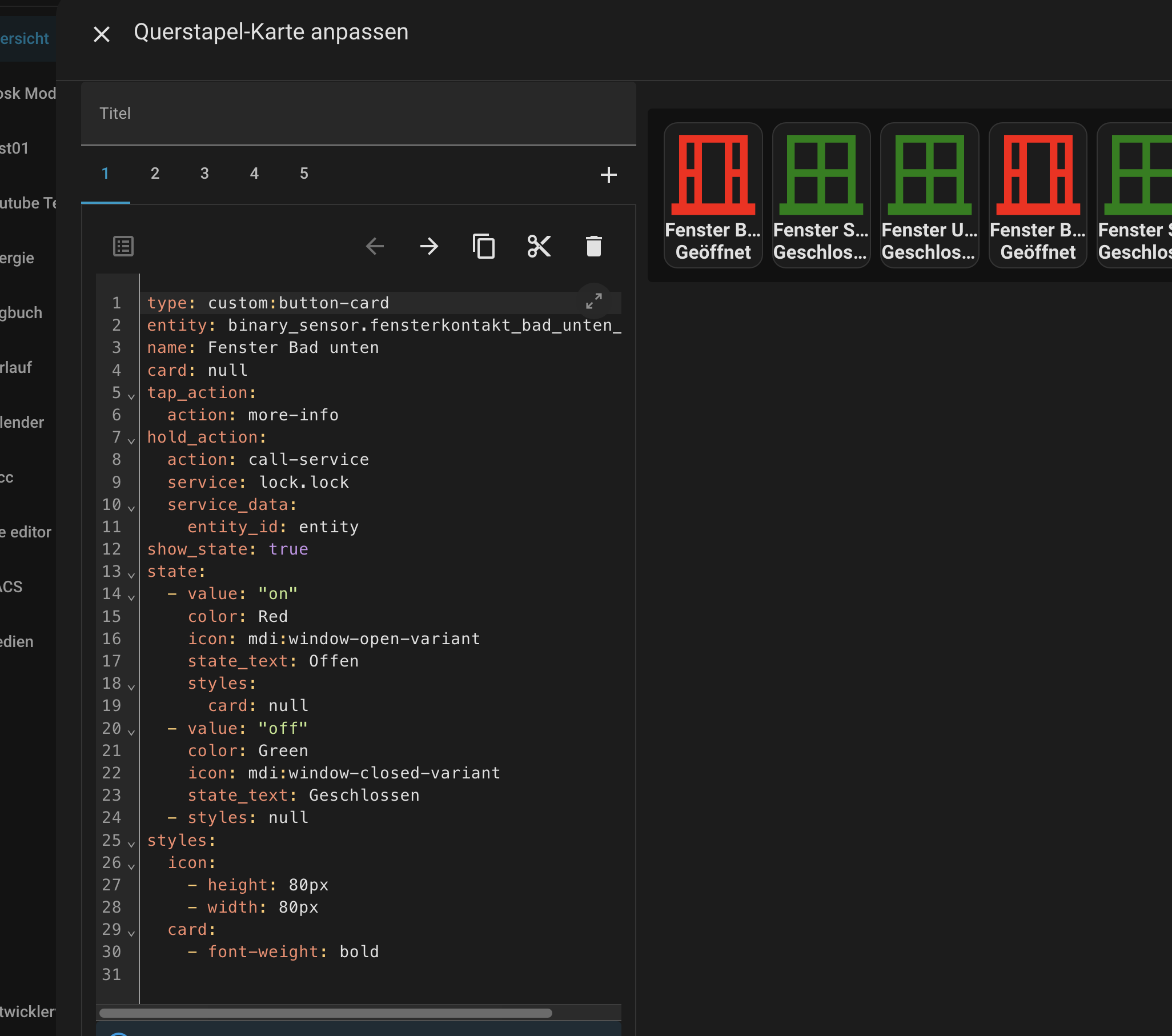
ich bin noch ziemlich neu in HA und gerade an der Integration meiner Fenster-Stellung.
Ich habe an jedem Fenster zwei Sensoren die per KNX, bzw. Binäreingang in HA integriert sind, so kann ich die Stellungen offen/gekippt/geschlossen abfragen.
Ich hab jetzt folgenden Code in der Configuration.yaml und die Entität wird auch angelegt, allerdings wird das Icon nicht übernommen.
sensor:
  - platform: template
    sensors:
      fenster_gaeste:
        friendly_name: Fenster Gäste neu2
        value_template: |
          {% set b1 = states('binary_sensor.gaste_wc_komplett') %}
          {% set b2 = states('binary_sensor.gaste_wc_kipp') %}
          {% if b1 == 'off' and b2 == 'off' %} geschlossen
          {% elif b1 == 'off' and b2 == 'on' %} gekippt
          {% elif b2 == 'on' and b1 == 'on' %} offen
          {% else %} ?
          {% endif %}
        icon_template: |
          {% set b1 = states('binary_sensor.gaste_wc_komplett') %}
          {% set b2 = states('binary_sensor.gaste_wc_kipp') %}
          {% if b1 == 'off' and b2 == 'off' %} mdi:window-closed-variant color: green
          {% elif b1 == 'off' and b2 == 'on' %} mdi:angle-acute color: red
          {% elif b2 == 'on' and b1 == 'on' %} mdi:window-open-variant color: red
          {% else %} ?
          {% endif %}
Habe ich einen Denkfehler oder komplett den falschen Ansatz?
Das wird bei mir so nicht gehen, da ich ja zwei Kontakte pro Fenster habe und diese erste einmal zu einem zusammenfassen muss, damit ich die exakte Stellung habe.
Außerdem will ich den Wert auch noch für andere Sachen nutzen und nicht nur in der Visu haben.
Hier wurden die Zustände mit 2 Sensoren pro Fenster kombiniert. Ggf. bekommst Du eine Idee.
sensor:
  - platform: template
    sensors:
      fenster_gaeste:
        friendly_name: "Fenster Gäste neu2"
        value_template: >
          {% set b1 = is_state('binary_sensor.gaste_wc_komplett','on') %}
          {% set b2 = is_state('binary_sensor.gaste_wc_kipp','on') %}
          {% if not b1 and not b2 %}geschlossen
          {% elif not b1 and b2 %}gekippt
          {% elif b1 and b2 %}offen
          {% else %}?
          {% endif %}
        icon_template: >
          {% set b1 = is_state('binary_sensor.gaste_wc_komplett','on') %}
          {% set b2 = is_state('binary_sensor.gaste_wc_kipp','on') %}
          {% if not b1 and not b2 %}mdi:window-closed-variant
          {% elif not b1 and b2 %}mdi:angle-acute
          {% elif b1 and b2 %}mdi:window-open-variant
          {% else %}mdi:help-circle-outline
          {% endif %}
        availability_template: >
          {{ states('binary_sensor.gaste_wc_komplett') in ['on','off']
             and states('binary_sensor.gaste_wc_kipp') in ['on','off'] }}
Obiger Code ist ChatGPT 5 generiert und sieht für mich brauchbar aus. Versuche es einmal.
Dennoch tag: “KI ungeprüft”
EDIT:
Obwohl ich auch Fan der custom:button-card bin finde ich als Einstieg die
custom:mushroom-template-card besser. Auch hier kannst Du per Jinja Icon und Icon Farbe Status abhängig machen und auch “geschlossen” etc. setzen.
Was mir am eigenen KI Beispiel nicht gefällt auf den 2. Blick ist die alte Sensor Schreibweise.
template:
  - sensor:
      - name: "xyz etc"
wäre robuster für die Zukunft. KI habe ich an Deinem Beispiel prüfen lassen und so hat es übernommen. Und wenn ich mir Deine Variablen etc. anschaue, denke ich Du hast obigen Verweis selbst gefunden und abgeändert.