Button hintergründe entfernen

Hi ich habe gesucht aber nichts gefunden das passt.
In der HA App auf meinem Iphone sieht mein Dashboard so aus.
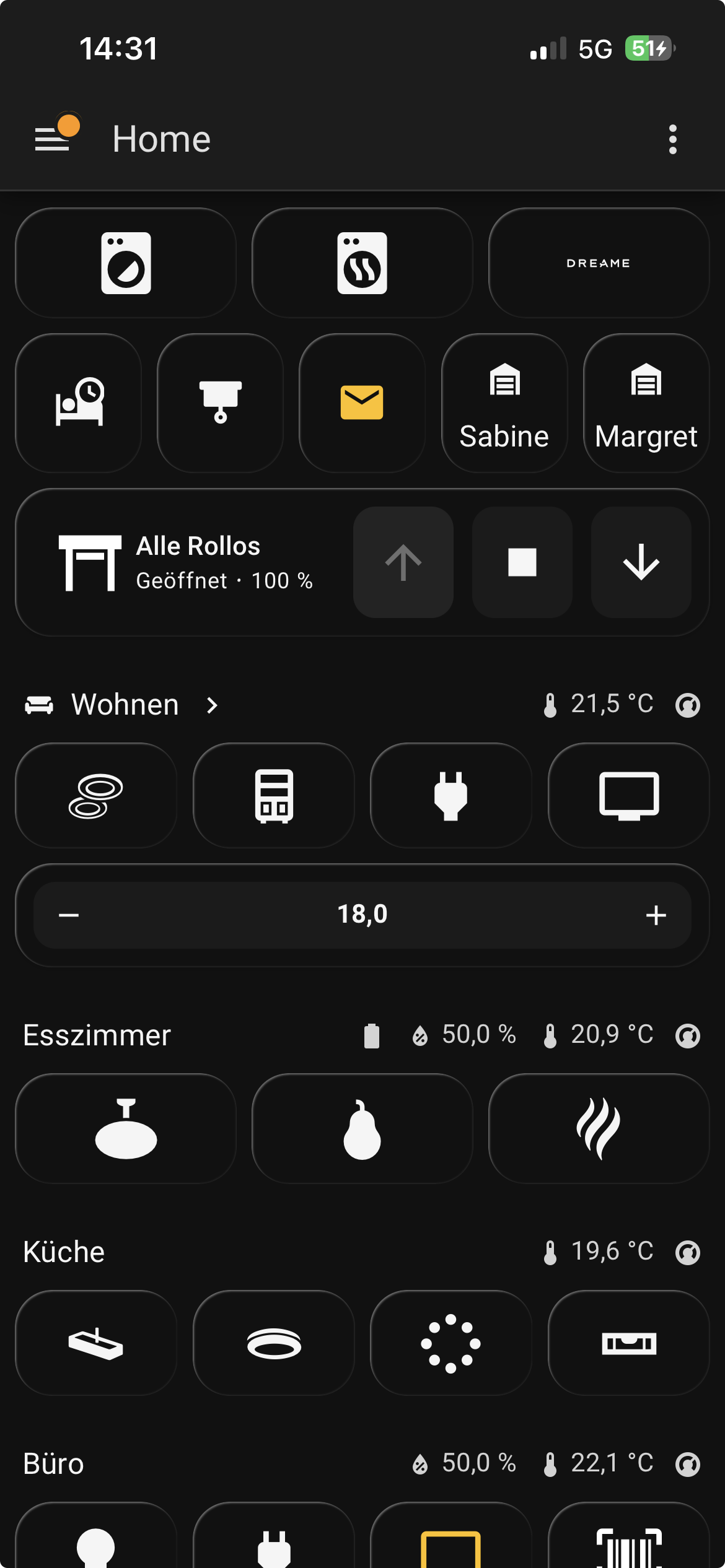
Ich hätte gerne die Schalter, also Rolo rauf runter stop und temperatur + - transparent.
Ich hab den ganzen morgen probiert und versagt:
Hier der Code vom Rollo

type: custom:mushroom-cover-card
entity: cover.alle_rollos
show_position_control: false
show_buttons_control: true
show_tilt_position_control: false
grid_options:
  columns: 12
  rows: auto
layout: horizontal
fill_container: true
card_mod:
  style: |
    ha-card {
      background-color: transparent;
      box-shadow: none;
      border: none;
    }
    :host {
      --rgb-state-cover: 255, 255, 255 !important;
      --icon-symbol-size: 45px !important;
      --icon-size: 60px !important;
    }
    mushroom-shape-icon {
      --shape-color: transparent !important;
      --icon-color: white !important;
    }
    ha-state-icon {
      color: white !important;
    }
    mushroom-state-info {
      /* Zieht den Text näher an das Icon heran */
      margin-left: -15px !important;
    }

und hier der Code von der Temperatursteuerung:

type: custom:mushroom-climate-card
entity: climate.thermostat_buro
primary_info: none
secondary_info: none
icon_type: none
show_temperature_control: true
collapsible_controls: false
fill_container: true
card_mod:
  style: |
    ha-card {
    background-color: transparent;
    box-shadow: none;
    border: none;
    margin-right: 0px;
    margin-left: 0px;
    margin-top: 0px;
    }
grid_options:
  columns: 12
  rows: 1

Hat irgendjemand eine Idee? Vielen Dank vorab für eure Zeit

Andreas
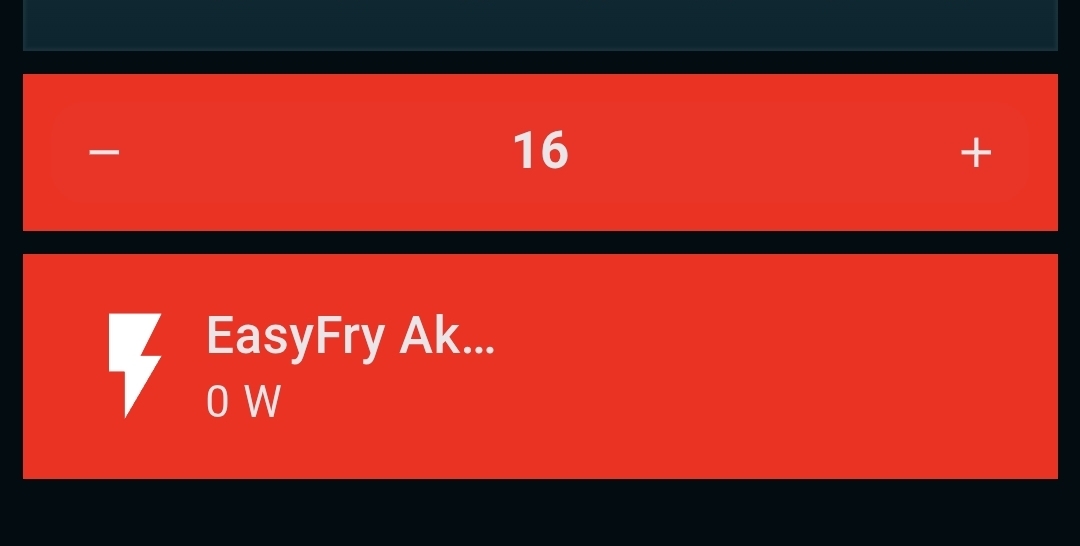
Deine Codes funktionieren beide

Hab anstelle von transparent mal Red benutzt

Unten ist die Rollo-Karte … die Buttons werden nicht angezeigt weil ich eine nicht-cover-entität benutzt habe. Hab nämlich keine Rollos.

Bei transparent hast du allerdings das Problem, dass der Kartenhintergrund zwar transparent ist. Der der Buttons innerhalb der Karte aber nicht komplett. Das kriegt man aber hin.

Ich schaue mal sobald ich zu Hause bin und melde mich dann.

So … bissel gebastelt :slight_smile:

den Mushroom-Climate hab ich schon mal für dich
image

image

image

type: custom:mushroom-climate-card
entity: climate.heizung_arbeitszimmer
name: Arbeitszimmer
show_temperature_control: true
fill_container: true
layout: vertical
icon_type: none
primary_info: none
secondary_info: none
collapsible_controls: false
card_mod:
  style:
    mushroom-climate-temperature-control$:
      mushroom-input-number$: |
        .container {
            background: rgba(1,1,1,0) !important;
            }
        span{
            font-size: 2rem !important;
            color: red !important;
            background-color: rgba(1,1,1,0) !important;
            opacity: 1;
             }
    .: |
      ha-card {
        background-color: rgba(1,1,1,0) !important;
        opacity: 1;
        border: 0px !important;
        --ha-card-border-width: 0px
      }
grid_options:
  columns: full

MEGA!!!
funktioniert, bekommst du das auch für die Rollos hin?
Ich hab gerade gesehen, immer der aktive button wird grau hinterlegt.
Das ist kein Beinbruch wenns nicht geht aber wenn doch wäre auch schön :slight_smile:

Andreas