@totow Ja, es geht um lovelace-card-mod
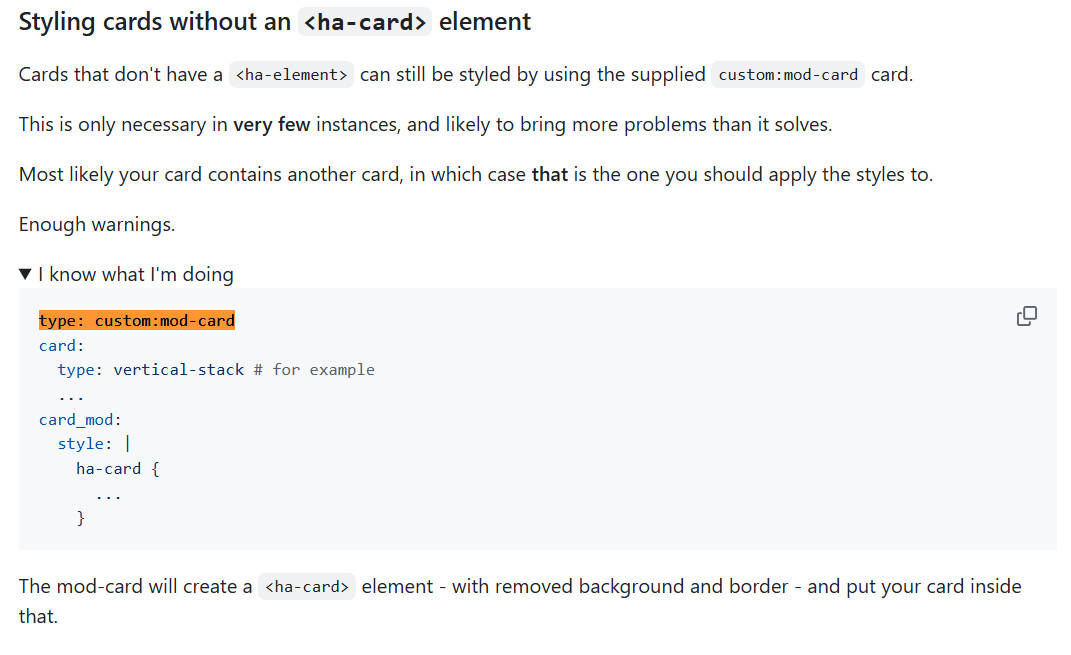
@Schlumperdix von der lovelace-card-mod Seite:
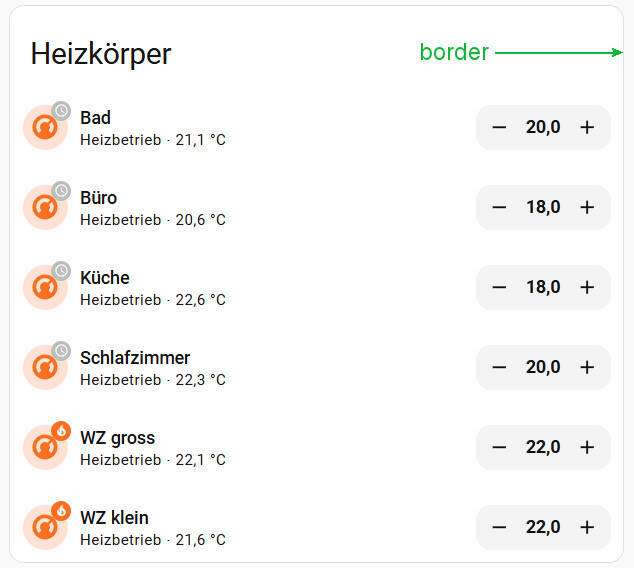
Hier mein vertikaler Stapel:
Der Code zum vertikalen Stapel:
type: custom:mod-card
style: |
  ha-card {
    background-color: var(--card-background-color);
    border: 1px solid rgba(224,224,224,1);
    --ha-card-border-width: 0px
  }
card:
  type: vertical-stack
  title: Heizkörper
  cards:
    - type: custom:mushroom-climate-card
      entity: climate.hk_bad
      show_temperature_control: true
      hold_action:
        action: none
      double_tap_action:
        action: none
      layout: horizontal
      name: Bad
    - type: custom:mushroom-climate-card
      entity: climate.hk_buero
      show_temperature_control: true
      hold_action:
        action: none
      double_tap_action:
        action: none
      layout: horizontal
      name: Büro
    - type: custom:mushroom-climate-card
      entity: climate.hk_kueche
      show_temperature_control: true
      hold_action:
        action: none
      double_tap_action:
        action: none
      layout: horizontal
      name: Küche
    - type: custom:mushroom-climate-card
      entity: climate.hk_schlafzimmer
      show_temperature_control: true
      hold_action:
        action: none
      double_tap_action:
        action: none
      layout: horizontal
      name: Schlafzimmer
    - type: custom:mushroom-climate-card
      entity: climate.hk_wz_gross
      show_temperature_control: true
      hold_action:
        action: none
      double_tap_action:
        action: none
      layout: horizontal
      name: WZ gross
    - type: custom:mushroom-climate-card
      entity: climate.hk_wz_klein
      show_temperature_control: true
      hold_action:
        action: none
      double_tap_action:
        action: none
      layout: horizontal
      name: WZ klein
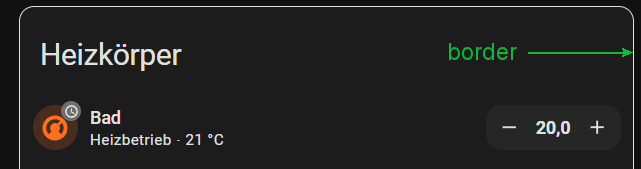
Wenn ich mit diesem Code in den Dark-Modus wechsle, dann ist die Hintergrundfarbe “background-color: var(–card-background-color);” dynamisch und passt sich an. Der Rahmen des Hauptfensters ist in diesem Fall statisch “border: 1px solid rgba(224,224,224,1);”.
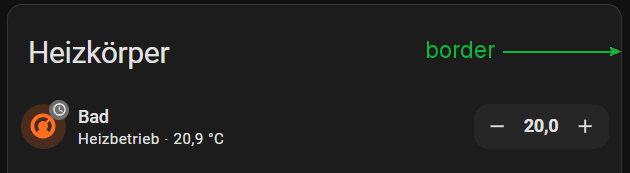
Er sollte allerdings die Standard Rahmenfarbe haben wie alle anderen Fenster in HA “border: 1px solid rgba(52,52,52,1);”:
Eine Idee war es über “(at)mediamedia (prefers-color-scheme: dark)” zu versuchen, funktioniert leider nicht:
type: custom:mod-card
style: |
  ha-card {
    background-color: var(--card-background-color);
    border: 1px solid var(--card-border);
    --ha-card-border-width: 0px
  }
style_custom: |
    /* Standardwerte (helles Theme) */
    --card-border: 1px solid rgba(224,224,224,1);

    /* Für dunkles Theme */
    @media (prefers-color-scheme: dark) {
      --card-border: 1px solid rgba(52,52,52,1);
    }
Ich hoffe ich konnte euch mein Problem etwas besser schildern. Habt ihr eine Idee wie man das lösen könnte?
 by HarryP: Zusammenführung Doppelpost (bei Änderungen oder hinzufügen von Inhalten bitte die „Bearbeitungsfunktion“ anstatt „Antworten“ zu nutzen)