Hi!
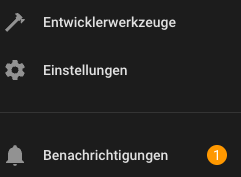
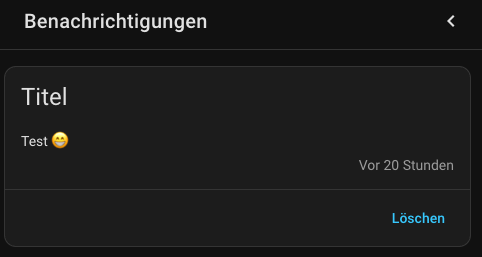
Mal eine dumme Frage: Kann man die “normalen” HA Benachrichtigungen als Push Notification auf das/ein Handy schicken? Ich meine diese Benachrichtigungen hier:
Diese Benachrichtigungen hätte ich gerne via notify.mobile_app_* als Push Notification auf dem Handy. Geht das? Wie mache ich das?
Schonmal danke für Eure Ideen!
Beste Grüße und ein gutes neues Jahr
Thorsten
MelleD
7. Januar 2026 um 17:48
2
Du kannst
  - trigger: persistent_notification
    update_type:
     - added
Cool! Vielen Dank! Ich glaube, so funktioniert es jetzt:
alias: Push notification
description: ""
triggers:
  - trigger: persistent_notification
    update_type:
      - added
    notification_id: ""
conditions: []
actions:
  - action: notify.mobile_app_iphone_15_pro
    metadata: {}
    data:
      message: "{{ trigger.notification.message }}"
      title: "{{ trigger.notification.title }}"
mode: single
Muss dann nur noch herausfinden, wie ich notify.mobile_app an alle hinbekomme…
MelleD
8. Januar 2026 um 08:44
4
Hast du kein notify.all_devices?
Wenn ich das richtig verstehe, geht das nur über eine group, die definiert werden muss:
notify:
  - name: ALL_DEVICES
    platform: group
    services:
      - action: mobile_app_iphone_one
      - action: mobile_app_iphone_two
      - action: mobile_app_ipad_one
      - action: mobile_app_pixel_4_xl
  automation:
    - alias: "Notify Mobile app group"
      trigger:
        ...
      action:
        - action: notify.ALL_DEVICES
          data:
            message: "Something happened at home!"
The mobileapp notify platform accepts the standard title, message and target parameters used by the notify platform. The mobile\app notify platform supports targets as services. As long as you granted notifications permissions during setup, you will...
MelleD
8. Januar 2026 um 09:14
6
Ja hast recht brauchst ne Gruppe
For the record.
So funktioniert es:
python_scripts/all_devices.py
mydata = data.copy()

notify_services = hass.services.services.get("notify", {})

for service_name in notify_services:
  if service_name.startswith("mobile_app_"):
      hass.services.call("notify", service_name, mydata, False)
alias: Push notification
description: ""
triggers:
  - trigger: persistent_notification
    update_type:
      - added
    notification_id: ""
conditions: []
actions:
  - action: python_script.all_devices
    metadata: {}
    data:
      message: "{{ trigger.notification.message }}"
      title: "{{ trigger.notification.title }}"
mode: single
Danke für die Hilfe!
Bin absoluter Anfänger und daher wohl auch andere Denkweise, da ich nicht wirklich viel Plan hab. Aber das geht doch mit mehreren Geräten doch deutlich einfacher, oder check ich da was nicht?
Beispiel mit zwei Geräten und funktioniert ebenfalls…
alias: "HA-Benachrichtigungen auf Handy pushen "
description: ""
triggers:
  - trigger: persistent_notification
    update_type:
      - added
    notification_id: ""
conditions: []
actions:
  - action: notify.mobile_app_handy_flamingo
    metadata: {}
    data:
      message: "{{ trigger.notification.message }}"
      title: "{{ trigger.notification.title }}"
  - action: notify.mobile_app_handy_lara
    metadata: {}
    data:
      message: "{{ trigger.notification.message }}"
      title: "{{ trigger.notification.title }}"
mode: single
Tom7320
16. Januar 2026 um 19:40
10
Ja, klar, das geht schon. Musst dann aber wissen wie die Geräte heißen. Wildcards nach dem Motto notify.mobile_app_* gibt es eben nicht. Daher der Umweg über das Script…