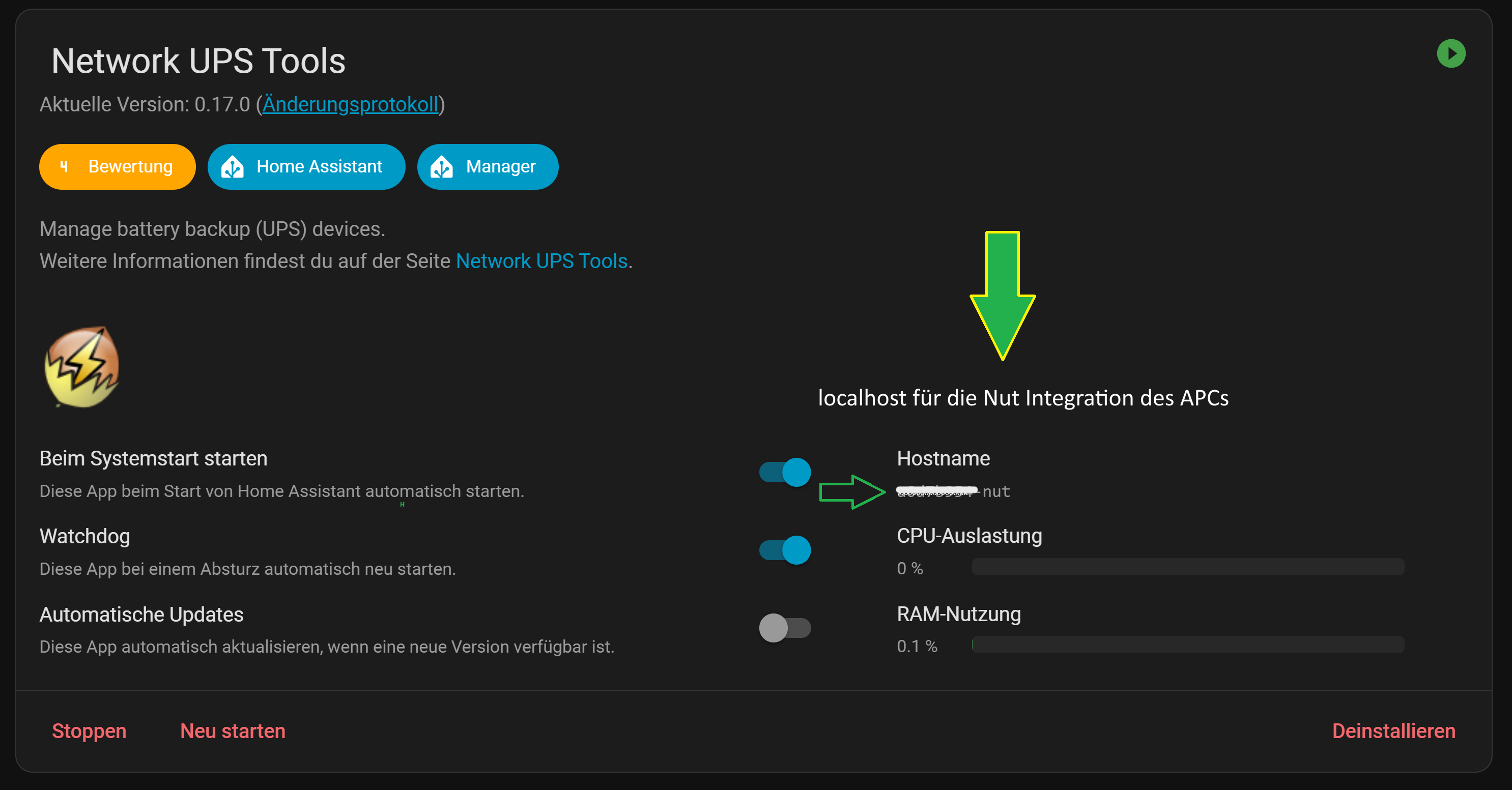
Hallo,
ich versuche meine APC Backup-UPS Pro 900 in HA einzubinden und bekomme ständig nur diese Meldung angezeigt…
-----------------------------------------------------------
Add-on: Network UPS Tools
Manage battery backup (UPS) devices
-----------------------------------------------------------
Add-on version: 0.14.1
You are running the latest version of this add-on.
System: Home Assistant OS 15.2 (amd64 / qemux86-64)
Home Assistant Core: 2025.5.1
Home Assistant Supervisor: 2025.04.1
-----------------------------------------------------------
Please, share the above information when looking for help
or support in, e.g., GitHub, forums or the Discord chat.
-----------------------------------------------------------
s6-rc: info: service base-addon-banner successfully started
s6-rc: info: service fix-attrs: starting
s6-rc: info: service base-addon-timezone: starting
s6-rc: info: service base-addon-log-level: starting
s6-rc: info: service fix-attrs successfully started
[13:55:15] INFO: Configuring timezone (Europe/Berlin)...
s6-rc: info: service base-addon-log-level successfully started
s6-rc: info: service base-addon-timezone successfully started
s6-rc: info: service legacy-cont-init: starting
cont-init: info: running /etc/cont-init.d/nut.sh
[13:55:16] INFO: Setting mode to netserver...
[13:55:16] INFO: Generating /etc/nut/upsd.users...
[13:55:16] INFO: Configuring user: upsmon
[13:55:16] INFO: Password is NOT in the Have I Been Pwned database! Nice!
[13:55:17] INFO: Configuring Device named Back-UPS Pro...
[13:55:17] INFO: Starting the UPS drivers...
Error: no UPS definitions found in ups.conf
Network UPS Tools - UPS driver controller 2.8.0
cont-init: info: /etc/cont-init.d/nut.sh exited 1
cont-init: info: running /etc/cont-init.d/nutclient.sh
cont-init: info: /etc/cont-init.d/nutclient.sh exited 0
cont-init: warning: some scripts exited nonzero
s6-rc: warning: unable to start service legacy-cont-init: command exited 1
/run/s6/basedir/scripts/rc.init: warning: s6-rc failed to properly bring all the services up! Check your logs (in /run/uncaught-logs/current if you have in-container logging) for more information.
/run/s6/basedir/scripts/rc.init: fatal: stopping the container.
s6-rc: info: service fix-attrs: stopping
s6-rc: info: service base-addon-timezone: stopping
s6-rc: info: service base-addon-log-level: stopping
s6-rc: info: service fix-attrs successfully stopped
s6-rc: info: service base-addon-timezone successfully stopped
s6-rc: info: service base-addon-log-level successfully stopped
s6-rc: info: service base-addon-banner: stopping
s6-rc: info: service base-addon-banner successfully stopped
s6-rc: info: service s6rc-oneshot-runner: stopping
s6-rc: info: service s6rc-oneshot-runner successfully stopped
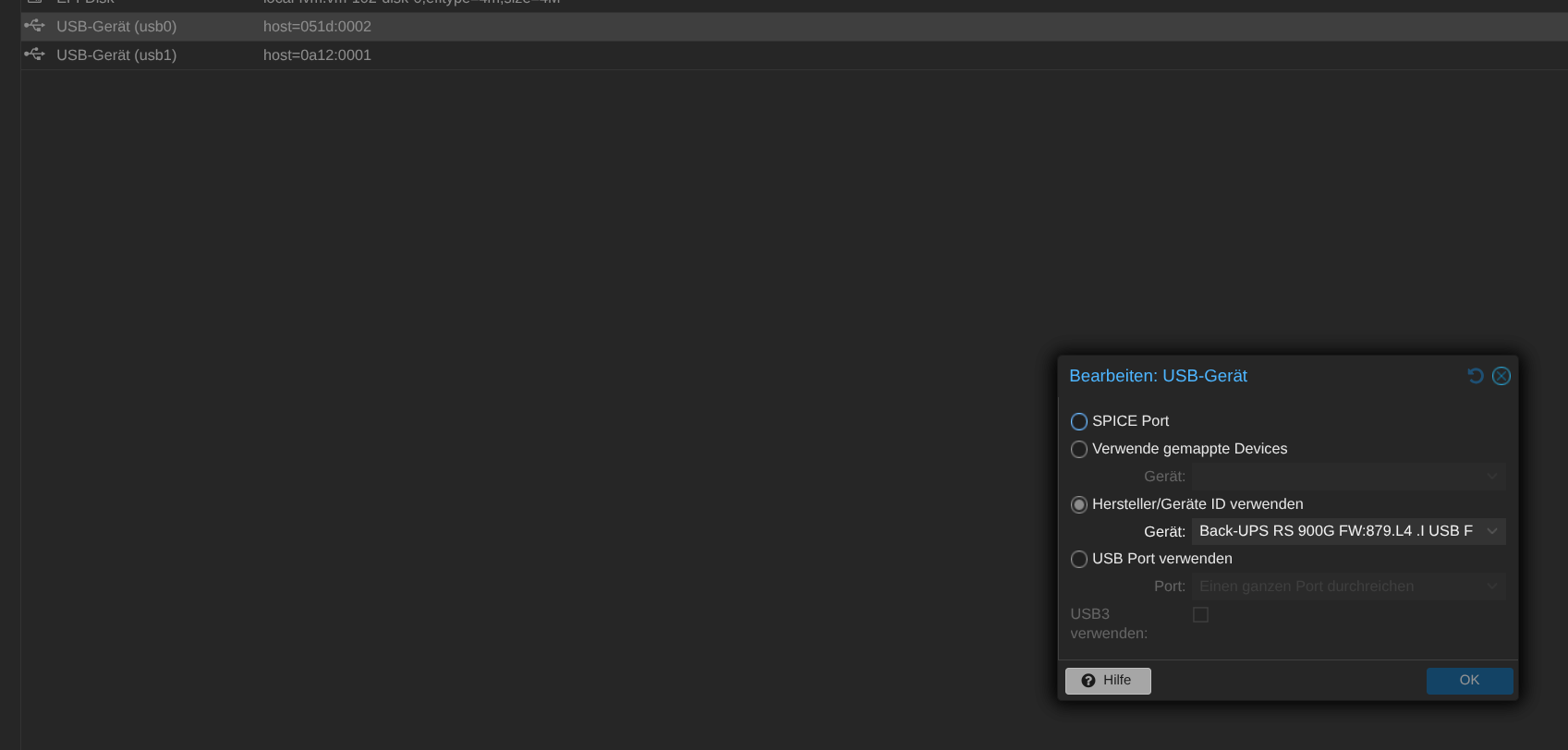
Im Proxmox habe ich die USV durchgereicht…
Die Config im Network UPS Tools sieht so aus…

oder
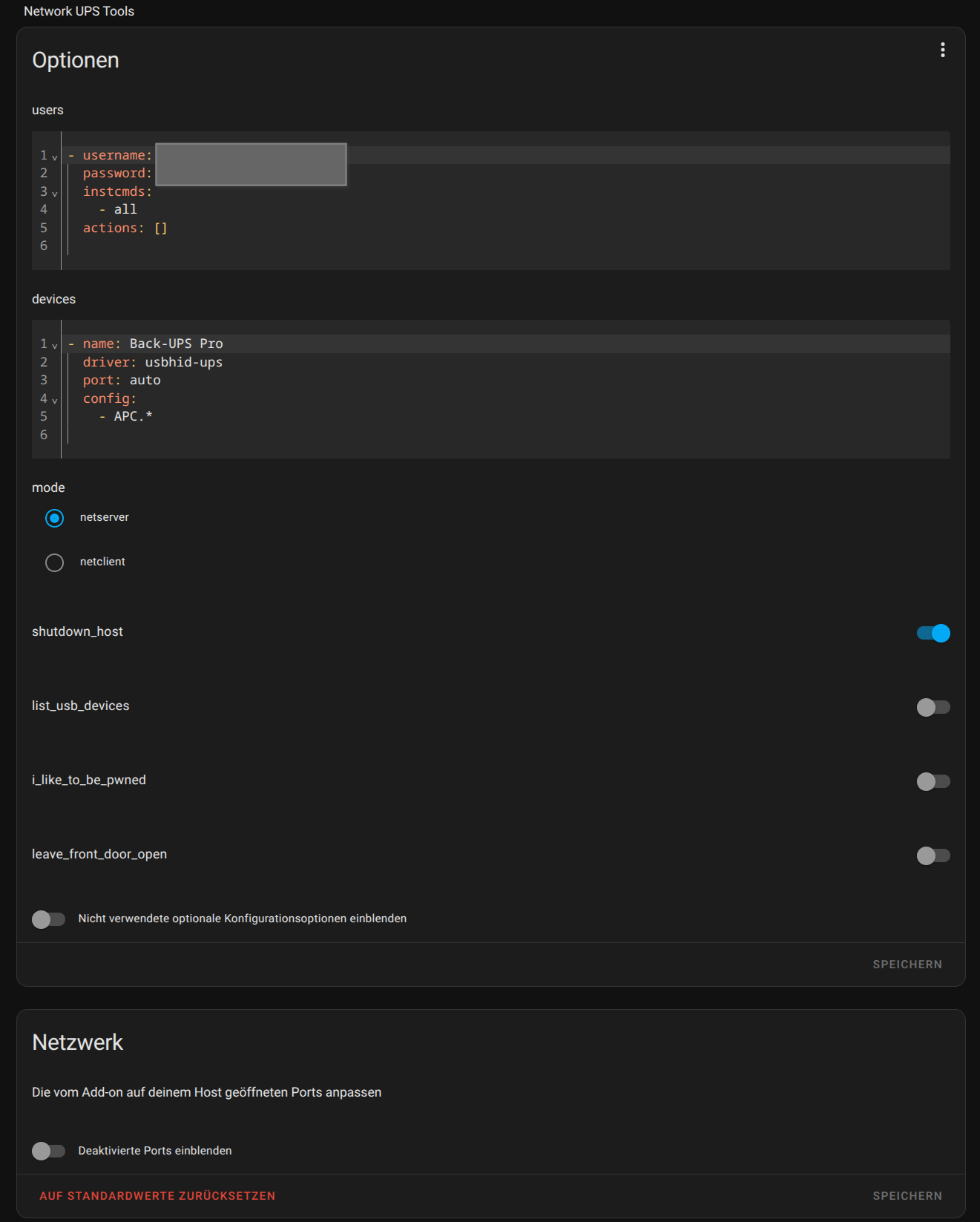
Aber irgendwie scheitert es an dieser Meldung…
Error: no UPS definitions found in ups.conf
Was möchte Network UPS Tools von mir?
Besten Dank.
 by HarryP: Code-/Logzeilen formatiert (bitte immer in </> einbinden)