Hallo zusammen,
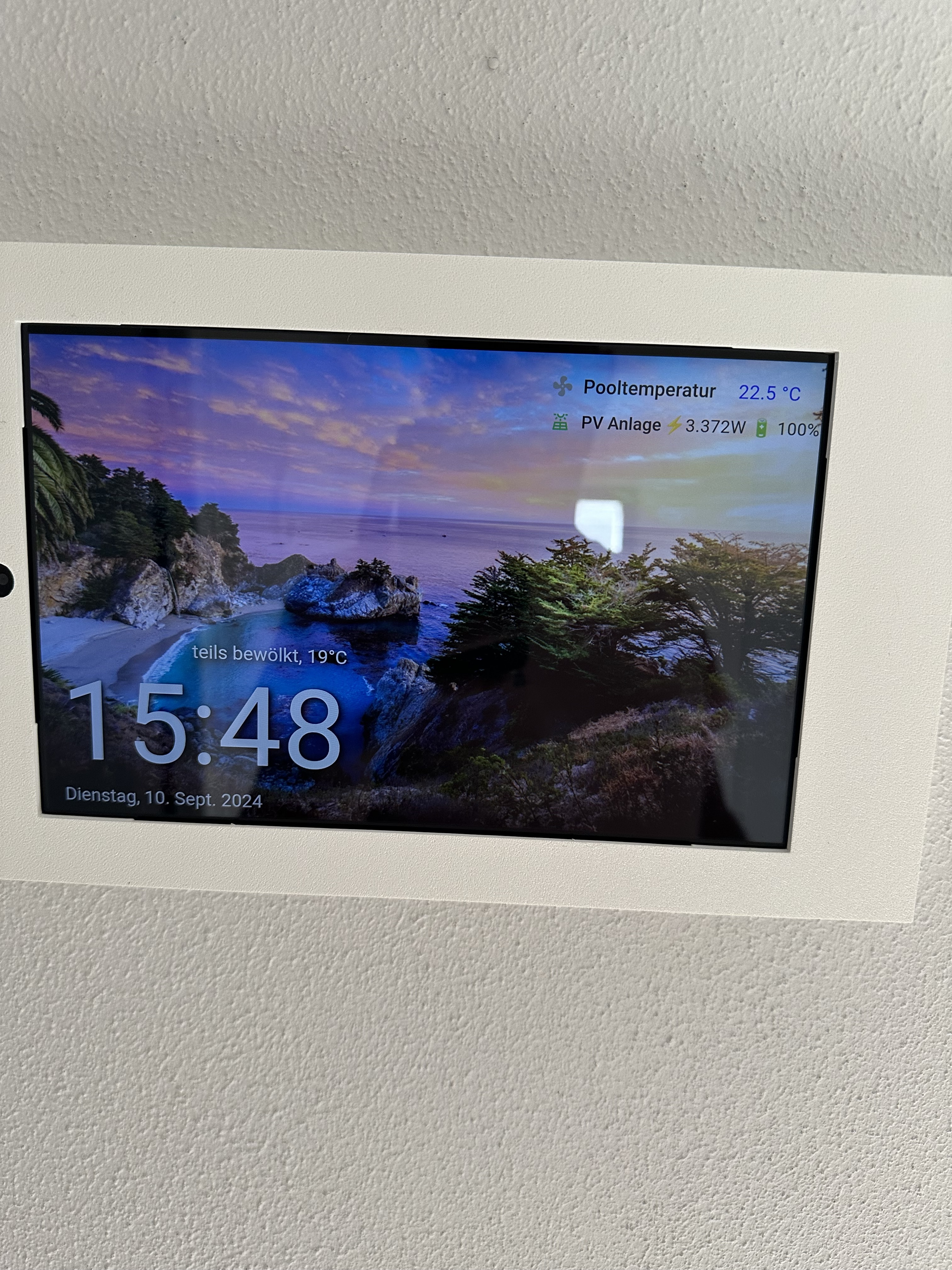
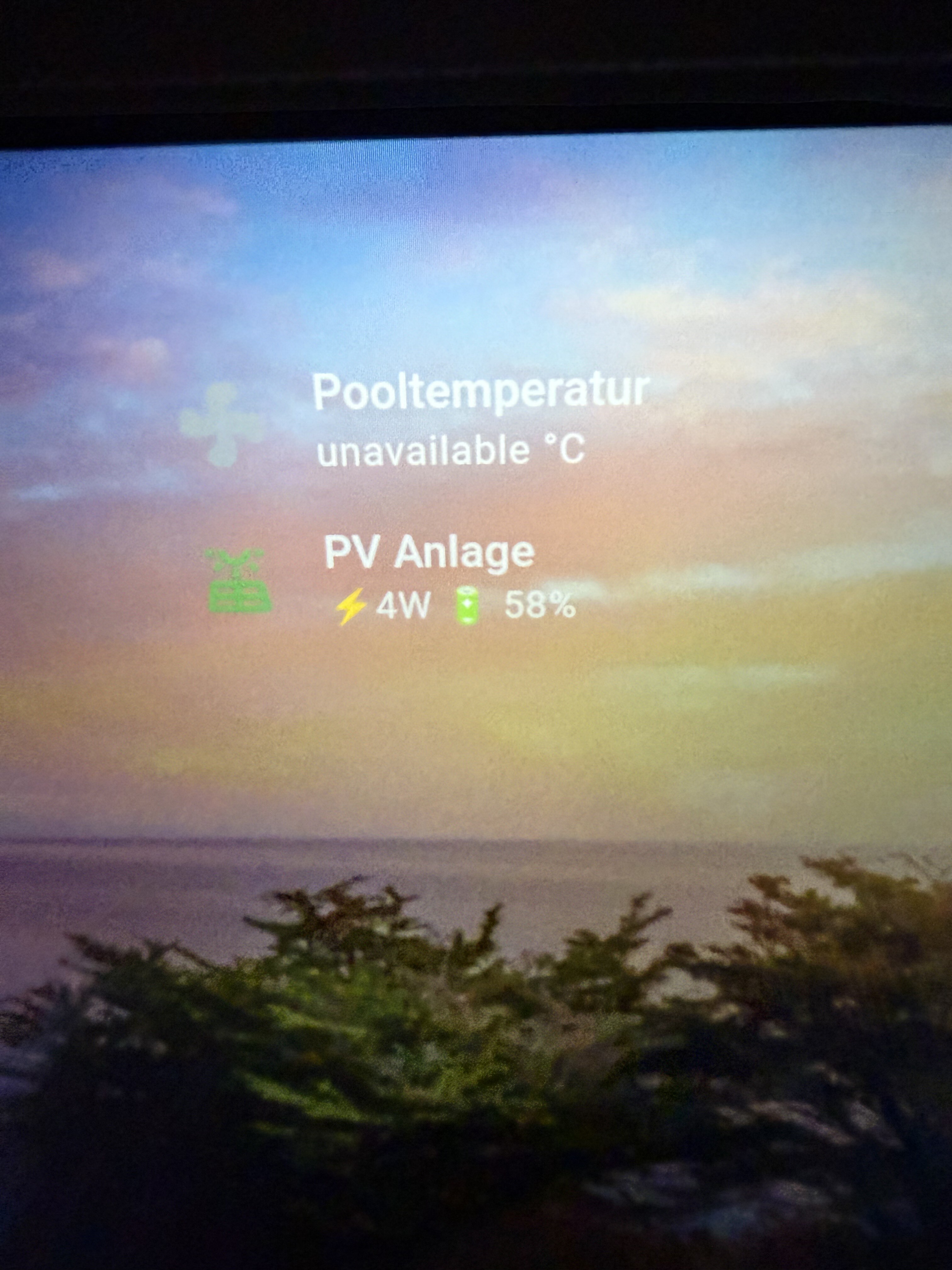
Ich bekomme es einfach nicht hin, das sich der Wert der seconday Card farblich ändert…
Anbei mein Code, ich vermute fast es ist was kleines…
Danke euch im voraus
Gruß
ha-card {
              zoom: 100%;
              font-size: 15px%;
              margin-left: 110%;
              margin-top: -150%;
              width: 85%;
              height: fit-content !important;
              background-color: transparent !important;
              opacity: '';
              border: transparent;
              {% set state = states('sensor.pooltemperatur') | int %}
              {% if state <= 30 %}
                --card-secondary-color: red;
              {% elif state <= 27 %}
                --card-secondary-color: yellow;
              {% elif state <= 24 %}
                --card-secondary-color: blue;
              {% endif %}
totow
6. September 2024 um 19:40
2
Moin,
Hier kannst du auch mal nachgucken, da findet man viel für die mushroom Karten + Card-mod
This topic is technically a cross post from a reply to the Mushroom Card Topic found here: Part 1. But it was suggested in a comment to post it here as a guide instead. Below info is true as of Mushroom Version 3.6.4 and Card Mod Version 3.4.3 ...
Reading time: 249 mins 🕑
Likes: 661 ❤
auf die schnelle habe ich das für die mushroom entity card da gefunden:
card_mod:
  style:
    mushroom-state-info$: |
      .container {
        --card-primary-color: blue;
        --card-secondary-color: orange;
      }
also probiere es mal so:
        card_mod:
          style:
            ha-card {
              zoom: 100%;
              font-size: 15px%;
              margin-left: 110%;
              margin-top: -150%;
              width: 85%;
              height: fit-content !important;
              background-color: transparent !important;
              opacity: '';
              border: transparent;
              }
            mushroom-state-info$: |
              .container {
              {% set state = states('sensor.pooltemperatur') | int %}
              {% if state <= 30 %}
                --card-secondary-color: red;
              {% elif state <= 27 %}
                --card-secondary-color: yellow;
              {% elif state <= 24 %}
                --card-secondary-color: blue;
              {% endif %}
              }
LG
Hey,
Deine Idee ist gut, den .container habe ich bereits drin.
Wenn ich deinen Code hier eingebe, wird der Temperaturwer rot, wobei er bei 23,5grad eig blau anzeigen müsste …
    - type: custom:mushroom-template-card
      primary: Pooltemperatur
      secondary: '{{states("sensor.pooltemperatur")}} °C'
      entity: sensor.pooltemperatur
      icon: mdi:fan
      icon_color: |
        {% if is_state('climate.inverter_pool_warmepumpe','heat') %}
          orange
        {% else %}
          grey
        {% endif %}
      card_mod:
        style:
          mushroom-state-info $: |
            .container {
              --card-primary-font-size: 18px !important;
              --card-primary-color: black;
              --card-secondary-font-size: 20px;
              --card-secondary-color: black;
              flex-direction: row !important;
              align-items: baseline !important;
              gap: 80px;

            }
          mushroom-shape-icon$: |
            .shape {
              --shape-color: transparent;
            }
          .: |
            ha-card {
              zoom: 100%;
              font-size: 15px%;
              margin-left: 150%;
              margin-top: -150%;
              width: 85%;
              height: fit-content !important;
              background-color: transparent !important;
              opacity: '';
              border: transparent;
              {% set state = states('sensor.pooltemperatur') | int %}
              {% if state <= 36 %}
                --card-secondary-color: red;
              {% elif state <= 27 %}
                --card-secondary-color: yellow;
              {% elif state <= 24 %}
                --card-secondary-color: blue;
              {% endif %}

            }
totow
6. September 2024 um 20:55
4
du hast da ja schon das drin was du ändern möchtest.
- type: custom:mushroom-template-card
      primary: Pooltemperatur
      secondary: '{{states("sensor.pooltemperatur")}} °C'
      entity: sensor.pooltemperatur
      icon: mdi:fan
      icon_color: |
        {% if is_state('climate.inverter_pool_warmepumpe','heat') %}
          orange
        {% else %}
          grey
        {% endif %}
      card_mod:
        style:
          mushroom-state-info $: |
            .container {
              --card-primary-font-size: 18px !important;
              --card-primary-color: black;
              --card-secondary-font-size: 20px;
              {% set state = states('sensor.pooltemperatur') | int %}
              {% if state <= 24 %}
                --card-secondary-color: blue;
              {% elif state <= 27 %}
                --card-secondary-color: yellow;
              {% elif state <= 36 %}
                --card-secondary-color: red;
              {% else %}
              --card-secondary-color: black;
              {% endif %}
              flex-direction: row !important;
              align-items: baseline !important;
              gap: 80px;

            }
          mushroom-shape-icon$: |
            .shape {
              --shape-color: transparent;
            }
          .: |
            ha-card {
              zoom: 100%;
              font-size: 15px%;
              margin-left: 150%;
              margin-top: -150%;
              width: 85%;
              height: fit-content !important;
              background-color: transparent !important;
              opacity: '';
              border: transparent;
            }
Deninho91:
Wenn ich deinen Code hier eingebe, wird der Temperaturwer rot, wobei er bei 23,5grad eig blau anzeigen müsste …
btw. ich würde mit der kleinsten Zahl starten den <= 36 ist auch true wen der wert z.B. 24 ist.
LG
Vielen Dank!!!
Jetzt noch ne Frage.
Ich kann das ja, durch | trennen, aber ist es auch iwie möglich dort Leerzeichen in der Zeile und jeweils ein anderes Icon einzufügen innerhalb der secondary info?
totow
7. September 2024 um 08:30
6
Icon nicht aber aber Unicode Emoji
Da hilft dir z.B. so eine Seite .U+1F321 das + ersetzt du durch so viele 0 bis hinter dem U 8 Stellen sind: U0001F321 und dann noch ein \ davor und fertig
Hier mein secondary abschnitt von der gezeigten Karte:
        secondary: >-
          {{"\U0001F321"}}{{ states('sensor.temp_buro') }}°C
          {{"\U0001F4A7"}}{{ states('sensor.humidity_buro') }}%
LG
Ja cool Tobi, das versuche ich gleich mal. Und Leerzeichen zwischen den beiden? Geht das auch?
Hey,
Du müsstest du mir mal bitte auf die Sprünge helfen…
Dein Code etc hat wunderbar funktioniert, super!
totow
25. September 2024 um 18:21
9
Was ist da jetzt das Problem?
Danke für deine Antwort:)
Ne ne, scheinbar hat ein Update meine ganze Card Mod zerschossen…
Wenn ich jetzt allerdings die „Set State“ entferne, ist es fast wie vorher, also alles in einer Reihe, meine Größen etc passen fasst.
Nur möchte ich die „Set State“ gerne behalten und weiß nicht wo ich sie nun hinstellen soll, weil es ja wohl daran lag…
totow
25. September 2024 um 19:05
11
Magst du mal den aktuellen Code der Karte posten, dann werde ich mir das bei noch mal durch testen.
Ja klar, gerne.
kiosk_mode:
  non_admin_settings:
    hide_header: true
    hide_sidebar: true
wallpanel:
  enabled: true
  hide_toolbar: false
  idle_time: 1
  image_url: /
  cards:
    - type: custom:clock-weather-card
      entity: weather.openweathermap
      sun_entity: sun.sun
      temperature_sensor: sensor.temperature_30
      weather_icon_type: line
      forecast_rows: 5
      locale: de
      time_pattern: HH:mm
      time_format: 24
      date_pattern: cccc, d. MMM yyyy
      hide_today_section: false
      hide_forecast_section: true
      hide_clock: false
      hide_date: false
      card_mod:
        style: |
          ha-card {
            zoom: 400%;
            font-size: 8px;
            width: 250%;
            margin-left: -115%;
            margin-top: 70%;
            background-color: transparent;
            text-shadow: 1px 1px 3px black;
            border: transparent;
          }
    - type: custom:mushroom-template-card
      primary: Pooltemperatur
      secondary: '{{states("sensor.pooltemperatur")}} °C'
      icon: mdi:fan
      icon_color: |
        {% if is_state('climate.inverter_pool_warmepumpe','heat') %}
          orange
        {% else %}
          grey
        {% endif %}
      card_mod:
        style:
          mushroom-state-info $: |
            .container {
              --card-primary-font-size: 25px !important;
              --card-primary-color: black;
              --card-primary-line-height: 28px;
              --card-secondary-font-size: 25px;
              --card-secondary-color: black;
              --card-secondary-line-height: 28px;
              flex-direction: row !important;
              align-items: baseline !important;
              gap: 30px;

            }
          mushroom-shape-icon$: |
            .shape {
              --shape-color: transparent;
            }
          .: |
            ha-card {
              zoom: 120%;
              font-size: 15px%;
              margin-left: 160%;
              margin-top: -170%;
              width: 85%;
              height: fit-content !important;
              background-color: transparent;
              opacity: '';
              border: transparent;

            }

            ha-state-icon {
              --icon-symbol-size: 31px;
              {{ 'animation: spin 2s linear infinite;' if is_state('climate.inverter_pool_warmepumpe','heat') }}

            }
    - type: custom:mushroom-template-card
      primary: PV Anlage
      secondary: >-
        {{"\U000026A1"}}{{
        "{0:_.0f}".format(states('sensor.ala001022111073_instantaneous_generation')
        | int) | replace("_", ".") }}W {{"\U0001F50B"}} {{
        states('sensor.ala001022111073_instantaneous_battery_soc') | float(0) |
        round(0) }}%
      icon: mdi:solar-power-variant-outline
      entity: ''
      picture: ''
      fill_container: true
      multiline_secondary: false
      layout: horizontal
      icon_color: green
      card_mod:
        style:
          mushroom-state-info$: |
            .container {
             --card-primary-font-size: 23px;
             --card-primary-color: black !important;
             --card-secondary-font-size: 23px;
             --card-secondary-color: black;
             --card-primary-line-height: 30px;
             --card-secondary-line-height: 30px;
             flex-direction: row !important;
             align-items: baseline !important;
             gap: 30px;
             --state-color: none !important;
            }
          mushroom-shape-icon$: |
            .shape {
             --shape-color: none !important;
            }
          .: |
            ha-card {
              zoom: 120%;
              font-size: 15px;
              margin-left: 160%;
              margin-top: -160%;
              width: 180%;
              height: fit-content !important;
              background-color: transparent;
              opacity: '';
              border: transparent;
            }
            ha-state-icon {
              --icon-symbol-size: 25px;
            }
Ich weiß nicht wieso, aber ich habe den Code nochmal eingetragen und es geht wieder🤔
Du kannst mir aber dennoch behilflich sein…
Ich hätte gerne,
Und im sekundär wäre cool:
Bekomm es iwie nicht auf die Kette:pray:t4:
totow
27. September 2024 um 16:23
14
Deninho91:
Ich hätte gerne,
Und im sekundär wäre cool:
Ich denke du meinst den Bereich?
hab es nicht getestet aber so sollte es hoffentlich gehen:
    - type: custom:mushroom-template-card
      primary: |
        {% if states('sensor.pooltemperatur') > "0" %}
          Pooltemperatur
        {% else %}
          Wintermodus
        {% endif %}
      secondary: |
        {% if is_state('sensor.pooltemperatur','unavailable') %}
          ' '
        {% else %}
          '{{states("sensor.pooltemperatur")}} °C'
        {% endif %}
LG
Danke dir, hab den Fehler gefunden😏
Kann man die Primar width anpassen? Oder geht das nur über die gesamte width via ha_card?
@totow hast du eine Idee?
totow
2. Oktober 2024 um 18:10
17
Deninho91:
hast du eine Idee?
Hierzu habe ich keine Idee:
LG