ROBOT
26. Oktober 2025 um 18:10
1
Ich stelle mal eine Zusatzfrage, da ich hier auch nicht weiterkomme…
Ich habe einen Teil in einem Macro ausgelagert (der wiederholt sich in meinem Script …) und rufe wie folgt auf, aber das funktioniert nicht wie erwartet …
Denke ich habe ein syntax problem?
{% macro GET_Color (entity_id) %}

    {% set varStatus = states(config.entity) %}
    {% if varStatus == 'off' %}
          {% set varCol = 0 %}
        {% elif varStatus  == 'on' %}
          {% set varCol = 1 %}
        {% else %}
          {% set varCol = 2 %}
        {% endif %}

        {{varCol}}

{% endmacro %}
der aufruf erfolgt:
   {% from '_MACROS_02---Color.jinja' import GET_Color as msg %}
    {{ msg (entity)  }}
Kann mir jemand einen Tipp geben?
thx
Osorkon
26. Oktober 2025 um 18:22
3
{% macro GET_Color (entity_id) %}
    {% set varStatus = states(entity_id) %}
    {% if varStatus == 'off' %}
          {% set varCol = 0 %}
        {% elif varStatus  == 'on' %}
          {% set varCol = 1 %}
        {% else %}
          {% set varCol = 2 %}
        {% endif %}
        {{varCol}}
{% endmacro %}
Bei aufrufen de macros, musst Du auch eine Entität übergeben.
BSP:
{% from '_MACROS_02---Color.jinja' import GET_Color %}
{{ GET_Color('switch.xyz')  }}
Gruß Osorkon
ROBOT
26. Oktober 2025 um 20:37
4
Hi, und danke für die schnellen Antworten. Leider funktioniert beides nicht wie gewünscht …
habe jetzt:
type: custom:mushroom-template-card
entity: switch.23_eg_pflanze_garage_steckdose_1
Debuginfo_01: TEXT
primary: |-
  {% set CE = 'sensor.23_eg_pflanze_garage_leistung' %}
  OKAY //
  23 - EG Kuche (Gos01/ ) --- {{states (CE)}} W
secondary: |
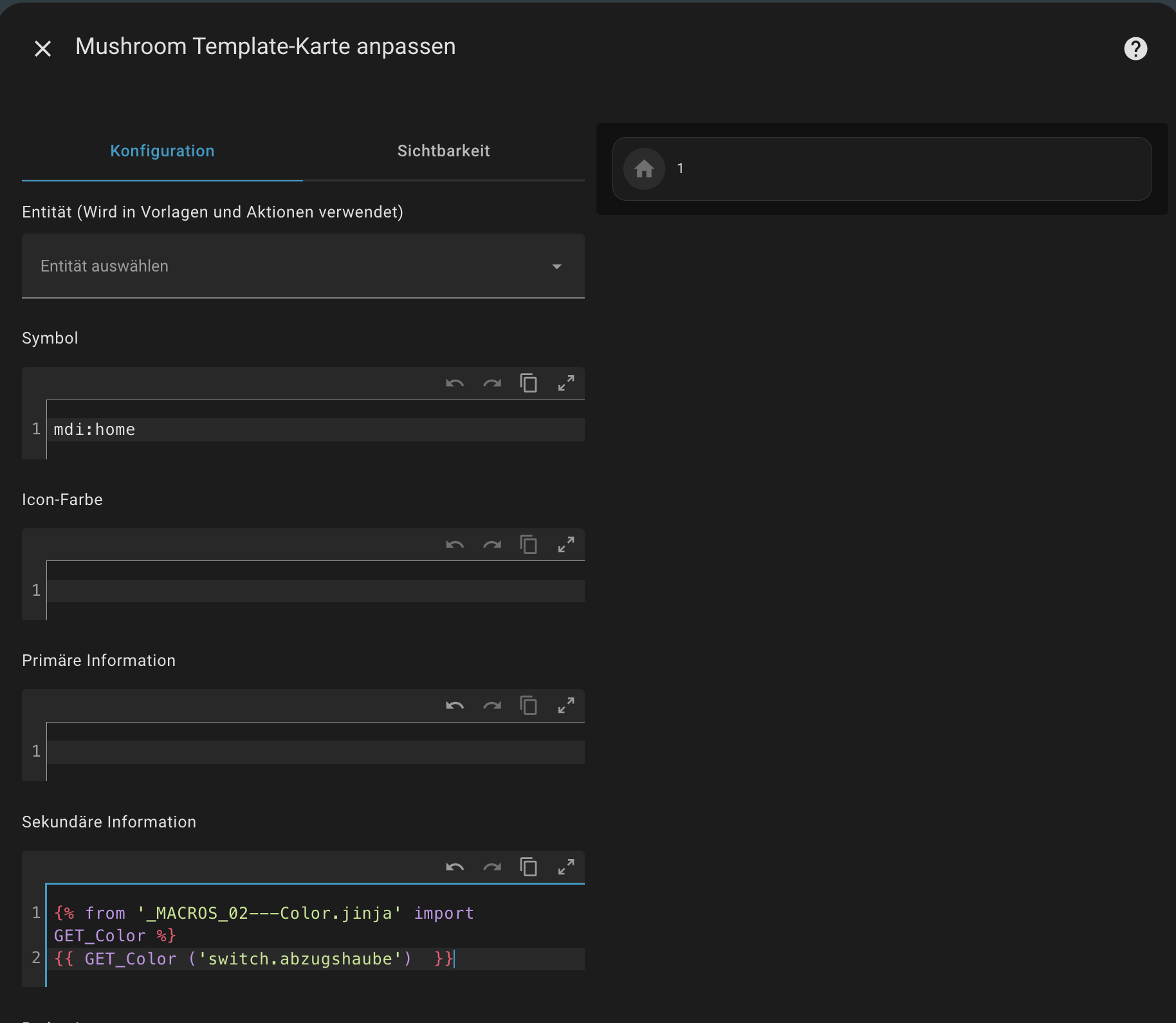
  {% from '_MACROS_02---Color.jinja' import GET_Color %}
  {{ GET_Color ('switch.23_eg_pflanze_garage_steckdose_1')  }}
und Macro:
{% macro GET_Color (entity_id) %}
    {% set varStatus = states(entity_id) %}
    {% if varStatus == 'off' %}
          {% set varCol = 0 %}
        {% elif varStatus  == 'on' %}
          {% set varCol = 1 %}
        {% else %}
          {% set varCol = 2 %}
        {% endif %}
        {{varCol}}
{% endmacro %}
Osorkon
26. Oktober 2025 um 20:47
5
Was funktioniert den nicht?
Laut Deinem macro werden ja nur die Werte 0, 1 oder 2 ausgegeben.
Was möchtest Du eigentlich erreichen?
Gruß Osorkon
ROBOT
27. Oktober 2025 um 14:12
6
Hallo,
hat etwas gedauert, dafür bin ich einen Schritt weiter.
Habe HA neu gestartet und seit dem funktioniert das Macro und liefert 0/1/2 …
Was ich eigentlich wollte ist die Schriftfarbe reinschreiben (statt 0/1/2) und dann diese direkt zuweisen, damit ich mir die ganzen If .. endif Schleifen spare. Ausserdem kommt dies öfters am Dashboard vor und beim Ändern der Farbe brauche ich nur an einer Stelle dies durchführen.
Aber hier funktioniert die Zuweisung nicht, obwohl der Übergabewert der Farbe stimmt.
Ich nehme an, es liegt an der Syntax?
type: custom:mushroom-template-card
entity: switch.23_eg_pflanze_garage_steckdose_1
Debuginfo_01: TEXT
primary: |-
  {% set CE = 'sensor.23_eg_pflanze_garage_leistung' %}
  OKAY //
  23 - EG Kuche (Gos01/ ) --- {{states (CE)}} W
secondary: |
  {% from '_MACROS_01.jinja' import GET_Color as msg %}
  {{ msg (entity) }}
multiline_secondary: true
...

...
card_mod:
  style:
    ha-tile-info$: |
      {% from '_MACROS_01.jinja' import GET_Color as msg %}
      .primary {color: msg (entity) !important;}
      .secondary {color: limegreen !important;}
Makro:
{% macro GET_Color (entity_id) %}
    {% set varStatus = states(entity_id) %}
    {% if varStatus == 'off' %}
          {% set varCol = "red" %}
        {% elif varStatus  == 'on' %}
          {% set varCol = "limegreen" %}
        {% else %}
          {% set varCol = "orange" %}
        {% endif %}
        {{varCol}}
{% endmacro %}
Osorkon
27. Oktober 2025 um 18:13
7
Neustarten musst Du Home Assistant nicht. Die Aktion homeassistant.reload_custom_templates ausführen tut es auch.
Ob Du bei Card Mod Templates verwenden kannst, das würde ich mal in Frage stellen.
Dazu können aber bestimmt die Card Mod Anwender mehr sagen, ich nutze es nicht.
Gruß Osorkon
ROBOT
27. Oktober 2025 um 19:22
8
Danke Osorkon,
bin mir nicht sicher, ob ich dich richtig verstehe mit “Templates”.
Meine vereinfachten Tests zeigen mir, dass folgendes funktioniert.
    .: |
      ha-card {
          {% set COL_XXX = '#468214' %}
          background-color: {{COL_XXX}};
      }
Jetzt brauche ich nur noch COL_XXX variabel machen…
Ich schaffe aber nicht msg in COL_XXX richtig zu schreiben !
    .: |
      ha-card {
        {% from '_MACROS_01.jinja' import GET_Color as msg %}
        {% set COL_XXX = msg %}

          {% set COL_XXX = '#469264' %}
          background-color: {{COL_XXX}};
      }
Wenn jemand einen Tipp hat … danke
Osorkon
27. Oktober 2025 um 20:06
9
Dein Macro
{% macro GET_Color (entity_id) %}
    {% set varStatus = states(entity_id) %}
    {% if varStatus == 'off' %}
          {% set varCol = "red" %}
        {% elif varStatus  == 'on' %}
          {% set varCol = "limegreen" %}
        {% else %}
          {% set varCol = "orange" %}
        {% endif %}
        {{varCol}}
{% endmacro %}
gibt als Ergebnis den Text
aus, abhängig von dem Status der Entität. Diese Entität musst Du als Parameter übergeben.
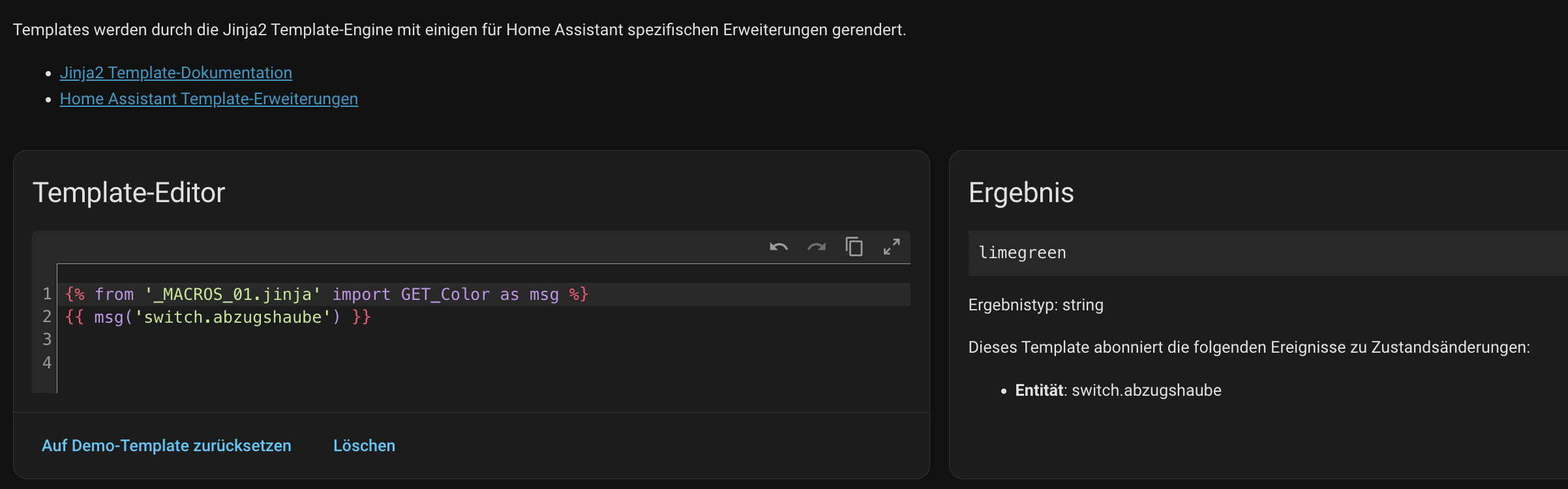
{% from '_MACROS_01.jinja' import GET_Color as msg %}
{{ msg('switch.xyz') }}
Gruß Osorkon
ROBOT
3. November 2025 um 21:48
10
Hi Osorkon
hat leider etwas gedauert bis ich mal wieder Zeit fand. Auch kam ich mit Deiner Erklärung nicht ganz klar - aber jetzt habe ich einen Weg gefunden
type: custom:mushroom-template-card
entity: switch.23_eg_pflanze_garage_steckdose_1
primary: |-
  {% set CE = 'sensor.23_eg_pflanze_garage_leistung' %}
  OKAY //
  23 - EG Kuche (Gos01/ ) --- {{states (CE)}} W
secondary: |
  {% from '_MACROS_01.jinja' import Color_TEXT_Secondary as msg %}
  {{ msg (entity) }}
  {{entity}}
multiline_secondary: true
grid_options:
  columns: 12
  rows: 2
icon: mdi:toggle-switch-variant-off
color: |-
  {% from '_MACROS_01.jinja' import Color_ICON as msg %}
  {{msg (config.entity)}}
badge_icon: mdi:light-switch
badge_color: |-
  {% from '_MACROS_01.jinja' import Color_BADGE as msg %}
  {{msg (config.entity)}}
tap_action:
  action: toggle
hold_action:
  action: toggle
double_tap_action:
  action: more-info
features_position: bottom
card_mod:
  style:
    ha-tile-info$: |
      {% from '_MACROS_01.jinja' import Color_TEXT_Primary as msg %}
        .primary {color: {{msg (config.entity)}}  !important;}
      {% from '_MACROS_01.jinja' import Color_TEXT_Secondary as msg %}
        .secondary {color: {{msg (config.entity)}}  !important;};
    ha-tile-icon$: |
      .container {
        {% from '_MACROS_01.jinja' import Color_ICON as msg %}
        border: 5px solid {{msg (config.entity)}}
        }
    .: |
      ha-card {
        {% from '_MACROS_01.jinja' import Color_FRAME as msg %}
          border: 2px solid {{msg (config.entity)}};
        {% from '_MACROS_01.jinja' import Color_BACKGROUND as msg %}
          background-color: black;
        }
und Macro:
{% macro Color_TEXT_Primary (entity_id) %}
    {% if states(entity_id) == 'off' %}
          {% set varCol = "red" %}
        {% elif states(entity_id)  == 'on' %}
          {% set varCol = "limegreen" %}
        {% else %}
          {% set varCol = "blue" %}
        {% endif %}
    {{varCol}}
{% endmacro %}

{% macro Color_TEXT_Secondary (entity_id) %}
    {% if states(entity_id) == 'off' %}
          {% set varCol = "orange" %}
        {% elif states(entity_id)  == 'on' %}
          {% set varCol = "orange" %}
        {% else %}
          {% set varCol = "orange" %}
        {% endif %}
    {{varCol}}
{% endmacro %}

{% macro Color_BACKGROUND (entity_id) %}
    {% if states(entity_id) == 'off' %}
          {% set varCol = "red" %}
        {% elif states(entity_id)  == 'on' %}
          {% set varCol = "limegreen" %}
        {% else %}
          {% set varCol = "blue" %}
        {% endif %}
    {{varCol}}
{% endmacro %}

{% macro Color_ICON (entity_id) %}
    {% if states(entity_id) == 'off' %}
          {% set varCol = "red" %}
        {% elif states(entity_id)  == 'on' %}
          {% set varCol = "limegreen" %}
        {% else %}
          {% set varCol = "blue" %}
        {% endif %}
    {{varCol}}
{% endmacro %}

{% macro Color_FRAME (entity_id) %}
    {% if states(entity_id) == 'off' %}
          {% set varCol = "red" %}
        {% elif states(entity_id)  == 'on' %}
          {% set varCol = "limegreen" %}
        {% else %}
          {% set varCol = "blue" %}
        {% endif %}
    {{varCol}}
{% endmacro %}

{% macro Color_BADGE (entity_id) %}
    {% if states(entity_id) == 'off' %}
          {% set varCol = "purple" %}
        {% elif states(entity_id)  == 'on' %}
          {% set varCol = "blue" %}
        {% else %}
          {% set varCol = "yellow" %}
        {% endif %}
    {{varCol}}
{% endmacro %}
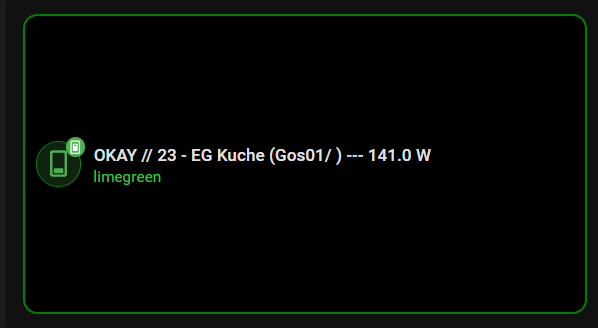
Ergebnis:
Jetzt kann ich im Macro die Farben festlegen und alle cards reagieren gleich
Im code rufe ich allerdings mehrmals das Macro auf - schön wäre es, das nur 1x zu machen und die Farbwerte als variablen zu speichern … aber da habe ich im Moment keinen Ansatz … vor allem ist mir die Gültigkeit der variablen nicht klar, aber wenn jemand einen Idee hat - gerne.
Sonst hoffe ich, dass obiges dem einen oder anderen ebenfalls weiterhilft
Gruß Robot
Gurumir
3. November 2025 um 23:00
11
Variable heißen in HA “anchors”
Siehe hier
Here are three methods for reusing code in Home Assistant / YAML. First, be sure you’re using Lovelace YAML mode. METHOD 1 - Anchors Define anchors (the code you want to reuse) using the & key You can define anchors when you’re using...
Reading time: 1 mins 🕑
Likes: 26 ❤
Sind sogar Beispiele mit Farbcode dabei.
ROBOT
4. November 2025 um 18:24
12
Gurumir
Die Beispiele enthalten “nur” halbfertige code-schnipsel … kann dem leider nicht ganz folgen.
Gurumir
4. November 2025 um 20:11
13
Ich benutze Anchors bisher nur im .yaml - mit Macros kenne ich mich (noch) nicht aus.
Sorry.
Osorkon
4. November 2025 um 20:16
14
Gurumir:
Anchors
Wo kann ich die Dokumentation zu den Anchors finden?
Gruß Osorkon