Hallo,
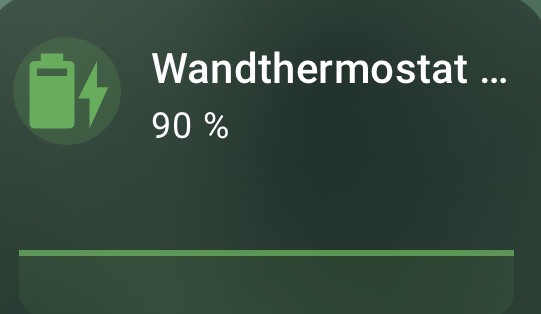
ich habe der Tile-Card erfolgreich einen halbtransparenten Hintergrund um das Icon verpasst, wie es z.B. die Mushroom-Cards haben:
uix:
  style:
  ha-tile-icon$: >
    .container {
      width: 40px;
      height: 40px;
      border-radius: 50%;
      background: rgba(var(--tile-color), 0.5);
      --mdc-icon-size: 30px;
    }
    .container::before {
      content: "";
      position: absolute;
      inset: 0;
      background: var(--tile-color);
      opacity: 0.2;
      border-radius: inherit;
      z-index: 0;
    }
    .container .mdc-icon-button {
      position: relative;
      z-index: 1;
    }
Allerdings schaffe ich es bei der Tile-Card im Gegensatz zu den Mushroom-Cards nicht, mittels jinja state-abhängige Icons zu setzen. Statisches Icon funktioniert:
type: tile
entity: sensor.thermometer_wohnzimmer_battery_plus
name: ''
icon: mdi:battery
vertical: false
features:
  - type: trend-graph
features_position: bottom
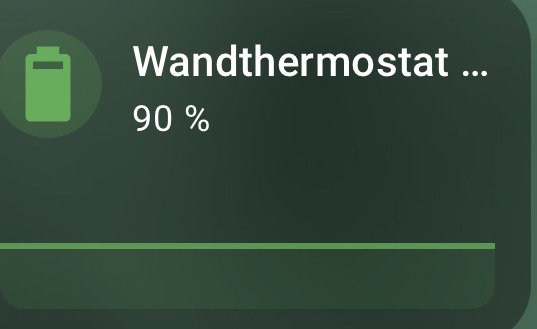
Mit jinja fehlt das Icon bei der Tile-Card komplett:
type: tile
entity: sensor.thermometer_wohnzimmer_battery_plus
name: ''
icon: >-
  {% set state = states("sensor.thermometer_wohnzimmer_battery_plus") | string %}
  {% set state = if(state == "Lädt", '-charging', '') %}
  {% set level = states("sensor.thermometer_wohnzimmer_battery_plus") | int(0) %}
  {% set level = (level // 10) * 10 %}
  mdi:battery{{ state }}-{{ level }}
vertical: false
features:
  - type: trend-graph
features_position: bottom
Bei dem Mushroom-Cards geht’s aber:
type: custom:mushroom-template-card
primary: >-
  {{ "{:,.0f}".format(states('sensor.thermometer_wohnzimmer_battery_plus') | int(0)).replace('.', '#').replace(',', '.').replace('#', ',') }}
  %
secondary: null
icon: >-
  {% set state = states("sensor.thermometer_wohnzimmer_battery_plus") | string %}
  {% set state = if(state == "Lädt", '-charging', '') %}
  {% set level = states("sensor.thermometer_wohnzimmer_battery_plus") | int(0) %}
  {% set level = (level // 10) * 10 %}
  mdi:battery{{ state }}-{{ level }}
features_position: bottom
Ich würde das gerne auch für die Tile-Cards hinkriegen (wegen der Features-Option)
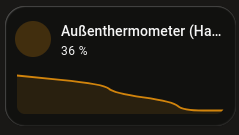
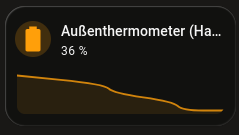
Da die battery-state-card sowohl die Icon-Änderung sowie eine Farbänderung des Icons je nach Batteriestand schon mitbringt, wäre diese Karte für manche Stellen in meinem Dashboard eine weitere Opion. Da schaffe ich es aber nicht, den Icon-Hintergrund halbtransparent farbig zu machen.
Laut KI meines Vertrauens und Inspector müsste es eine Änderung von
.icon {
  background: color-mix(in srgb, var(--paper-item-icon-active-color) 20%, transparent);
}
Aber mit uix funktioniert es nicht, egal wie ich es versuche:
uix:
  style: |
    ha-card {
      font-size: 18px !important;
      border-radius: 20px !important;
      --mdc-icon-size: 30px !important;
      --ha-card-box-shadow: none !important;
    }
    ha-card .icon {
      background: red !important;
      border-radius: 50%;
      width: 44px;                          /
      height: 44px;
      display: flex;
      align-items: center;
      justify-content: center;
    }
    ha-card::part(icon) {
      background: red !important;
      border-radius: 50%;
      width: 44px;
      height: 44px;
      display: flex;
      align-items: center;
      justify-content: center;
    }
    .icon {
      background: red !important;
      border-radius: 50%;
      width: 44px;                          /
      height: 44px;
      display: flex;
      align-items: center;
      justify-content: center;
    }
Vielleicht gibt’s hier ja jemanden, der besser als die KI und ich ist und die Sachen gelöst kriegt.