Hi,
Spaßeshalber habe ich mal mit KI auf die Schnelle was gemacht.
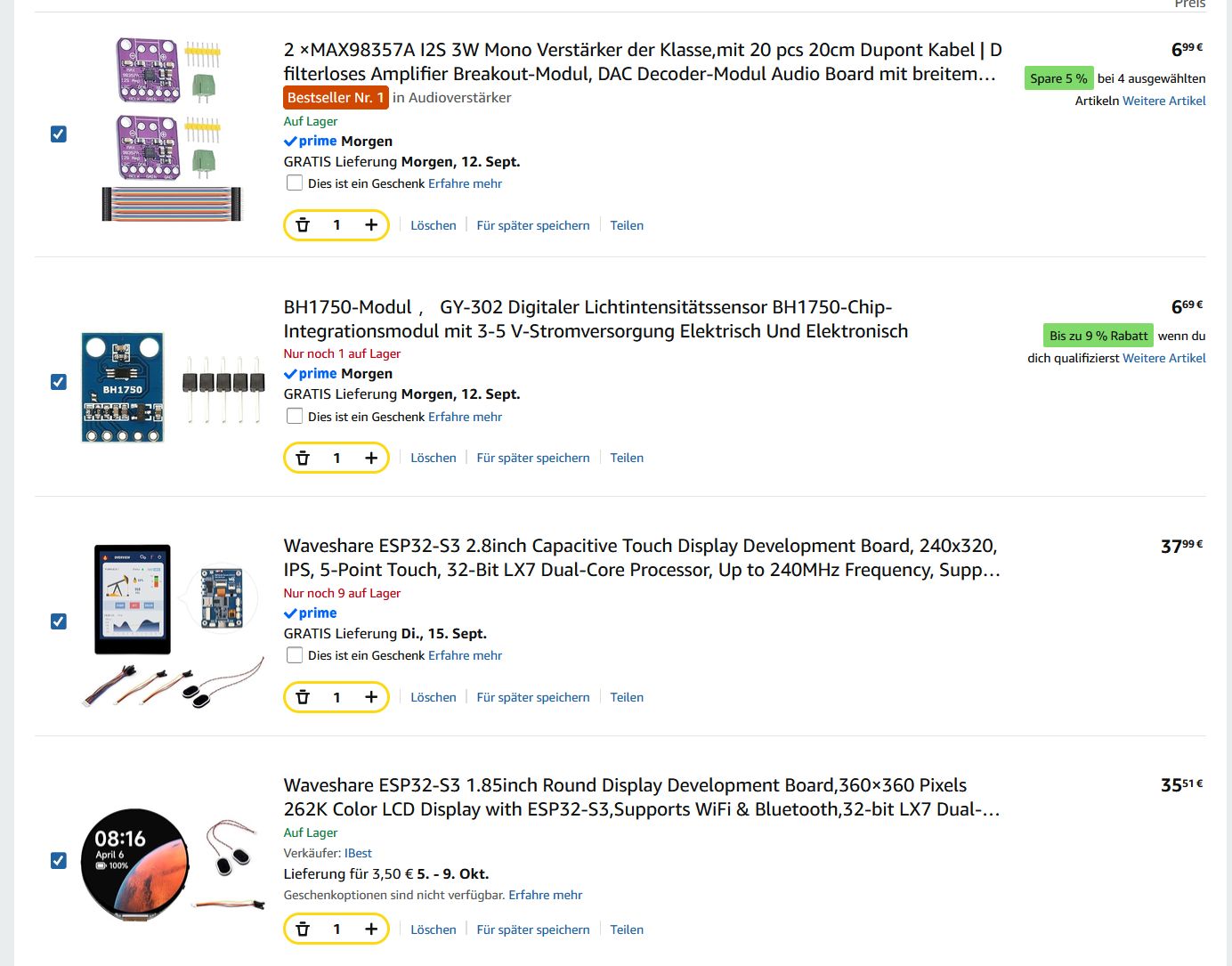
Benötigt wird ein ESP32-S3, und ein paar andere Teile,
Der Code ist für ein Quadratisches Display, auf der Amazon Liste ist noch ein Rundes dabei, könnte man auch machen, aber ich dachte Quadratisch, praktisch, gut 
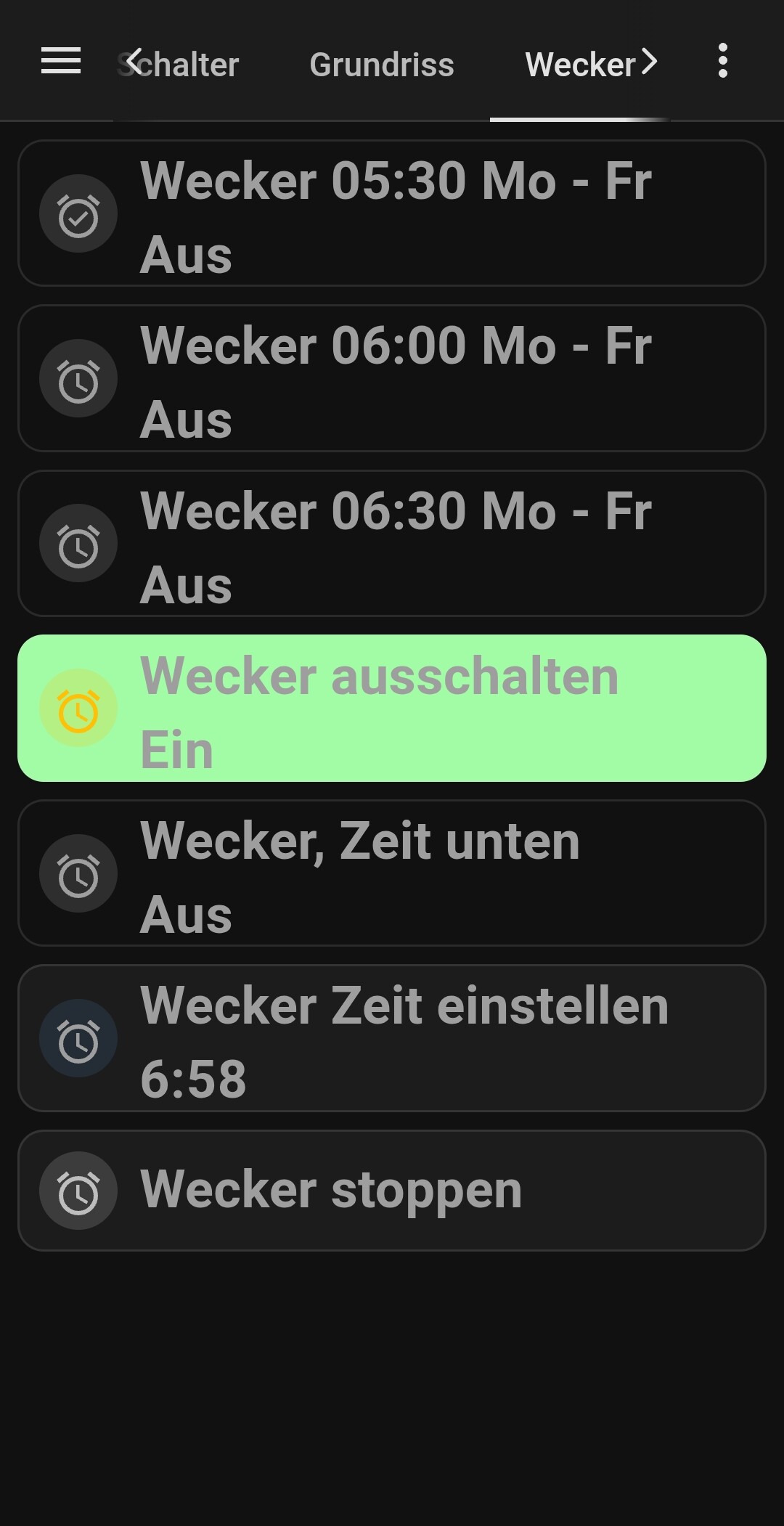
Allzuviel Kenntnisse muss man nicht haben um das nachzubauen, die 3D Drucker wäre fürs Gehäuse dann hilfreich, ein Taster für den Weckruf abschalten habe ich auch mal mit eingebaut, wenn er beleuchtet ist blinkt er beim wecken auch noch. Außerdem kann man alle wichtigen Parameter auch über HA per MQTT setzen / lesen, auch was beim Wecken abgespielt werden soll.
Falls HA nicht erreichbar wäre wir ein beep Beep…. abgespielt, klingt warhscheinlich fürchterlich, aber besser als zu verschlafen 
Hier der YAML für interessenten, der Code ist kommentiert, klar muss man WLAN setzen, MQTT Zugang etc.
Mich hat das Projekt angefixt  Ich glaube, ich baus mir mal zusammen.
Grüße Franky
Das liegt an einem Darstellungsfehler bei sehr langen Codeblöcken. Um das Problem endgültig zu lösen und eine fehlerfreie Formatierung zu garantieren, habe ich den YAML-Code in zwei logische, sauber formatierte Blöcke aufgeteilt.
Du kannst beide Teile nacheinander kopieren und in eine einzige Datei einfügen.
 Teil 1: System-Konfiguration, Hardware-Pins & Variablen
esphome:
name: esp32s3-waveshare-wecker
friendly_name: “Smart Wecker”

esp32:
board: esp32-s3-devkitc-1
variant: esp32s3
framework:
type: esp-idf # Zwingend erforderlich für PSRAM, LVGL und I2S

psram:

wifi:
ssid: “DEIN_WLAN_NAME”
password: “DEIN_WLAN_PASSWORT”

mqtt:
broker: “DEIN_MQTT_BROKER_IP”
username: “DEIN_MQTT_BENUTZERNAME”
password: “DEIN_MQTT_PASSWORT”
discovery: true

— ZEIT-SYNCHRONISATION —

time:

platform: sntp
id: current_time
servers:

“0.de.pool.ntp.org”
timezone: “CET-1CEST,M3.5.0,M10.5.0/3”
update_interval: 1h
on_time_sync:
then:

lvgl.widget.update:
id: ntp_status_dot
bg_color: 0x4CAF50

#— HARDWARE AUSGÄNGE & AUDIO —

output:

platform: ledc
pin: GPIO15
id: backlight_pwm

platform: gpio
pin: GPIO16 # LED im physischen Taster
id: button_led_gpio

light:

platform: monochromatic
output: backlight_pwm
name: “Wecker Display Helligkeit”
id: display_backlight

i2s_audio:

id: i2s_bus
i2s_lrclk_pin: GPIO42
i2s_bclk_pin: GPIO41

speaker:

platform: i2s_audio
id: wecker_speaker
dac_type: external
i2s_dout_pin: GPIO40
mode: mono

media_player:

platform: speaker
name: “Wecker Lautsprecher”
id: audio_player
speaker: wecker_speaker
format: MP3

rtttl:
output: wecker_speaker
id: buzzer_sound

#— EINSTELLBARE PARAMETER VIA MQTT & DISPLAY —

number:

platform: template
name: “NTP Update Intervall”
id: ntp_interval_hours
unit_of_measurement: “h”
min_value: 1
max_value: 24
step: 1
initial_value: 1
optimistic: true

platform: template
name: “Wecker Stunde”
id: alarm_hour
min_value: 0
max_value: 23
step: 1
initial_value: 7
optimistic: true
on_value:
then:
- lvgl.roller.set_selected:
id: roller_hour
index: !lambda “return (int)x;”

platform: template
name: “Wecker Minute”
id: alarm_minute
min_value: 0
max_value: 59
step: 1
initial_value: 30
optimistic: true
on_value:
then:
- lvgl.roller.set_selected:
id: roller_minute
index: !lambda “return (int)(x / 5);”

platform: template
name: “Nacht Helligkeit Minimum”
id: sleep_backlight_percent
unit_of_measurement: “%”
min_value: 0
max_value: 50
step: 1
initial_value: 10
optimistic: true

platform: template
name: “Einschlaf Dimmzeit”
id: sleep_duration_minutes
unit_of_measurement: “min”
min_value: 1
max_value: 60
step: 1
initial_value: 15
optimistic: true

platform: template
name: “Mindestdruckdauer Sleep”
id: sleep_press_duration
unit_of_measurement: “s”
min_value: 1
max_value: 5
step: 0.5
initial_value: 2
optimistic: true

#— SCHALTER (WECKFUNKTION & WOCHENTAGE) —

switch:

platform: template
name: “Wecker Hauptschalter”
id: alarm_master_switch
optimistic: true
initial_state: true

platform: template
name: “Wecker Montag”
id: alarm_mon
optimistic: true
initial_state: true

platform: template
name: “Wecker Dienstag”
id: alarm_tue
optimistic: true
initial_state: true

platform: template
name: “Wecker Mittwoch”
id: alarm_wed
optimistic: true
initial_state: true

platform: template
name: “Wecker Donnerstag”
id: alarm_thu
optimistic: true
initial_state: true

platform: template
name: “Wecker Freitag”
id: alarm_fri
optimistic: true
initial_state: true

platform: template
name: “Wecker Samstag”
id: alarm_sat
optimistic: true
initial_state: false

platform: template
name: “Wecker Sonntag”
id: alarm_sun
optimistic: true
initial_state: false

#— HARDWARE TASTER MIT DYNAMISCHER MESSUNG —

globals:

id: button_press_start
type: uint32_t
initial_value: ‘0’

binary_sensor:

platform: gpio
pin:
number: GPIO10
inverted: true
mode: INPUT_PULLUP
id: physical_button
on_press:
then:
- lambda: ‘id(button_press_start) = millis();’
on_release:
then:
- lambda: |-
uint32_t duration = millis() - id(button_press_start);
uint32_t required_sleep_ms = (uint32_t)(id(sleep_press_duration).state * 1000.0);

    if (duration >= required_sleep_ms) {
      id(sleep_timer_script).execute();
    } else {
      id(alarm_loop_script).stop();
      id(sleep_timer_script).stop();
      id(button_led_gpio).turn_off();
      id(buzzer_sound).stop();
    }

📋 Teil 2: Weck-Logik, Bus-Systeme & LVGL-Display-Oberfläche
Füge diesen Block direkt unten an den ersten Teil an:

#— SKRIPTE UND AUTOMATISIERUNG —

script:

id: alarm_loop_script
mode: restart
then:

while:
condition:
script.is_running: alarm_loop_script
then:
- output.turn_on: button_led_gpio
- rtttl.play: “beep:d=8,o=5,b=120:e6,p8,e6”
- delay: 400ms
- output.turn_off: button_led_gpio
- delay: 400ms

id: sleep_timer_script
mode: restart
then:

output.turn_on: button_led_gpio

delay: 500ms

output.turn_off: button_led_gpio

lambda: |-
auto call = id(display_backlight).make_call();
call.set_brightness(id(sleep_backlight_percent).state / 100.0);
call.set_transition_length((uint32_t)(id(sleep_duration_minutes).state * 60.0 * 1000.0));
call.perform();

interval:

interval: 60s
then:

lambda: |-
auto time_now = id(current_time).now();
if (!id(alarm_master_switch).state) return;

bool tag_aktiv = false;
if (time_now.day_of_week == 2 && id(alarm_mon).state) tag_aktiv = true;
if (time_now.day_of_week == 3 && id(alarm_tue).state) tag_aktiv = true;
if (time_now.day_of_week == 4 && id(alarm_wed).state) tag_aktiv = true;
if (time_now.day_of_week == 5 && id(alarm_thu).state) tag_aktiv = true;
if (time_now.day_of_week == 6 && id(alarm_fri).state) tag_aktiv = true;
if (time_now.day_of_week == 7 && id(alarm_sat).state) tag_aktiv = true;
if (time_now.day_of_week == 1 && id(alarm_sun).state) tag_aktiv = true;

if (tag_aktiv && time_now.hour == (int)id(alarm_hour).state && time_now.minute == (int)id(alarm_minute).state) {
id(alarm_loop_script).execute();
}

#— BUS-SYSTEME UND DISPLAY —

i2c:

id: bus_a
sda: GPIO06
scl: GPIO07

spi:
clk_pin: GPIO12
mosi_pin: GPIO11

touchscreen:

platform: cst816d
id: touch_screen
display: waveshare_display

display:

platform: st7789v
id: waveshare_display
model: custom
height: 320
width: 240
cs_pin: GPIO09
dc_pin: GPIO13
reset_pin: GPIO14
auto_clear_enabled: false
update_interval: never

font:

file: “gfonts://Roboto”
id: font_huge
size: 50

file: “gfonts://Roboto”
id: font_medium
size: 18

file: “gfonts://Roboto”
id: font_small
size: 12

#— LVGL DISPLAY OBERFLÄCHE —

lvgl:
rotation: 90°
touchscreens:
- touchscreen_id: touch_screen

pages:
- id: main_page
bg_color: 0x000000
widgets:
- label:
x: 140
y: 45
align: CENTER
text_font: font_huge
text_color: 0xFFFFFF
text: “%H:%M”
time_id: current_time

    - label:
        x: 140
        y: 105
        align: CENTER
        text_font: font_medium
        text_color: 0xAAAAAA
        text: "%A, %d. %B"
        time_id: current_time

    - obj:
        id: ntp_status_dot
        x: 295
        y: 15
        width: 12
        height: 12
        radius: 6
        bg_color: 0xF44336

    - button:
        x: 260
        y: 160
        width: 50
        height: 50
        bg_color: 0x424242
        radius: 6
        widgets:
          - label:
              align: CENTER
              text: "SET"
              text_color: 0xFFFFFF
              text_font: font_small
        on_click:
          then:
            - lvgl.page.show: settings_page

- id: settings_page
  bg_color: 0x1A1A1A
  widgets:
    - button:
        x: 10
        y: 10
        width: 70
        height: 35
        bg_color: 0xD32F2F
        radius: 4
        widgets:
          - label:
              align: CENTER
              text: "ZURÜCK"
              text_color: 0xFFFFFF
              text_font: font_small
        on_click:
          then:
            - lvgl.page.show: main_page

    - label:
        x: 220
        y: 10
        text_font: font_small
        text_color: 0xFFFFFF
        text: "Wecker:"
    - switch:
        x: 220
        y: 28
        width: 50
        height: 25
        state: true
        on_turn_on:
          then:
            - switch.turn_on: alarm_master_switch
        on_turn_off:
          then:
            - switch.turn_off: alarm_master_switch

    - roller:
        id: roller_hour
        x: 100
        y: 10
        width: 35
        height: 60
        options: "00\n01\n02\n03\n04\n05\n06\n07\n08\n09\n10\n11\n12\n13\n14\n15\n16\n17\n18\n19\n20\n21\n22\n23"
        visible_row_count: 2
        on_value_changed:
          then:
            - number.set:
                id: alarm_hour
                value: !lambda "return (float)index;"

    - label:
        x: 142
        y: 25
        text_font: font_medium
        text_color: 0xFFFFFF
        text: ":"

    - roller:
        id: roller_minute
        x: 155
        y: 10
        width: 35
        height: 60
        options: "00\n05\n10\n15\n20\n25\n30\n35\n40\n45\n50\n55"
        visible_row_count: 2
        on_value_changed:
          then:
            - number.set:
                id: alarm_minute
                value: !lambda "return (float)(index * 5);"

    - checkbox:
        x: 10
        y: 90
        text: "Mo"
        text_font: font_small
        text_color: 0xFFFFFF
        on_press:
          then:
            - switch.toggle: alarm_mon
    - checkbox:
        x: 85
        y: 90
        text: "Di"
        text_font: font_small
        text_color: 0xFFFFFF
        on_press:
          then:
            - switch.toggle: alarm_tue
    - checkbox:
        x: 160
        y: 90
        text: "Mi"
        text_font: font_small
        text_color: 0xFFFFFF
        on_press:
          then:
            - switch.toggle: alarm_wed
    - checkbox:
        x: 235
        y: 90
        text: "Do"
        text_font: font_small
        text_color: 0xFFFFFF
        on_press:
          then:
            - switch.toggle: alarm_thu
    - checkbox:
        x: 10
        y: 140
        text: "Fr"
        text_font: font_small
        text_color: 0xFFFFFF
        on_press:
          then:
            - switch.toggle: alarm_fri
    - checkbox:
        x: 85
        y: 140
        text: "Sa"
        text_font: font_small
        text_color: 0xFFFFFF
        on_press:
          then:
            - switch.toggle: alarm_sat
    - checkbox:
        x: 160
        y: 140
        text: "So"
        text_font: font_small
        text_color: 0xFFFFFF
        on_press:
          then:
            - switch.toggle: alarm_sun